Ansible
Pomoću Semaphore UI možete da pokrećete Ansible playbook-ove. Da biste to uradili, potrebno je da kreirate šablon zadatka (Task Template) tipa Ansible Playbook.
- Otvorite odeljak Šabloni zadataka (Task Templates), kliknite na Novi šablon (New Template), a zatim na Ansible Playbook.
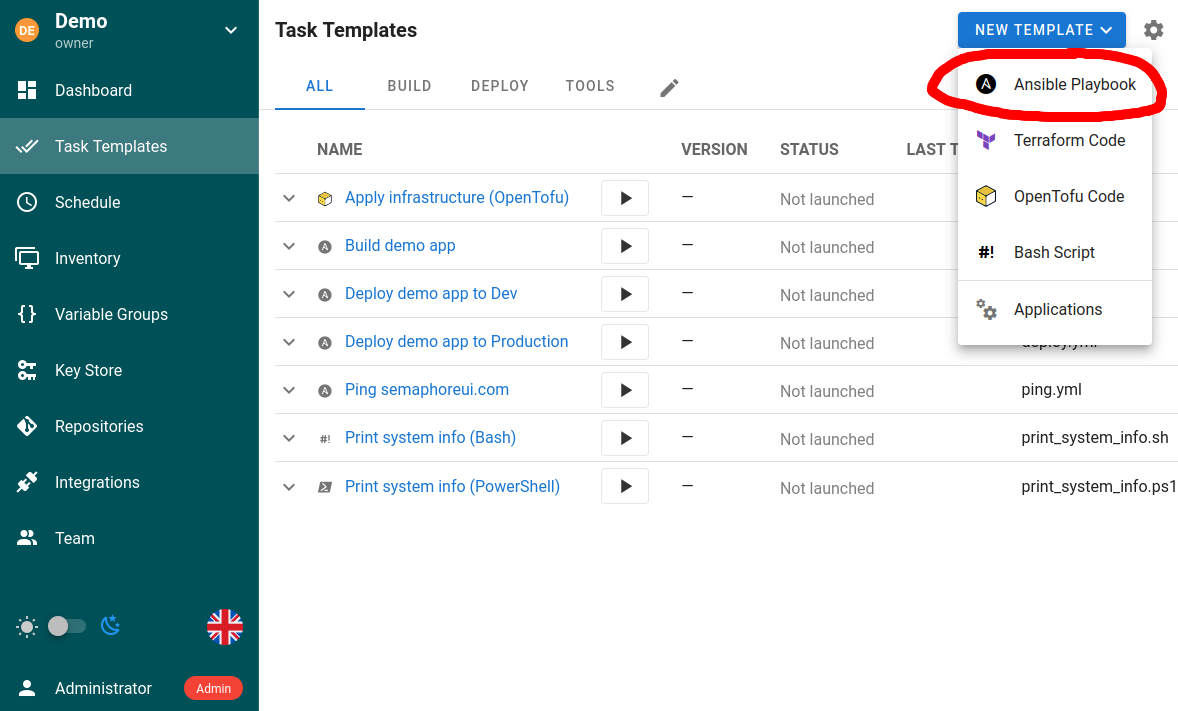
- Podesite šablon.
Šablon omogućava da navedete sledeće parametre:
- Repozitorijum (Repository)
- Putanju do fajla playbook-a
- Radni direktorijum (opciono)
- Inventar (Inventory)
- Grupe promenljivih (Variable Groups)
- Vault-ove
- Dodatne CLI argumente (tags, skip-tags, limit, verbosity)
- Promenljive okruženja
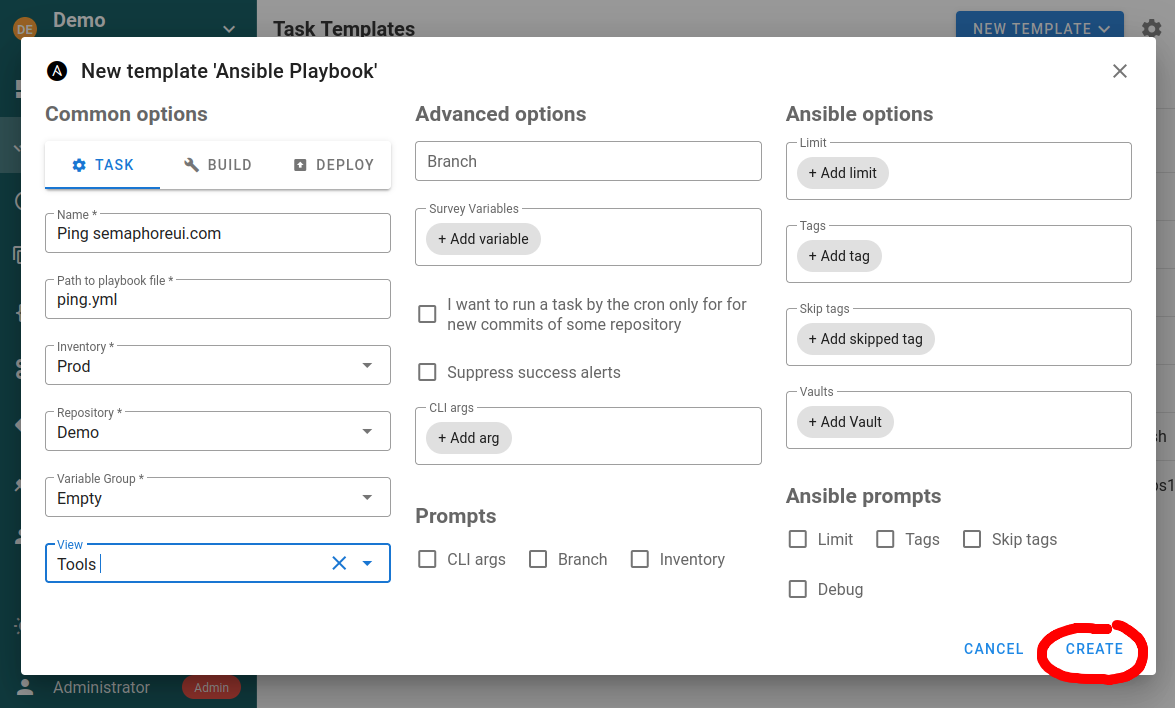
Radni direktorijum
Koristite Radni direktorijum (Working directory) da biste Ansible komande izvršavali iz poddirektorijuma repozitorijuma šablona. Unesite putanju relativnu u odnosu na koren repozitorijuma. Na primer, ako se ansible.cfg nalazi u <repository>/automation, unesite automation. Apsolutne putanje i putanje van repozitorijuma se odbijaju. Ako se izostavi, Semaphore koristi koren repozitorijuma.
Radni direktorijum utiče na ponašanje Ansible-a koje zavisi od tekućeg direktorijuma procesa. Ansible-ov redosled pretrage konfiguracionog fajla obuhvata ansible.cfg u tekućem direktorijumu. Radni direktorijum takođe utiče na razrešavanje relativnih putanja u dodatnim CLI argumentima; primeri su --extra-vars @vars.yml i --private-key key.pem. Putanje playbook-a i fajl-inventara ostaju relativne u odnosu na koren njihovih repozitorijuma.
Promena radnog direktorijuma sama po sebi ne dodaje poddirektorijume roles/ ili collections/ tog direktorijuma u Ansible-ove putanje pretrage. Otkrivanje uloga relativno u odnosu na playbook i kolekcije smeštene pored playbook-a i dalje se zasnivaju na lokaciji playbook-a. Radni direktorijum ipak može indirektno uticati na njihovo otkrivanje kada izabrani ansible.cfg konfiguriše roles_path ili collections_path.
Tipovi šablona
Šablon ansible-playbook može biti jednog od sledećih tipova:
Zadatak
Samo pokreće navedene playbook-ove sa navedenim parametrima.
Ako nameravate da šablon pokrećete API pozivom uz funkcionalnost limit, obavezno uključite opciju Ansible upiti: Limit (Ansible prompts: Limit). U suprotnom će limit zadat u API pozivu biti ignorisan. Kod zadatka pokrenutog preko API-ja ovo neće izazvati nikakav interaktivni upit; zadatak (Task) će se izvršiti bez nadzora.
Build
Ovaj tip šablona treba koristiti za kreiranje artefakata. Početna verzija artefakta može se navesti u parametru šablona. Svako pokretanje uvećava verziju artefakta.
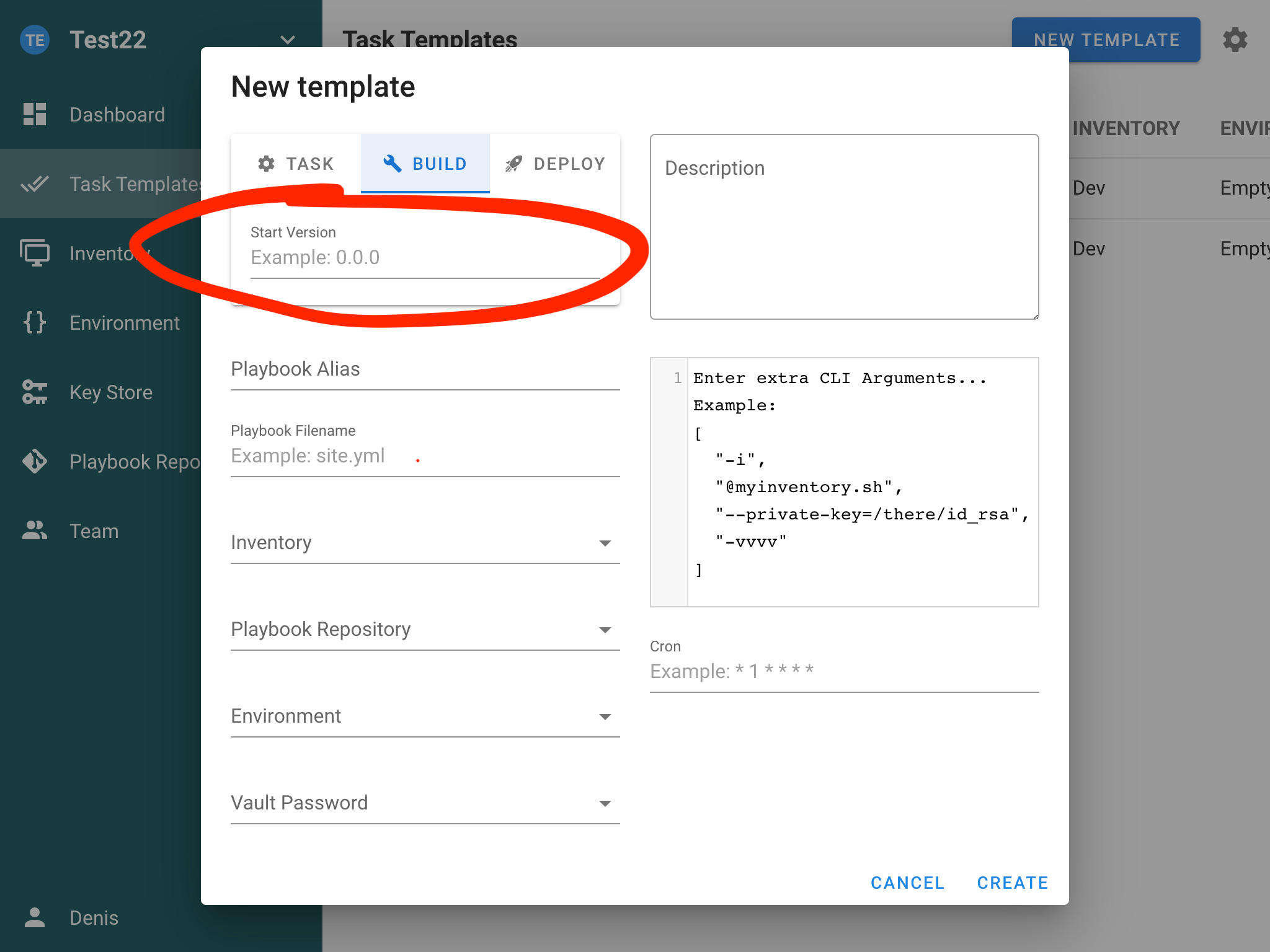
Semaphore ne podržava artefakte direktno, već samo obezbeđuje verzionisanje zadataka. Kreiranje artefakata morate sami implementirati. Pročitajte članak CI/CD da biste saznali kako se to radi.
Deploy
Ovaj tip šablona treba koristiti za isporuku artefakata na ciljne servere. Svaki deploy šablon povezan je sa nekim build šablonom.
Ovo vam omogućava da na servere isporučite određenu verziju artefakta.
Opcije šablona
Raspored
Zakazivanje zadataka možete podesiti navođenjem cron rasporeda (Schedule) u podešavanjima šablona. Format cron izraza možete pronaći u dokumentaciji.
Pokretanje zadatka kada se u repozitorijum doda novi commit
Možete koristiti cron da periodično proveravate da li u repozitorijumu postoje novi commit-ovi i da po njihovom pristizanju pokrenete zadatak.
Na primer, izvorni kod aplikacije imate u git repozitorijumu. Možete ga dodati u Repozitorijume (Repositories) i pokretati Build zadatak za nove commit-ove.
Tags, skip-tags i limit
Šabloni podržavaju Ansible CLI opcije:
--tags--skip-tags--limit
One se mogu podesiti u šablonu i zameniti prilikom kreiranja zadatka. Ako planirate da ove vrednosti prosleđujete preko API-ja, pobrinite se da su odgovarajući upiti uključeni.
Galaxy zahtevi
Pre pokretanja playbook-a Semaphore instalira uloge i kolekcije iz fajlova requirements.yml pronađenih u direktorijumu playbook-a, korenu repozitorijuma i njihovim poddirektorijumima roles/ i collections/, pomoću ansible-galaxy install --force.
Da bi se izbegla ponovna instalacija pri svakom pokretanju, Semaphore čuva kontrolnu sumu svakog fajla zahteva i instalaciju ponovo pokreće samo kada se fajl promeni. Ovim ponašanjem upravljaju dve opcije šablona u sklopivom odeljku Opcije Galaxy instalacije (Galaxy install options) (ispod Ansible upita (Ansible prompts)):
- Preskoči Galaxy instalaciju (Skip Galaxy install) — uopšte ne pokreće
ansible-galaxy. Koristite je kada su zahtevi unapred instalirani u image-u runner-a. - Prisilna Galaxy instalacija (Force Galaxy install) — uvek pokreće
ansible-galaxy install --force, ignorišući sačuvanu kontrolnu sumu. Koristite je kada fajl zahteva ukazuje na pokretni cilj (na primer granu umesto taga) i želite najnoviju verziju pri svakom pokretanju.
Opcija Preskoči Galaxy instalaciju (Skip Galaxy install) može se izložiti u formi za pokretanje zadatka uključivanjem istoimenog polja za potvrdu pod Upiti (Prompts) na dnu odeljka. Kada je upit uključen, vrednost izabrana pri pokretanju zamenjuje podrazumevanu vrednost šablona.
Dodatni Galaxy argumenti
Argumenti za instalaciju uloga (Role install args) i Argumenti za instalaciju kolekcija (Collection install args) (u sklopivom odeljku Opcije Galaxy instalacije (Galaxy install options) ispod Ansible upita (Ansible prompts); podrazumevano sklopljen; brojač pored njega pokazuje koliko je Galaxy podešavanja prilagođeno) dodaju zastavice komandama ansible-galaxy role install odnosno ansible-galaxy collection install. Konfigurišu se odvojeno jer ove dve potkomande prihvataju različite zastavice: --pre, na primer, važi samo za kolekcije.
Svaka stavka je jedan argv token; vrednost se može navesti ili inline (--timeout=60) ili kao sledeća stavka (--timeout, 60). Prihvataju se samo sledeće zastavice:
| Opseg | Zastavice |
|---|---|
| Oba | -c/--ignore-certs, -f/--force, --force-with-deps, -i/--ignore-errors, -n/--no-deps, -s/--server <url>, --timeout <seconds>, -v…-vvvv/--verbose |
| Samo uloge | -g/--keep-scm-meta |
| Samo kolekcije | --pre, -U/--upgrade, --offline, --no-cache, --clear-response-cache, --disable-gpg-verify, --keyring <path>, --signature <url>, --required-valid-signature-count <n>, --ignore-signature-status-code(s) <code> |
Sve ostalo se odbija prilikom čuvanja šablona. Konkretno, --token/--api-key nisu dozvoljeni jer su argumenti komandne linije vidljivi u listi procesa — Galaxy kredencijale umesto toga konfigurišite preko promenljivih okruženja (na primer ANSIBLE_GALAXY_SERVER_<NAME>_TOKEN) u grupi promenljivih. Fajl zahteva (-r) postavlja Semaphore, a putanje instalacije (-p, --roles-path, --collections-path) namerno se ne prihvataju da šablon ne bi mogao da piše van repozitorijuma — umesto toga podesite roles_path/collections_path u ansible.cfg ili preko ANSIBLE_ROLES_PATH/ANSIBLE_COLLECTIONS_PATH.
Paralelizam (--forks / -f)
Broj hostova na koje se Ansible povezuje paralelno kontrolišete prosleđivanjem --forks ili
-f u polju Dodatni CLI argumenti (Extra CLI arguments) šablona. Argumenti moraju biti važeći JSON —
koristite niz zasebnih tokena:
["--forks", "10"]
Podržan je i kratki oblik:
["-f", "10"]
Kada je na šablonu uključena opcija Dozvoli zamenu argumenata u zadatku (Allow override arguments in task), zadatak može
pri pokretanju da navede sopstvenu vrednost za forks. Ansible dobija i argumente šablona i
argumente zadatka; važi poslednji --forks / -f u komandnoj liniji.
Ako argumenti nisu važeći JSON, zadatak ne uspeva sa opisnom greškom validacije pre nego što izvršavanje počne.
Autentifikacija
Autentifikacija hostova u playbook-u obavlja se pomoću referenci na korisnike iz skladišta ključeva (Key Store) u inventaru. Korisnik za SSH određuje se opcionim korisnikom na elementu skladišta ključeva.
Više vault lozinki
Šablonu možete priložiti više Vault lozinki iz skladišta ključeva. Tokom izvršavanja Ansible će pokušati dešifrovanje pomoću navedenih lozinki.
Nivo detaljnosti
Detaljnost Ansible izlaza za zadatak (na primer -v, -vvv) možete podesiti u formi šablona/zadatka radi lakšeg rešavanja problema.