Ansible
Using Semaphore UI you can run Ansible playbooks. To do this, you need to create an Ansible Playbook Template.
- Go to Task Templates section, click on New Template and then Ansible Playbook.
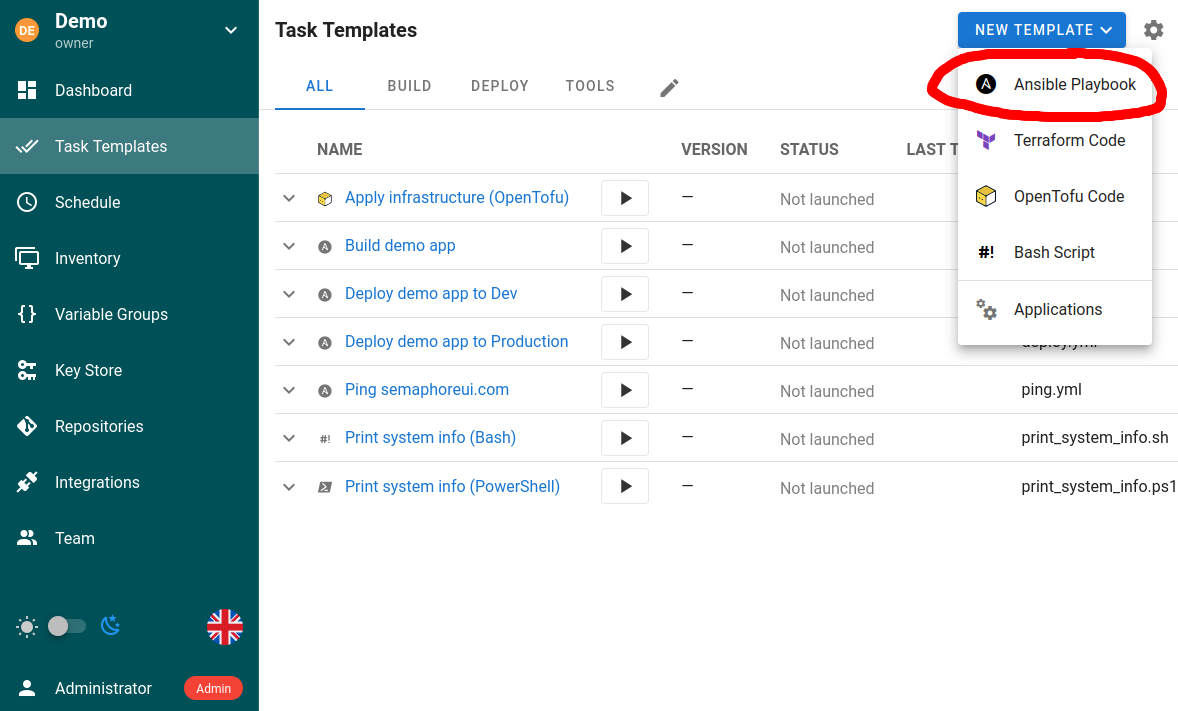
- Set up the template.
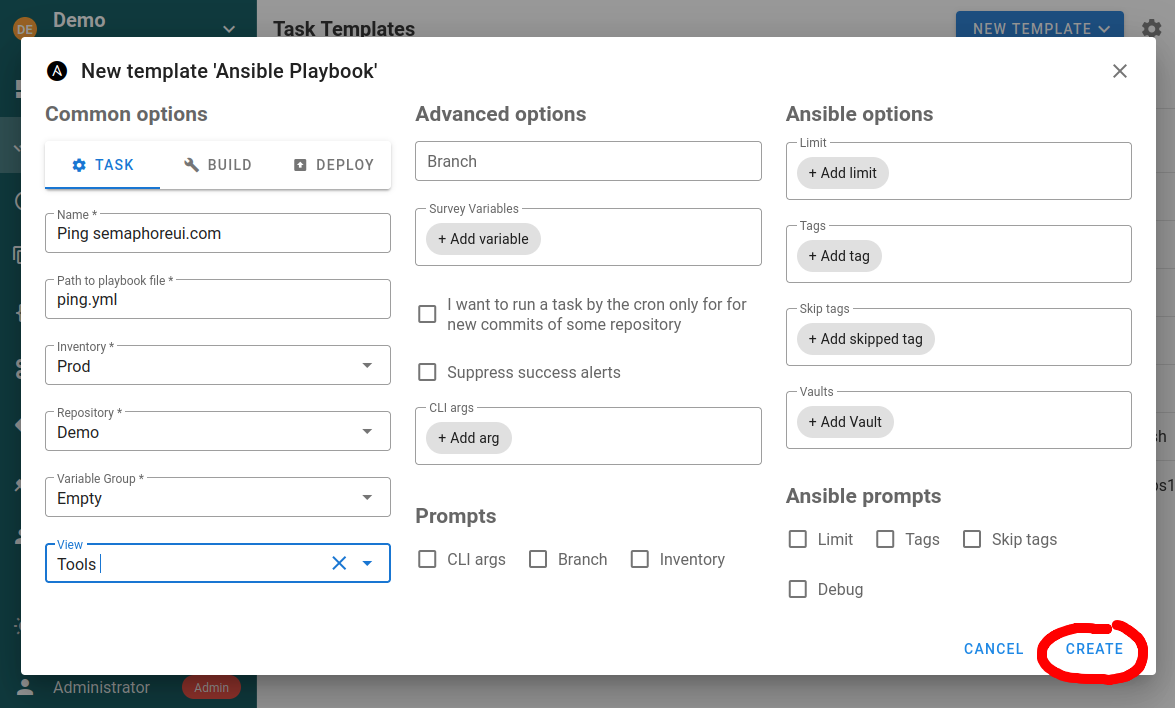
The template allows you to specify the following parameters:
- Repository
- Path to playbook file
- Working directory (optional)
- Inventory
- Variable Groups
- Vaults
- Extra CLI arguments (tags, skip-tags, limit, verbosity)
- Environment variables
Working directory
Use Working directory to run Ansible commands from a subdirectory of the template repository. Enter a path relative to the repository root. For example, if ansible.cfg is stored in <repository>/automation, enter automation. Absolute paths and paths outside the repository are rejected. If omitted, Semaphore uses the repository root.
The working directory affects Ansible behavior that depends on the process's current directory. Ansible's configuration file search order includes ansible.cfg in the current directory. The working directory also affects resolution of relative paths in extra CLI arguments; examples include --extra-vars @vars.yml and --private-key key.pem. Playbook and file-inventory paths remain relative to their repository roots.
Changing the working directory does not by itself add that directory's roles/ or collections/ subdirectory to Ansible's search paths. Playbook-relative role discovery and collections adjacent to a playbook remain based on the playbook location. The working directory can still affect their discovery indirectly when the selected ansible.cfg configures roles_path or collections_path.
Template types
An ansible-playbook template can be one of the following types:
Task
Just runs specified playbooks with specified parameters.
If you intend to launch the template with an API call with the limit feature, make sure to activate the option Ansible prompts: Limit. Otherwise the limit set in the API call will be ignored. For the API triggered task, this will not cause any interactive prompt, the task will run unattended.
Build
This type of template should be used to create artifacts. The start version of the artifact can be specified in a template parameter. Each run increments the artifact version.
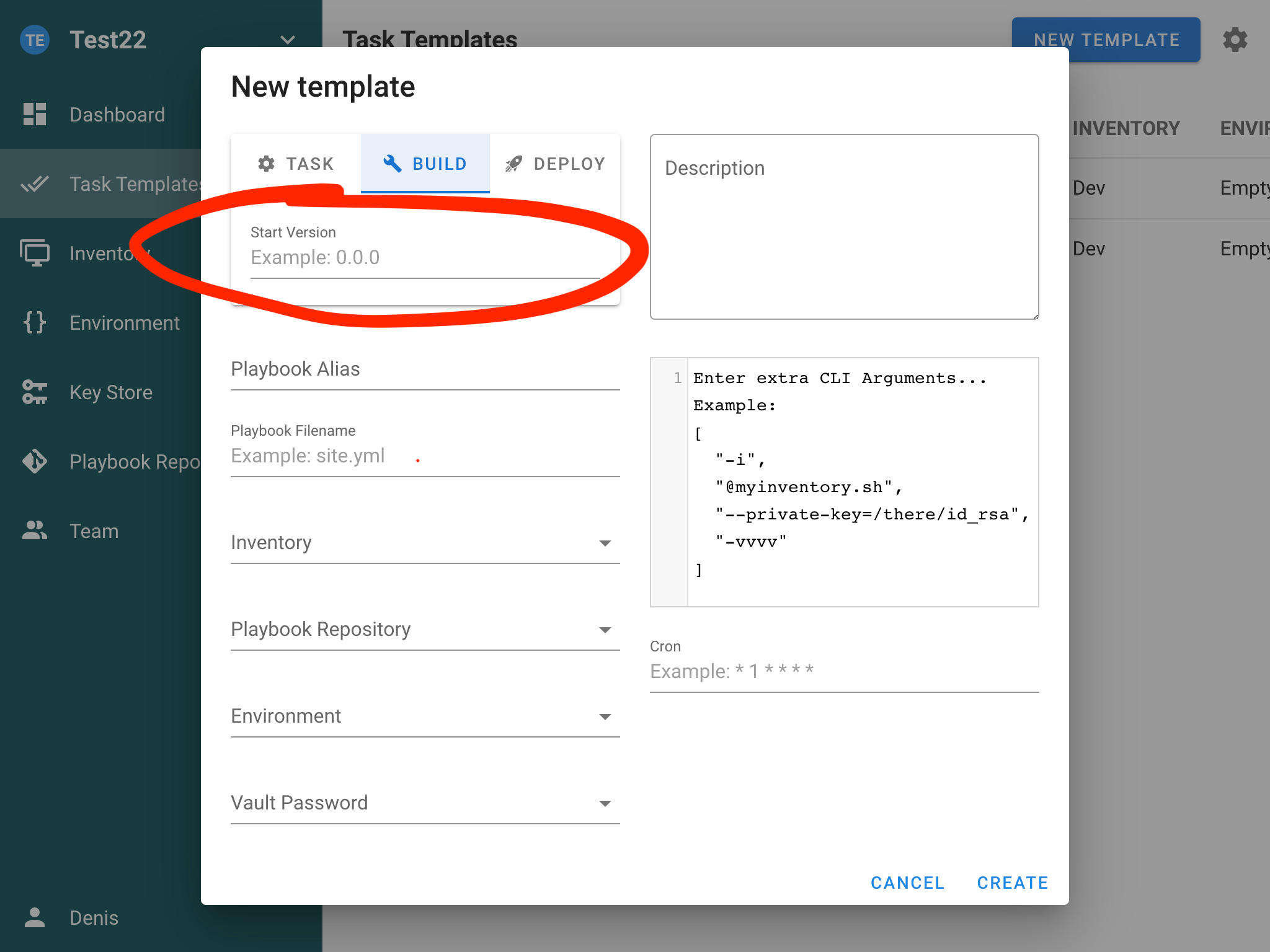
Semaphore doesn't support artifacts out-of-box, it only provides task versioning. You should implement the artifact creation yourself. Read the article CI/CD to know how to do this.
Deploy
This type of template should be used to deploy artifacts to the destination servers. Each deploy template is associated with a build template.
This allows you to deploy a specific version of the artifact to the servers.
Template options
Schedule
You can set up task scheduling by specifying a cron schedule in the template settings. Cron expression format you can find in documentation.
Run a task when a new commit is added to the repository
You can use cron to periodically check for new commits in the repository and trigger a task upon their arrival.
For example you have source code of the app in the git repository. You can add it to Repositories and trigger the Build task for new commits.
Tags, skip-tags and limit
Templates support Ansible CLI options:
--tags--skip-tags--limit
These can be set in the template and overridden when creating a task. Ensure corresponding prompts are enabled if you plan to pass these values via API.
Galaxy requirements
Before running a playbook, Semaphore installs roles and collections from requirements.yml files found in the playbook directory, the repository root, and their roles/ and collections/ subdirectories, using ansible-galaxy install --force.
To avoid reinstalling on every run, Semaphore stores a checksum of each requirements file and only runs the install again when the file changes. Two template options in the collapsible Galaxy install options section (below Ansible prompts) control this behavior:
- Skip Galaxy install — do not run
ansible-galaxyat all. Use it when requirements are pre-installed in the runner image. - Force Galaxy install — always run
ansible-galaxy install --force, ignoring the stored checksum. Use it when a requirements file points to a moving target (for example a branch instead of a tag) and you want the latest version on every run.
Skip Galaxy install can be exposed in the task run form by enabling the checkbox of the same name under Prompts at the bottom of the section. When a prompt is enabled, the value chosen at run time overrides the template default.
Extra Galaxy arguments
Role install args and Collection install args (in the collapsible Galaxy install options section below Ansible prompts; collapsed by default; the counter next to it shows how many Galaxy settings are customized) append flags to ansible-galaxy role install and ansible-galaxy collection install respectively. They are configured separately because the two subcommands accept different flags: --pre, for example, is valid only for collections.
Each entry is one argv token; a value can be given either inline (--timeout=60) or as the next entry (--timeout, 60). Only the following flags are accepted:
| Scope | Flags |
|---|---|
| Both | -c/--ignore-certs, -f/--force, --force-with-deps, -i/--ignore-errors, -n/--no-deps, -s/--server <url>, --timeout <seconds>, -v…-vvvv/--verbose |
| Roles only | -g/--keep-scm-meta |
| Collections only | --pre, -U/--upgrade, --offline, --no-cache, --clear-response-cache, --disable-gpg-verify, --keyring <path>, --signature <url>, --required-valid-signature-count <n>, --ignore-signature-status-code(s) <code> |
Anything else is rejected when the template is saved. In particular --token/--api-key are not allowed because command-line arguments are visible in the process list — configure Galaxy credentials through environment variables (for example ANSIBLE_GALAXY_SERVER_<NAME>_TOKEN) in a variable group instead. The requirements file (-r) is set by Semaphore, and install paths (-p, --roles-path, --collections-path) are deliberately not accepted so a template cannot write outside the repository — set roles_path/collections_path in ansible.cfg or via ANSIBLE_ROLES_PATH/ANSIBLE_COLLECTIONS_PATH instead.
Parallelism (--forks / -f)
Control how many hosts Ansible connects to in parallel by passing --forks or
-f in the template's Extra CLI arguments. Arguments must be valid JSON —
use an array of separate tokens:
["--forks", "10"]
Short form is also supported:
["-f", "10"]
When Allow override arguments in task is enabled on the template, a task can
supply its own forks value at run time. Ansible receives both the template and
task arguments; the last --forks / -f on the command line wins.
If arguments are not valid JSON, the task fails with a descriptive validation error before execution starts.
Authentication
Authentication for hosts in the playbook is done using the user references from the Key Store on the inventory. The user for SSH is determined by the optional user on the Key Store element.
Multiple vault passwords
You can attach multiple Vault passwords from the Key Store to a template. During execution, Ansible will attempt to decrypt using the provided passwords.
Verbosity level
You can adjust Ansible verbosity for a task (for example -v, -vvv) from the template/task form to aid troubleshooting.