

Turn Semaphore UI into your team automation hub

Give your team control over execution, secrets, shared state and run results in one self-hosted place. Start fresh with Pro, or upgrade the Semaphore UI setup you already run.

Vector illustration of Semaphore UI surrounded by automation tools, a runner rack and secret storage.

You’re in good company

Trusted by thousands of teams. Proven in production

RaiffeisenSOSNovonesisAyalytical
01

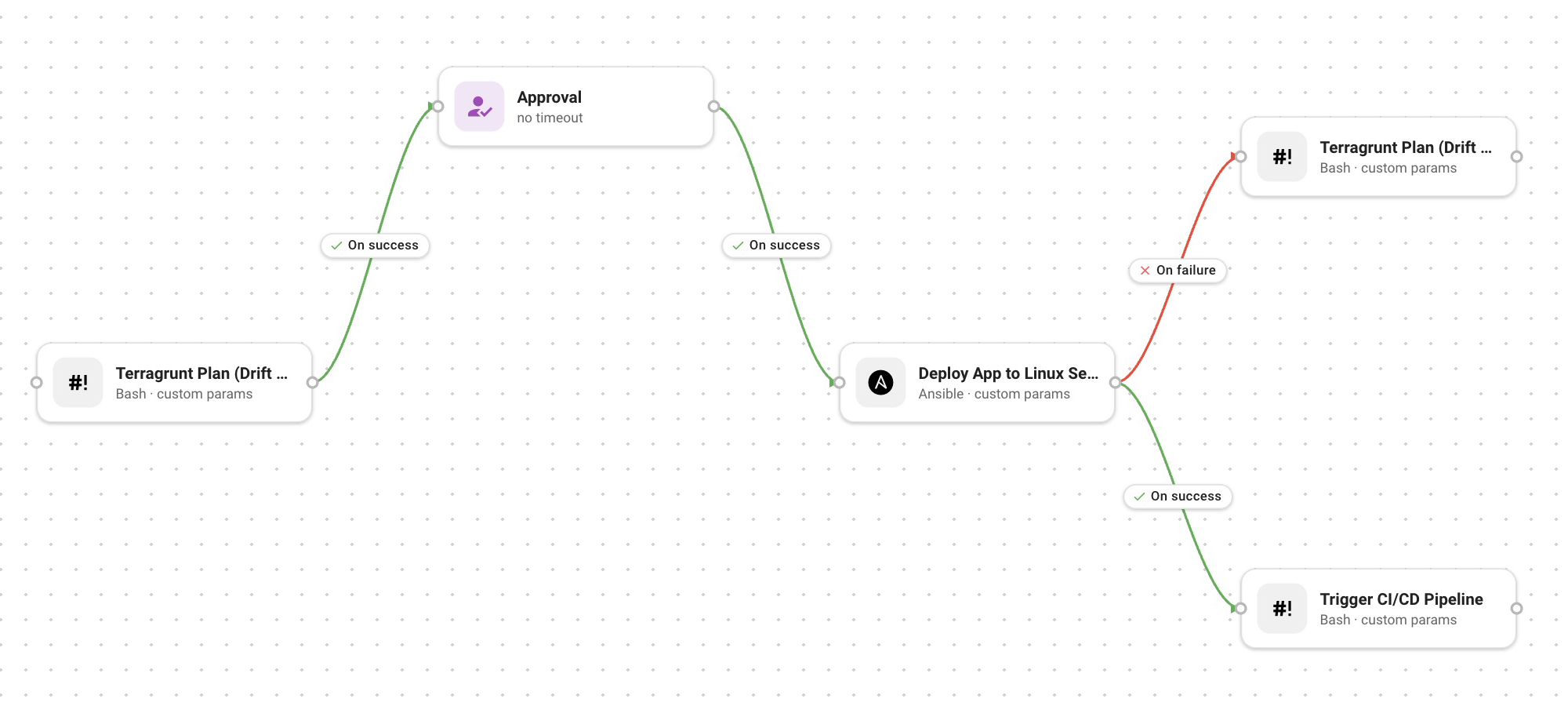
Connect separate jobs into one Workflow

Connect templates into a Workflow in Semaphore UI. Plan the change, wait for approval, run the next task and branch on failure. Use it for patching, deployments or recurring operations.

Connect separate jobs into one Workflow
Coming soon in Pro

Trigger a whole Workflow from an Integration

Connect an incoming event to a saved Workflow in Pro, so one Integration starts all its connected steps.

02

Route tasks with Pro runners and tags

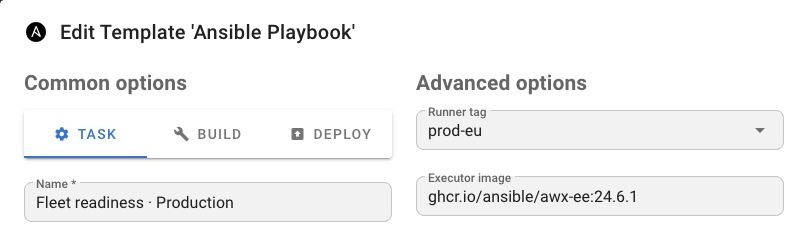
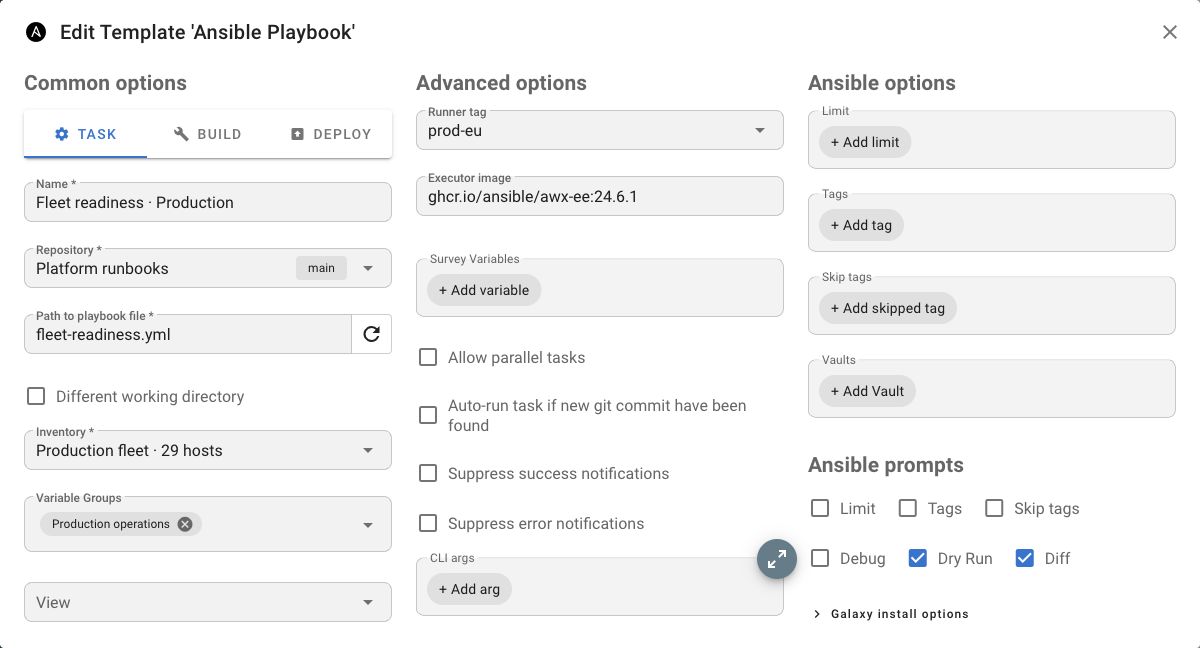
Keep production, staging and private-cloud execution separate. Match a template’s tag to a Pro Project Runner in the right network, so the same runbook reaches the environment it was meant for.

Explore Project Runners →

The runners have proven to be a reliable and scalable solution for our needs. On top of the great product, the support we've received has been outstanding.

Sasha K., Senior Systems Engineer at Jack Henry & Associates
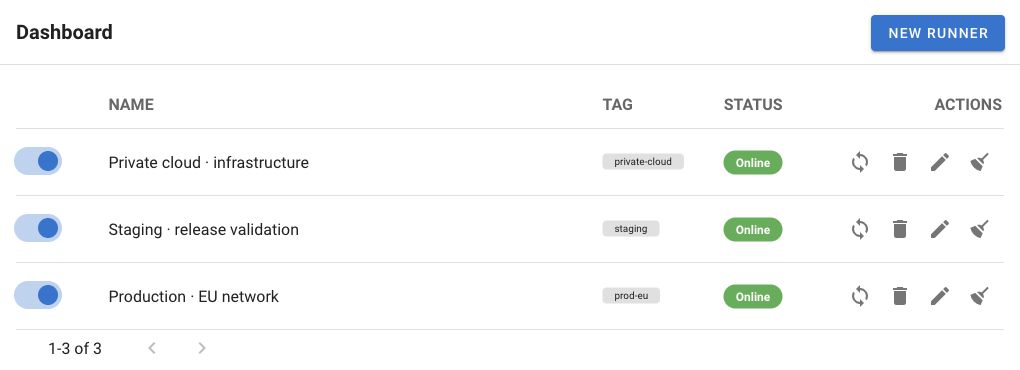
Production, staging and private-cloud Project Runners with matching environment tags.Production fleet template selecting the prod-eu runner tag.
03

Give each run a clean execution environment

Pin the toolchain a runbook needs instead of changing packages on the runner host. With Docker execution on a Pro runner, each task starts in its own container and the container is removed after the run.

Explore runner executors →
Executor image setting in the Semaphore UI template editor.
04

Use the vault your team already trusts

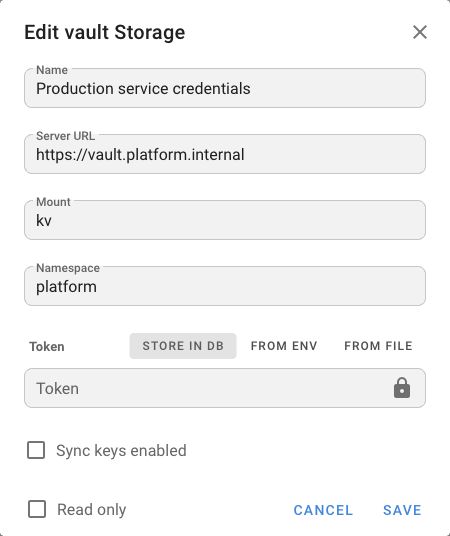
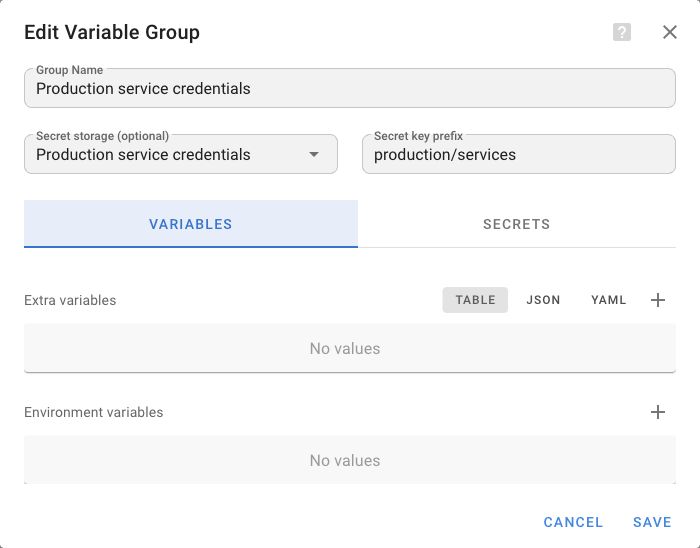
Keep service credentials and deployment secrets in HashiCorp Vault or OpenBao. Connect that storage in Pro Key Store, then reuse it in keys and Variable Groups without moving the source out of your vault.

See Vault storage setup →
HashiCorp VaultOpenBao
HashiCorp Vault storage configuration in Semaphore UI.
A Variable Group using HashiCorp Vault secret storage in Semaphore UI.
05

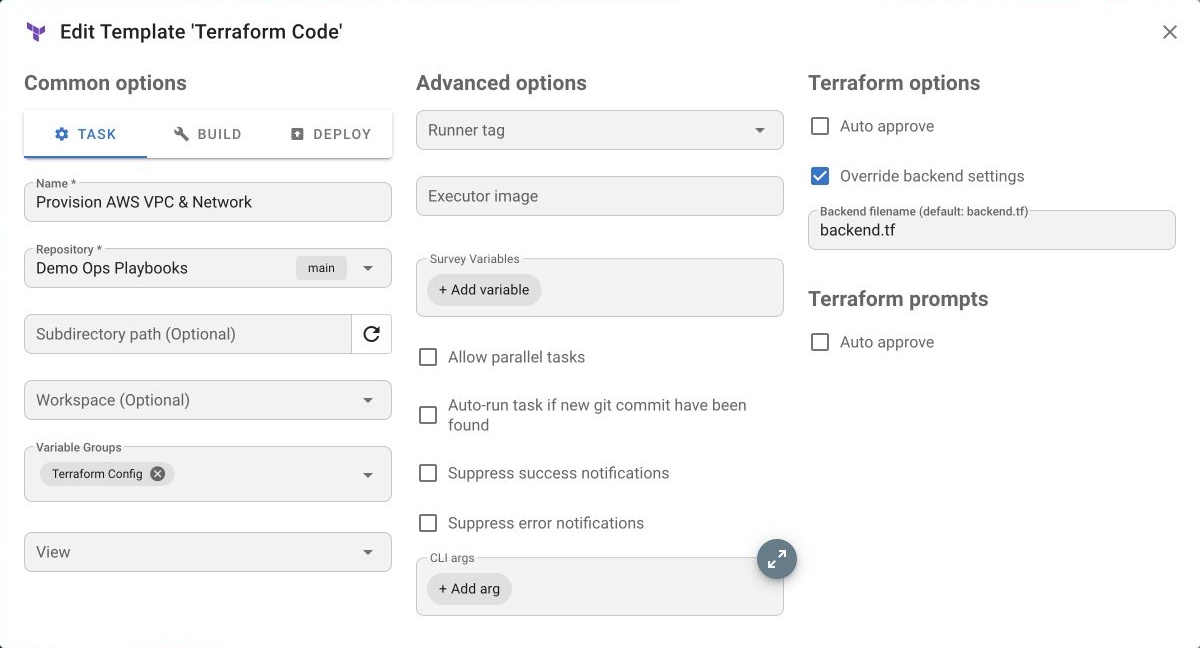
Store shared Terraform state alongside your tasks

Run Terraform or OpenTofu from Semaphore UI and configure the Pro HTTP backend for shared state. Keep state locking and history alongside the tasks that change infrastructure.

Explore Terraform in Semaphore →
TerraformOpenTofu
Terraform template options with Override backend settings enabled in Semaphore UI.
06

Find out what happened after a task run

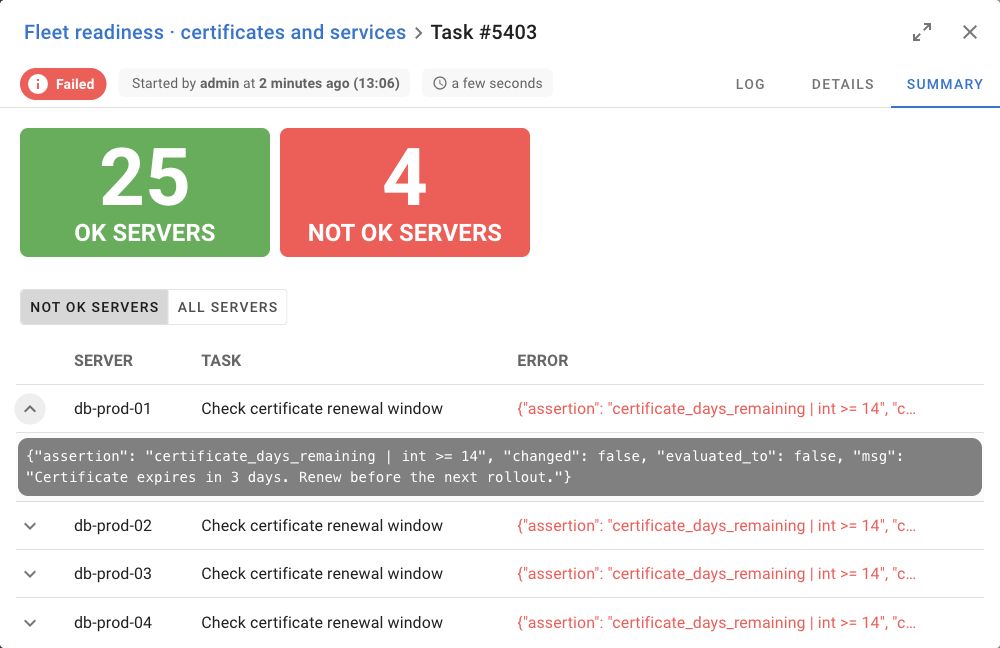
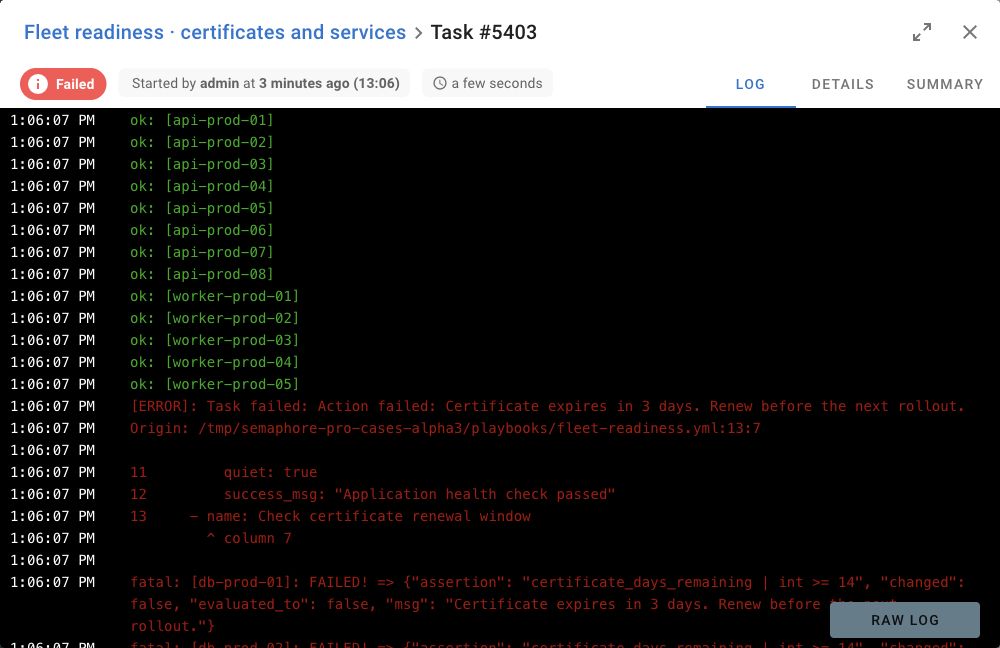
Spot the hosts that need attention with Pro task summaries, then open the run’s log to understand why. Here, 25 hosts pass and four need certificate renewal. Export the log for follow-up or retention.

Fleet readiness summary: 25 OK hosts and four hosts needing certificate renewal.
The same fleet readiness run’s log shows certificate checks and the renewal failure.
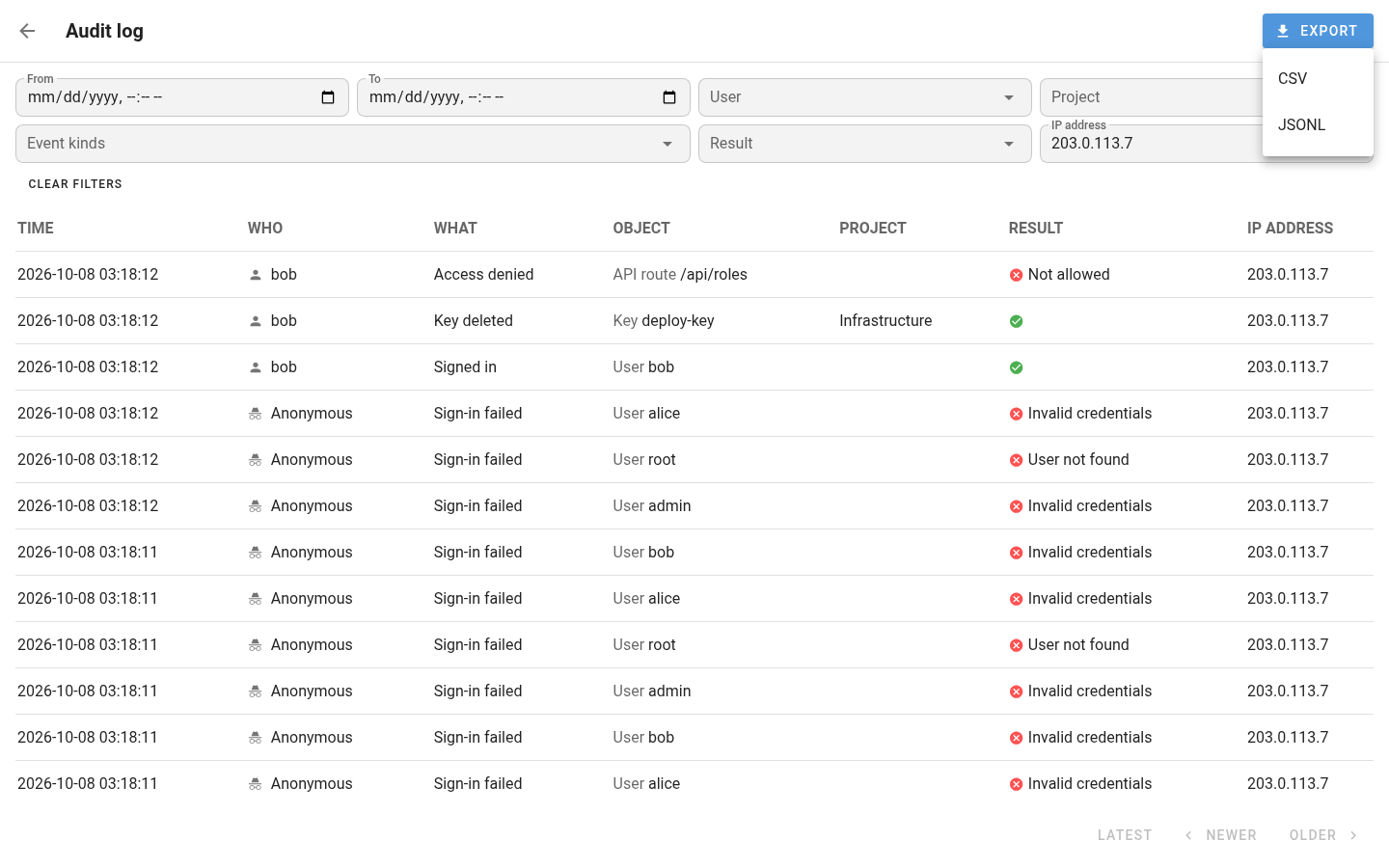
Upcoming Semaphore UI log view with user, project, event, result and IP filters.
07Coming soon

Know who changed what

The Audit Log view is coming to every edition. Pro will add filters by user, project, event, result and IP address, plus SIEM export.

Give your team a reliable way to run it

Pro also adds the team controls and support that make daily automation easier to own.

Team sign-in

Use OIDC SSO, LDAP or Active Directory, and TOTP two-factor authentication.

Pro support

Get business-time email support and standard feature-request review.

Keep your evidence

Export logs to files when your team needs a durable record outside Semaphore UI.

Pro for homelabs, small teams and pilots

You don’t need a large infrastructure to benefit from Pro. We kept a $20/month starting configuration with 50 nodes and 500 resources, so your first setup can stay affordable.

Start with one user, one Project Runner and one instance. Add capacity and teammates when you need them.

Start your 50-node Pro setup →
Compact self-hosted homelab with a small rack and connected devices.

Configure your license

1Choose your infrastructure management capacity

managed nodes Hosts, servers or devices managed through Semaphore UI.50
managed resources Terraform or OpenTofu resources managed through Semaphore UI.500

2Fit your team and deployment size needs

users Users who can create, edit and administer Pro automation. Operators with limited access may not need a Pro seat
runners Execution agents that run tasks close to private or isolated infrastructure.
instances Additional Semaphore UI deployments for the same team and infrastructure, such as production, staging or test. For nodes and resources, size the license to the highest monthly count on any covered instance, not the sum across instances.

Pro license

$20/ month

Infrastructure capacity
$20
users
$0
runners
$0
instances
$0
Total
$20

Taxes calculated at checkout.

Buy now

FAQ

Do smaller Pro configurations have fewer features?

No. A smaller capacity tier changes how many managed nodes and resources your license covers, not which Pro features you receive. Every tier includes the same Pro capabilities and business-time support. Users, Project Runners and instances can be added separately.

Can I start small or try Pro first?

Yes. The starting paid configuration includes 50 managed nodes, 500 managed resources, one Pro user, one Project Runner and one instance. It costs $20 with monthly billing or $199 with annual billing, before applicable tax. You can also start a 30-day Pro trial without a credit card before choosing a paid configuration.

Can I change my configuration as I grow?

You can increase capacity or add users, Project Runners and instances during your paid term. Available changes can be made in the Customer Portal. If your needs decrease, you can choose a smaller configuration for the next term.

Will Semaphore UI become a hosted service?

No. Community, Pro and Enterprise remain self-hosted. You deploy Semaphore UI in your own environment and retain control of your automation, credentials and operational data.

Can I keep my existing projects and automation?

Yes. Pro extends the Semaphore UI you already run. Keep your projects, repositories, Ansible playbooks and Terraform or OpenTofu code, then add Pro capabilities where your team needs them.

How do tasks reach the right private network?

Place a Project Runner in each environment and assign runner tags. Tag a task template to send its runs to a matching runner near the systems it manages.

Do I need to copy secrets out of Vault or OpenBao?

No. Connect HashiCorp Vault or OpenBao as external Key Store storage. Templates reference the credential in Semaphore UI while you manage its source in your vault.

Where does Terraform or OpenTofu state go?

Pro can act as an HTTP state backend. Configure your tool to store shared state in Semaphore UI, with locking and state history available to the team.

Can an Integration start a whole Workflow?

Today, Integrations start individual task templates from incoming events. Triggering a saved Workflow through an Integration is planned for Pro and is marked Coming soon on this page.

What can I inspect and export after a run?

Pro task summaries show Ansible host outcomes, and log export is already available. Audit Log UI is coming to every edition. Advanced filters in the UI and SIEM export will be available from Pro.

Bring your team into Pro

Start a 30-day trial with your own projects. Connect the steps, route work to the right runner and see what Pro changes for your team.