Repositories
A Repository is a place to store and manage Ansible content like playbooks and roles.
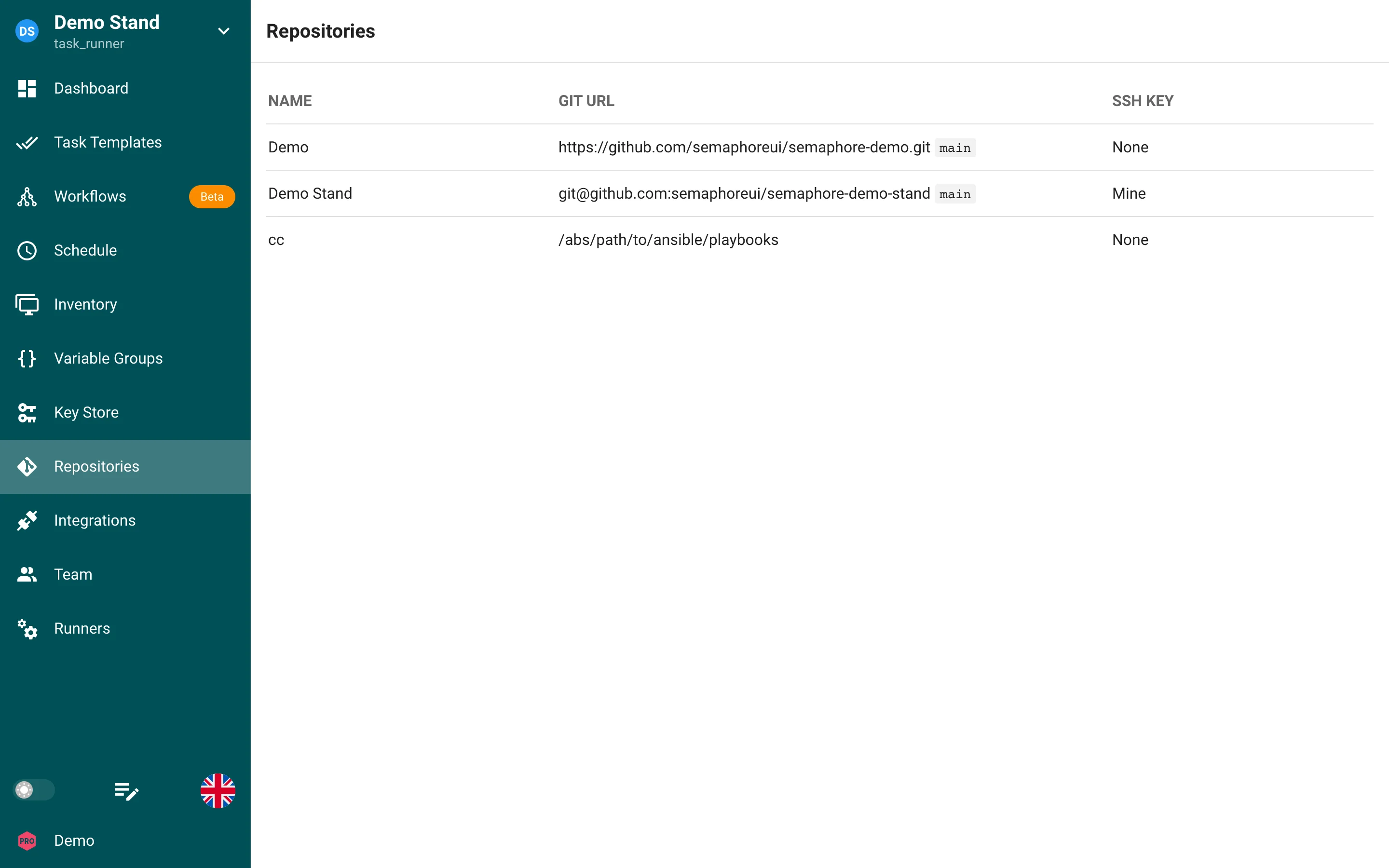
The list shows the name, the Git URL with the branch, and the key used for authentication.
Semaphore understands Repositories that are:
- a local file system (
/path/to/the/repo) - a local Git repository (
file://) - a remote Git Repository that is accessed over HTTPS (
https://), SSH (ssh://or the short formgit@host:org/repo.git) git://protocol supported, but it is not recommended for security reasons.
All Task Templates require a Repository in order to run.
Authentication
If you are using a remote Repository that requires authentication, you will need to configure a key in the Key Store section of Semaphore.
For remote Repositories that use SSH, you will need to use your SSH key in the Key Store.
For Remote Repositories that do not have authentication, you can create a Key with the type of None.
The key of a Repository is used for that Repository only. To reach submodules, requirements.yml roles or other repositories hosted elsewhere with their own credentials, add a mapping in Host config.
Creating a New Repository
-
Make sure you have configured the key for the Repository you are about to add in the key store section.
-
Go to the Repositories section of Semaphore, click the New Repository button in the upper right hand corner.
-
Configure the Repository:
- Name Repository
- Add the URL. The URL must start with the following:
/path/to/the/repofor a local folder on the file systemhttps://for a remote Git Repository accessed over HTTPSssh://for a remote Git Repository accessed over SSHfile://for a local Git Repositorygit://for a remote Git Repository accessed over Git protocol
- Set the branch of the Repository, if you are not sure what it should be, it is probably master or main
- Select the Access Key you configured prior to setting up this Repository.
-
Click Save once everything is configured.
Editing an Existing Repository
-
Go to the Repositories section of Semaphore.
-
Click on the pencil icon next to the Repository you wish to change, then you will be presented with the Repository configuration.
Deleting a Repository
Make sure the Repository that is about to be delete is not in use by any Task Templates. A Repository cannot be deleted if it is used in any Task Templates:
-
Go to the Repositories section of Semaphore.
-
Click on the trash can icon on of the Repository you wish to delete.
-
Click Yes on the confirmation pop-up if you are sure you want this Repository to be deleted.
Requirements
Upon project initialization Semaphore searches for and installs Ansible roles and collections from requirements.yml in the following locations and order.
Roles
playbook_dir/roles/requirements.ymlplaybook_dir/requirements.ymlrepo_path/roles/requirements.ymlrepo_path/requirements.yml
Collection
playbook_dir/collections/requirements.ymlplaybook_dir/requirements.ymlrepo_path/collections/requirements.ymlrepo_path/requirements.yml
Processing Logic
- Each file is processed independently
- If a file exists, it will be processed according to its type (role or collection)
- If any file processing results in an error, the installation process stops and returns the error
- The same requirements.yml file in the root directories (
playbook_dir/requirements.yml andrepo_path/requirements.yml) is processed twice - once for roles and once for collections
Semaphore will attempt to process all these locations regardless of whether previous locations were found or successfully processed, except in the case of errors.