

Plan one infrastructure unit
Point a template at a network, database or application unit. Make its scope visible before starting the plan.
Share a prepared jobKeep your Terragrunt structure in Git. Save the directory, workspace and inputs in Semaphore, then give your team a clear way to plan and run each operation.


In a Terragrunt repository, the starting directory and arguments define the scope. A remembered command is not enough to hand the operation to someone else.
Point a template at a network, database or application unit. Make its scope visible before starting the plan.
Share a prepared jobCreate named templates for the relevant environment directories and Variable Groups. Keep shared configuration in Git.
Share a prepared jobConfigure the multi-unit arguments your Terragrunt version supports. Terragrunt evaluates module dependencies and Semaphore records the task output.
Connect jobs in a WorkflowThe template sets the working directory containing terragrunt.hcl, so the unit in scope is visible before any run.
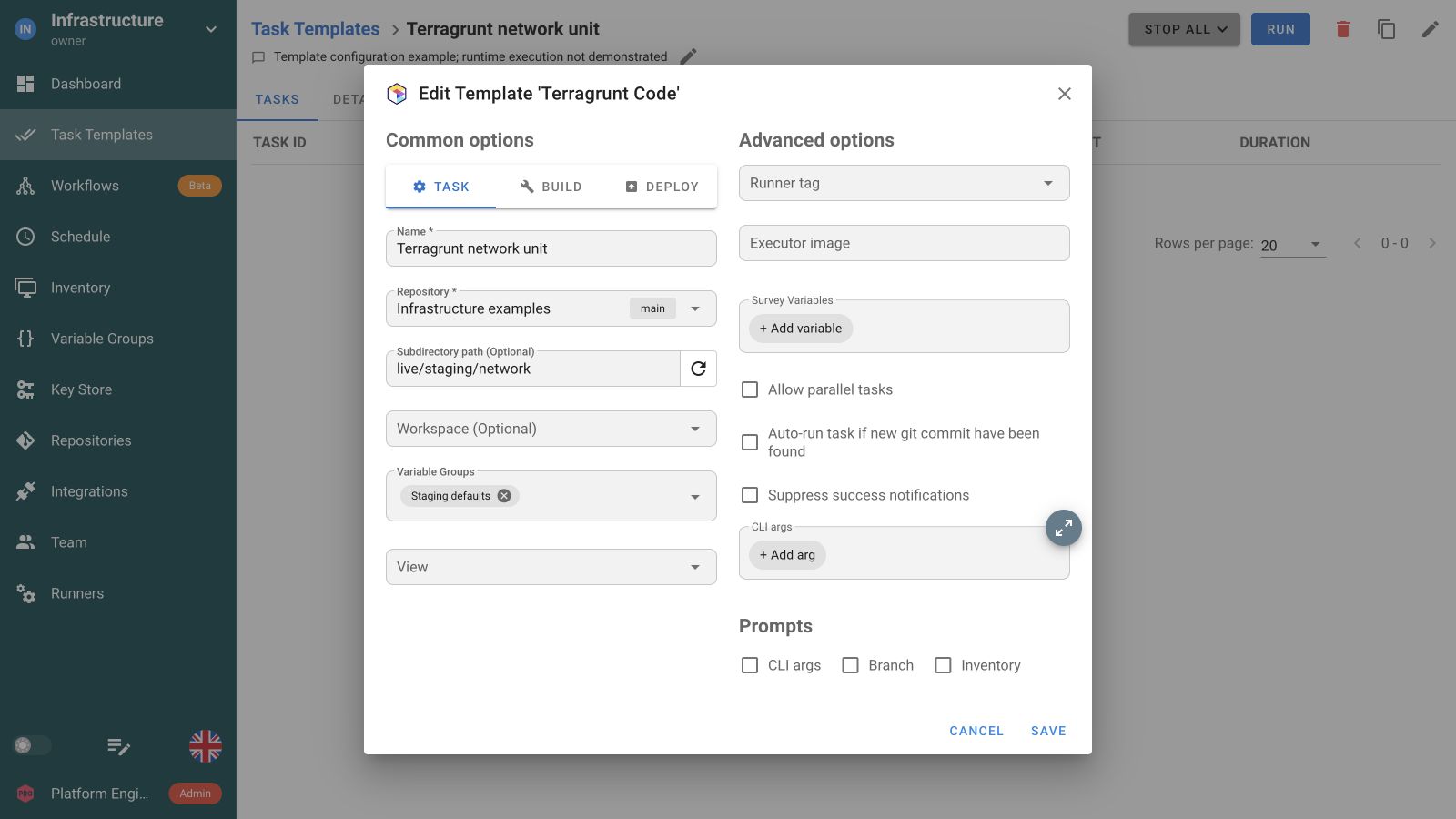
Terragrunt evaluates that unit with Terraform or OpenTofu underneath. A plan proposes changes without applying them.
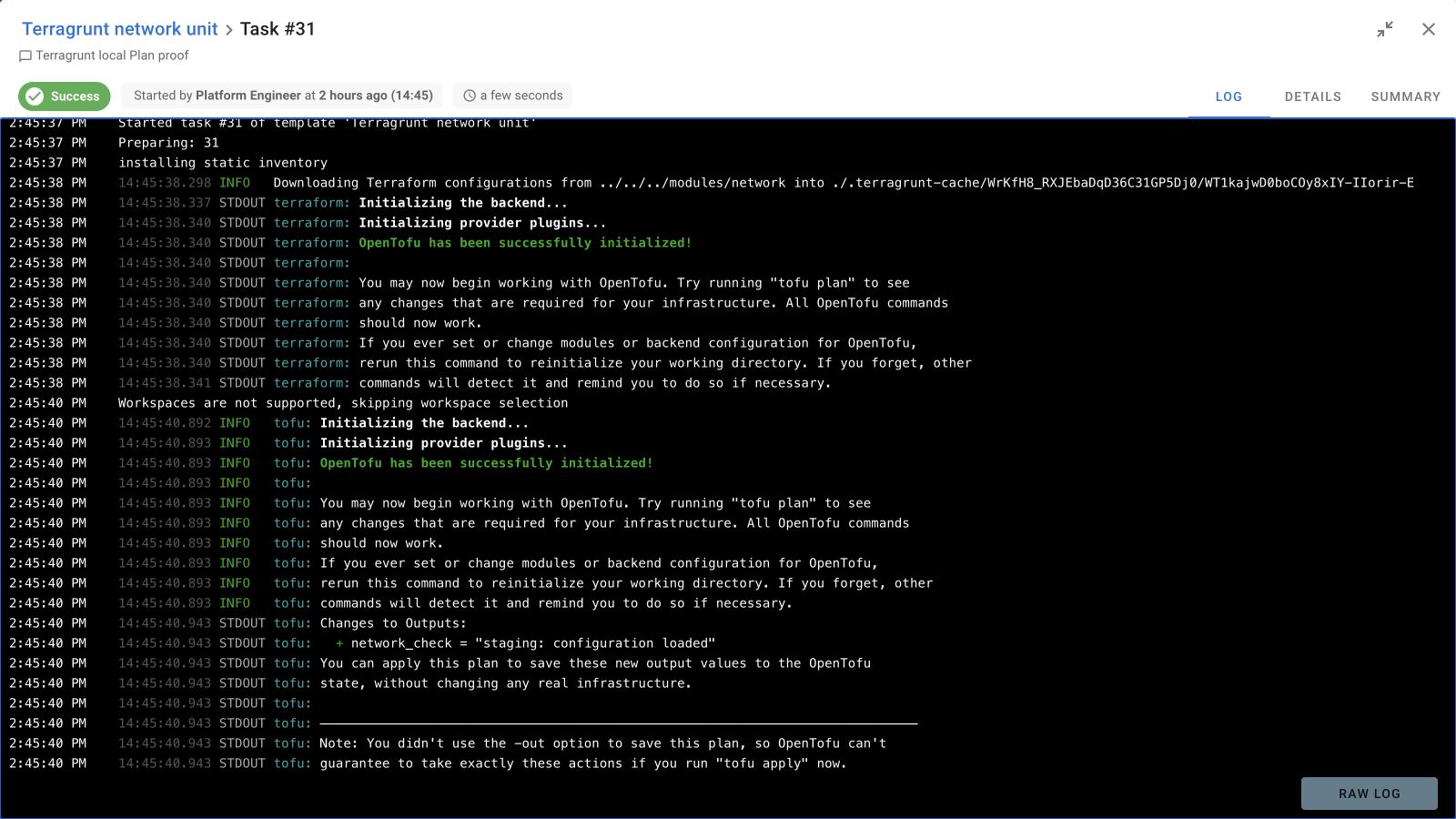
Keep module dependencies in Terragrunt. Use a Workflow to pass its outputs to Ansible configuration and follow with Python service checks. Add a diagnostics branch when a task fails.
Run infrastructure units
 Configure the systems
 Verify the service
 Collect diagnostics
Select the repository subdirectory containing terragrunt.hcl. Use separate named templates when different units or environments need distinct entry points.
Enable Terragrunt Code in Applications. Install terragrunt and the Terraform or OpenTofu binary on the server or runner, and test the version combination used by your repository.
Variable Groups supply environment inputs, including TF_VAR_ values. Select a Terragrunt workspace inventory and use the backend configured for the operation.
Terragrunt evaluates the dependencies within its configuration. Semaphore Workflows coordinate separate Task Templates. Configure multi-unit CLI arguments for the installed Terragrunt release.
Enable Terragrunt Code in Applications before creating the template. The application is disabled by default. Also install terragrunt and the Terraform or OpenTofu binary it will use on the server or runner that executes the task.
Select the subdirectory containing the terragrunt.hcl for the intended operation. Its directory and command arguments determine the scope. Use named templates for distinct units or environments so the team can recognize what a task will operate on before starting it.
Yes. The Semaphore integration supports Terraform or OpenTofu as the underlying binary. Prepare both Terragrunt and the selected binary on the execution environment. Test their version combination with your configuration and provide the required module, provider and backend access.
You can configure multi-unit operations through the template’s CLI arguments. Use the command syntax supported by your installed Terragrunt version. The working directory and arguments determine which units are affected, while Terragrunt evaluates their module dependencies.
Yes. Save the intended unit directory and workspace in a Terragrunt Task Template, configure Plan-only execution and add a schedule. Each scheduled task keeps its own output. Check the command scope before using it for recurring multi-unit work.
Terragrunt evaluates dependencies between its infrastructure modules. A Semaphore Workflow coordinates Task Templates, which can use different tools. For example, a Terragrunt rollout can be followed by Ansible configuration and Python checks without replacing Terragrunt’s internal module dependency graph.
Yes. Give teammates the project access required to run the prepared template. Save a clear entry directory, workspace and inputs so they can recognize its scope. Enterprise custom roles can restrict access to selected templates when broader project access is unnecessary.
Attach Variable Groups for environment inputs, including TF_VAR_ values used by the underlying configuration. Extra variables and Survey Variables are passed as supported run inputs. Keep provider and backend credentials in secret entries rather than committing them to the repository.

