
Trace every run and change
Inspect task output, review audit events and see who changed what in Semaphore. With Pro, bring security events into your SIEM alongside the rest of your operational evidence.
DashboardHISTORY
FailedMaya Chen
#15 · Verify payment API healthSuccessAlex Morgan
#14 · Apply production firewall rulesSuccessSam Patel
Renew production TLS certificatesTask #16
FailedStarted by Maya ChenLOG
PLAY [Renew production TLS certificates]TASK [Validate ACME DNS credentials]fatal: [edge-01.eu-west]: FAILED!DNS provider returned HTTP 403Certificate was not renewedPLAY RECAP · failed=1 · changed=0
A failed job is only the start of the investigation
Find the failed step, the configuration it used and the changes around it. A status badge alone cannot tell that story.
Find the run. Reconstruct the change
What happened in the job?
Open its output, inputs and code revision.
Who changed the setup?
Review recorded changes to templates, credentials and permissions.
Investigate the run with its context attached
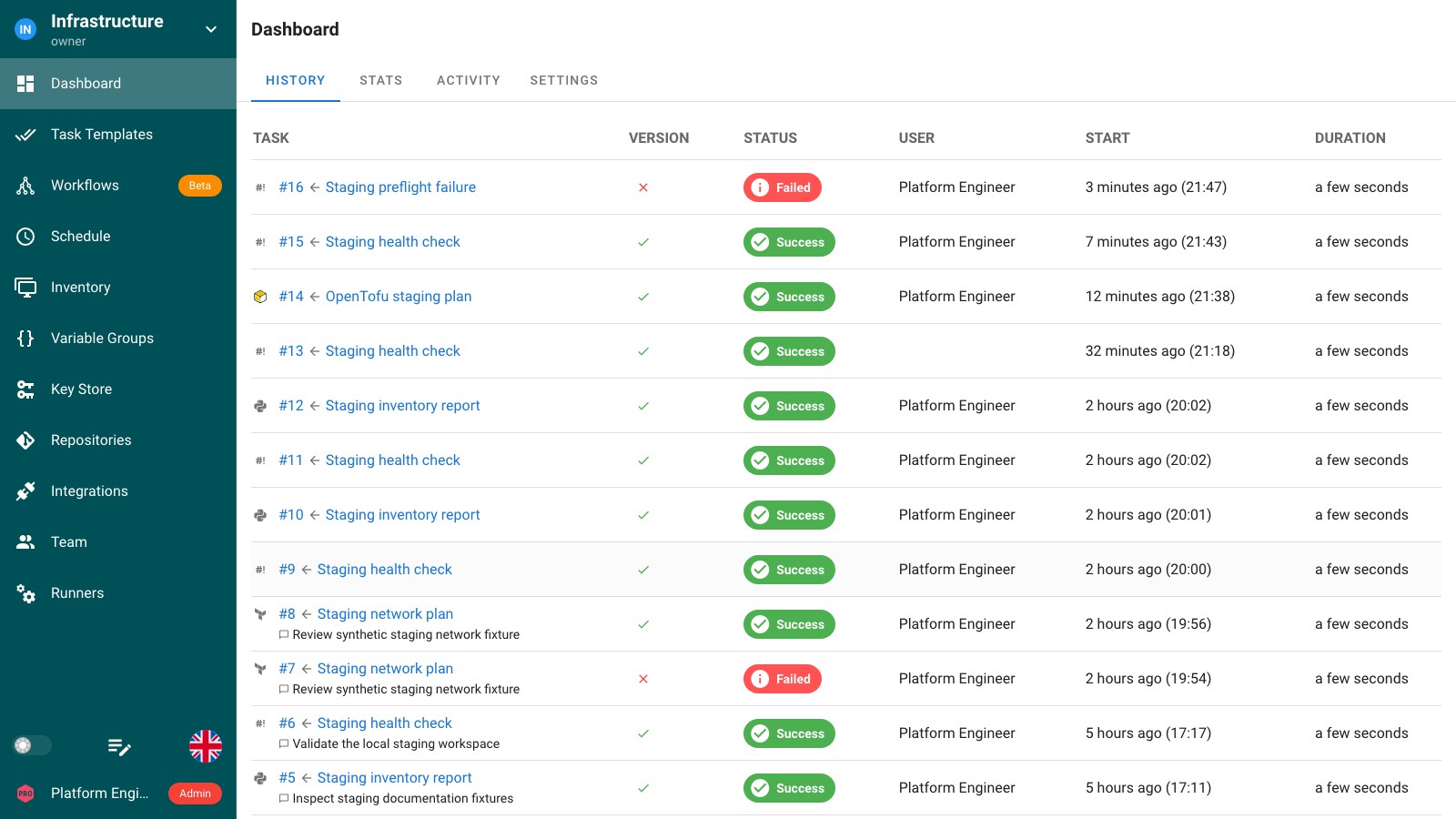
Find the failed occurrence in project history and open its task.
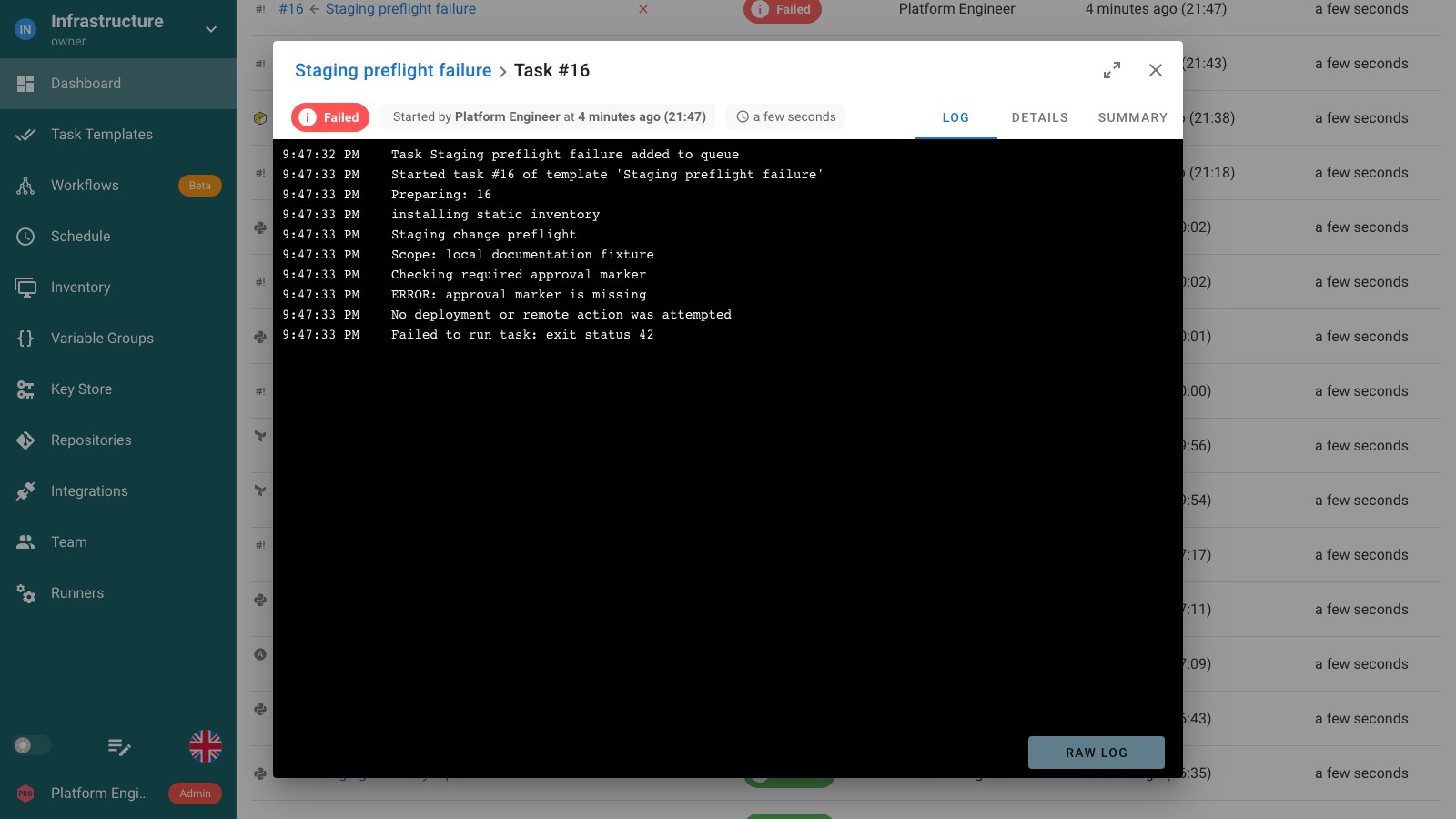
Read the recorded output to see where execution stopped.
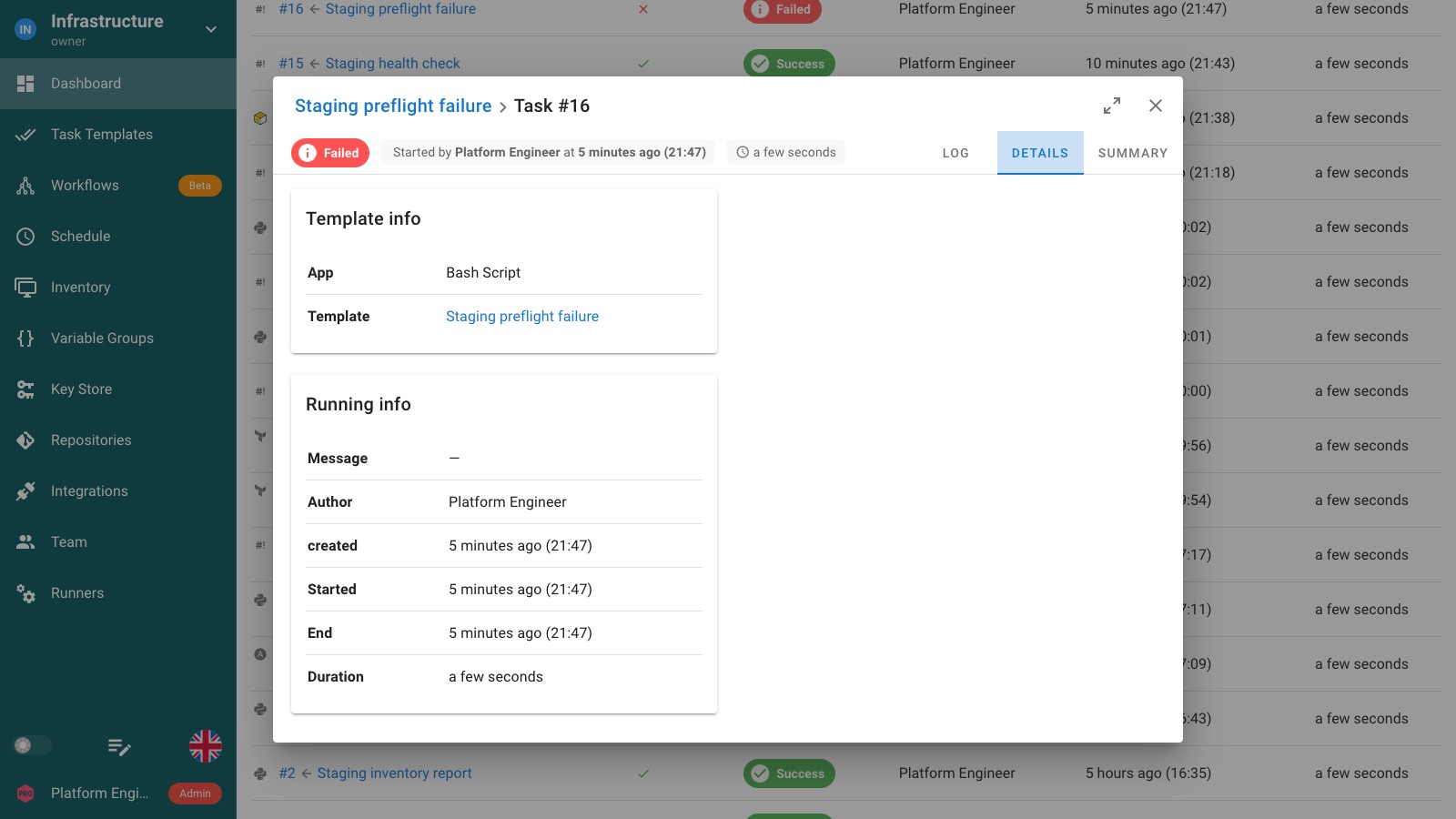
Review the template, revision, timing and other recorded execution details.
Find who changed what, beyond the task output
Review sign-ins, permission changes and updates to automation resources. Enable audit logging to record the actor, action and outcome.
Pro adds filters by time, user, project, event kind, result and IP address, with CSV and JSON Lines export.
Audit log and event coverage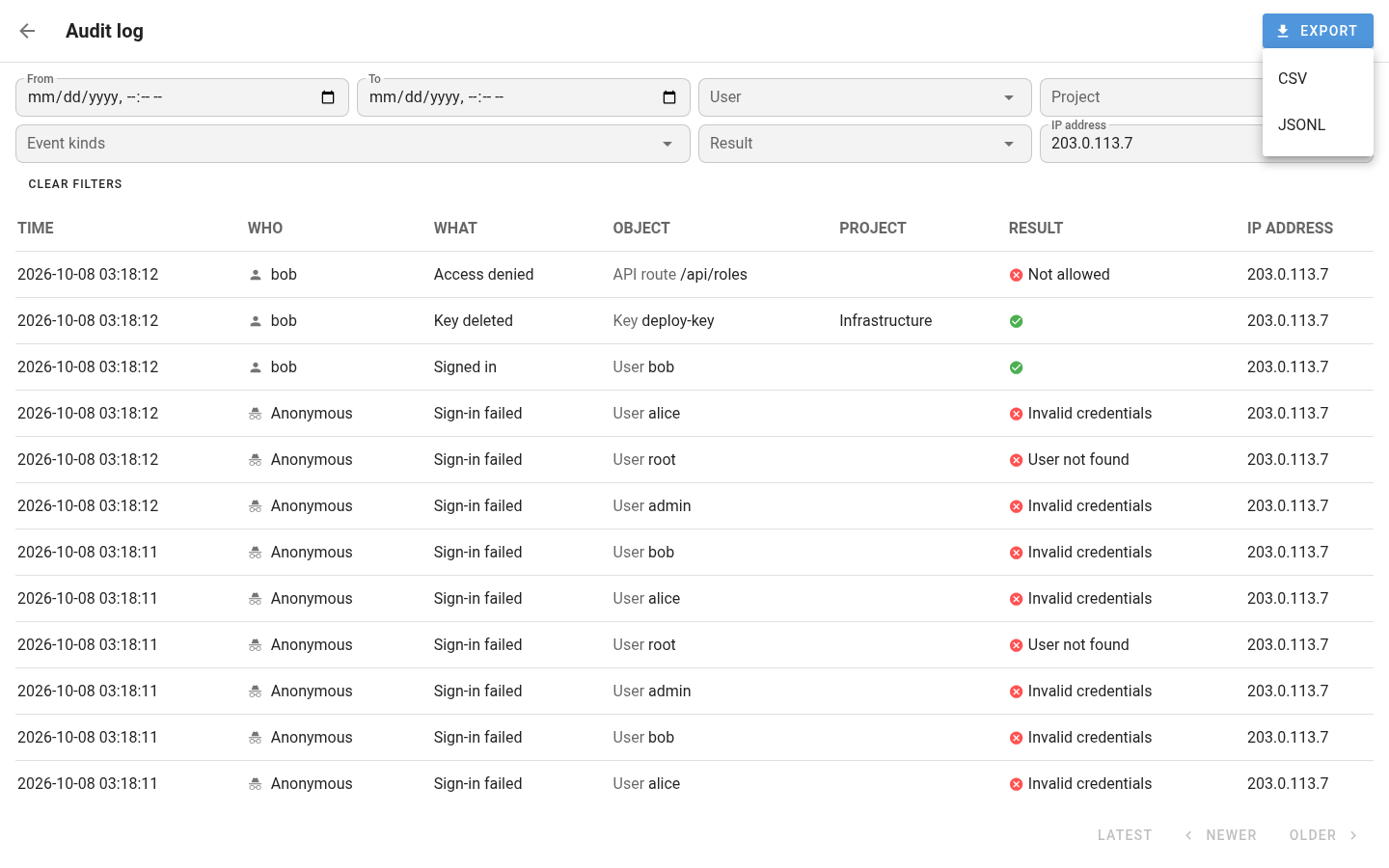
 Audit events
Syslog over TLSSplunk HEC
Your SIEM / log collectorSplunk · Vector · Fluent Bit · OpenTelemetry Collector · Cribl
Put run history to work during an investigation
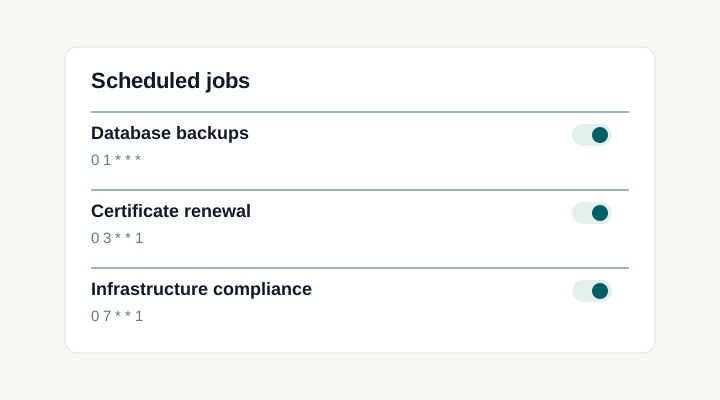
Review recurring operations together
SchedulesExecution logs, audit events and central collection
Keep execution output with the task
Task history records the template, status, timings and output for each execution. Open the original occurrence when investigating an Ansible playbook, Terraform plan or script. Scheduled and integration-triggered tasks remain in the history even when their User column has no human initiator.
Review authentication and configuration changes
Audit events cover sign-ins, access denials, account and API-token changes, project membership, permissions and automation resources. Each event identifies the actor, action and outcome, with request and project context where applicable. The event reference documents the exact coverage.
Find the relevant events and export them
With Pro, filter the audit log by time, user, event kind, result, project or IP address. Export the matching events as CSV or JSON Lines for investigation and review. Opening an event exposes its structured fields.
Collect task and activity logs centrally
Pro can write task and activity logs to files, including JSON-formatted records. Configure rotation and collection for your logging stack. Application diagnostics continue to stdout for the service or container that runs Semaphore.
Set retention for each kind of evidence
Task retention limits the number of executions kept per template. Audit retention is configured separately in days. Include database-backed records in your backup policy, and size audit retention to cover interruptions in your external collection path.
Separate audit metadata from task output
Audit events exclude passwords, tokens, secret values and command output. Task logs contain what your playbooks and scripts print, so safe logging and appropriate project access still matter.
Documentation and related features
FAQ
How are task logs and audit events different?
Task logs show what a playbook, infrastructure tool or script reported during execution. Audit events describe actions within Semaphore, including authentication, access and configuration changes. Use both during an investigation: the task explains the execution result, while audit events help establish the surrounding sequence of actions. The event reference documents which actions are recorded.
Can I see who ran a scheduled or integration-triggered task?
A manually started task can have a human initiator, while documented History rows for scheduled or integration-triggered work do not have a human user. Do not attribute those runs to a person simply because they appear in the same history. Use the execution and integration context your process records to understand the origin. External services should retain their own event-to-task correlation when individual request attribution matters.
Where should I look when the failure is outside my playbook or script?
Task output shows what the automation process reported, but server or coordination problems may require Semaphore application logs. Server logs go to stdout and are collected through the service, container, or logging setup used by your deployment. Correlate the relevant time and operation with those diagnostics. Keep access and retention intentional so the team can investigate without assuming every application error will appear in the task's tool output.
Can I send audit events to Splunk or another SIEM?
Yes. Pro forwards audit events using Syslog over TLS or the Splunk HTTP Event Collector protocol. Compatible collectors include Splunk and receivers that support those protocols. Configure the destination and credentials, then verify receipt in your collection system. Audit-event forwarding is separate from collecting the raw command output of tasks.
Can I filter audit events and export CSV or JSON Lines?
Pro adds audit-log filters for time, user, project, event kind, result and IP address. Export saves the events matching the filters as CSV or JSON Lines. This is useful for sharing a bounded investigation with another team or retaining a review extract without copying individual rows from the interface.
Do I need to enable audit logging before it records events?
Yes. Audit logging is off by default. Enable it in the server configuration, set an installation identifier and restart Semaphore. Recording begins after that restart; earlier actions are not backfilled. Administrators can then inspect events in the Audit log. Pro adds filtering, file export and SIEM forwarding to that recorded event stream.
Can I inspect Ansible, Terraform, OpenTofu and script output in one place?
Yes. Project task history brings executions from your configured automation applications into one list. Open an Ansible, Terraform, OpenTofu, Bash, Python or PowerShell task to inspect its recorded output and details. The output format comes from the tool itself; Ansible host summaries are a separate Pro capability.
How long are task history and logs retained?
The server configuration controls task retention. By default, tasks and their logs are retained; a configured maximum per template removes the oldest tasks together with their output when the limit is reached. Set retention for your investigation needs and export records separately when your own policy requires longer storage. Read the retention guide.
Which events help investigate an access or configuration change?
The audit-event reference includes sign-in attempts, access denials, account and API-token changes, project membership and template permissions, plus changes to supported automation resources. Events carry an actor and outcome, with request or project context where applicable. Check the documented event kinds when designing a security investigation instead of assuming every external infrastructure action is captured.