
Connect the adapter
Point the MCP adapter at your Semaphore instance using an API token with the access you want to allow.
Configure Semaphore, run tasks and investigate results through MCP. Work from your AI client with the permissions of your API identity.
 Claude
 Codex
 Gemini
Your assistant helps with the script. But creating the template, setting its inputs and scheduling the job still means switching interfaces and repeating the context.
Use MCP to configure Semaphore, start tasks and inspect results from your AI client. The configured API identity determines which resources and actions it can access.
Connect once, then work with Semaphore from Claude Code. The MCP adapter gives your client tools for calling the Semaphore API.
Point the MCP adapter at your Semaphore instance using an API token with the access you want to allow.
Register the adapter in your MCP client. Your available tools appear in Claude Code.
Create templates, update inputs, schedule jobs or investigate a run using the tools and permissions you enabled.
“Find the latest failed task in my project, read its output and suggest what to check next. Do not change anything.”
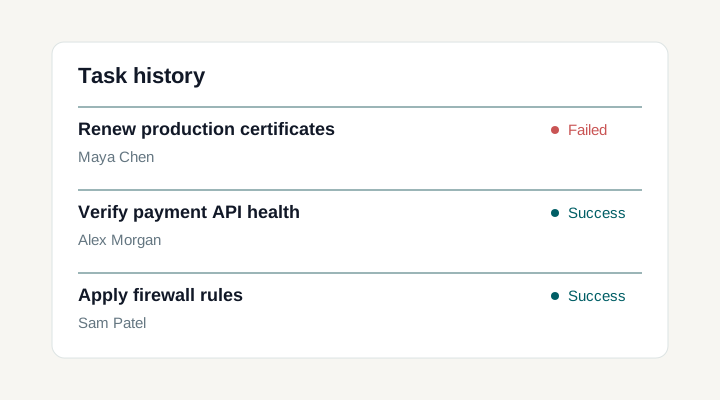
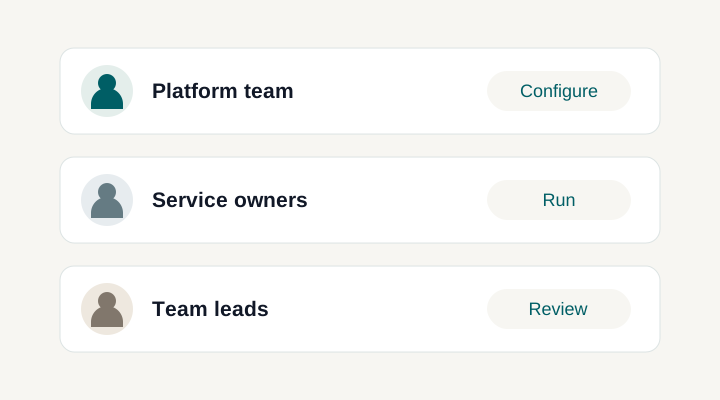
An assistant can help connect task output with the surrounding template and project information its adapter exposes. A useful interaction names the task, asks what the evidence supports and separates a diagnosis from a proposed change. Tool coverage varies by adapter version, so verify that the required read operations are actually available.
In the documented MCP adapter, a configured SEMAPHORE_API_TOKEN always takes precedence over tokens supplied by clients. Without that global token, HTTP requests can forward each client’s bearer token. A shared token means shared authority and API identity; it does not provide reliable attribution to the individual human using the assistant.
The adapter includes mutation tools as well as reads. Running a task or changing a template is operational work, even if initiated in a chat. Human confirmation is a client and workflow design choice; MCP by itself does not enforce it. Begin with low-risk investigation and expand the permitted surface only after testing the behavior.
Self-hosting Semaphore controls where its service runs. It does not prevent an assistant client from sending returned logs or metadata to its model provider. Review the client and model deployment, avoid secret-bearing output and decide what context may leave your network before enabling the connection.
The setup described here uses a separate MCP adapter that communicates with the Semaphore REST API. It is not a built-in first-party assistant. The adapter exposes supported operations to a compatible client, while the client and model provide the conversational experience. Review the adapter's tool list, authentication, and deployment model before connecting it, because its capabilities and maintenance can change independently of your Semaphore release.
It uses the identity behind the API token actually selected by the adapter. In the documented adapter implementation, a configured global SEMAPHORE_API_TOKEN takes precedence over client tokens. HTTP mode without that global token can forward per-client bearer tokens. A shared token therefore means shared authority and API identity, not reliable attribution to each person chatting with the assistant. Choose the deployment mode deliberately before adding multiple users.
Yes, but enforce the intended boundary through the Semaphore identity and the verified adapter and client configuration. A chat instruction to avoid changes is not a replacement for limiting the underlying token's authority. Start with a concrete task and the read operations needed to retrieve its context and output. Check that the assistant's explanation follows the returned evidence before expanding the integration to operational actions.
Yes, depending on the assistant client and model deployment. Self-hosting Semaphore determines where its application runs, but does not prevent a connected client from forwarding returned context elsewhere. Review the complete data path, including logs, metadata, adapter hosting, and model processing. Task output can contain sensitive values, so decide what may be exposed and choose suitable credentials and project access before enabling the connection.
Start with the task identifier and ask the assistant to read its status and output through the adapter’s supported tools. It can use the returned evidence to explain the failing step and suggest checks. Confirm those suggestions against the original task log, especially before changing a playbook, credentials or target infrastructure.
No. The MCP adapter uses the Semaphore REST API to expose supported operations to a compatible assistant client. Semaphore remains the place where tasks execute and results are recorded. You can open the original task in the web UI to inspect its output independently of the conversation or model’s explanation.
Yes, when the configured API identity can access that project and the adapter supports the operations you need. Begin with a known task and check the information returned by the read tools. You do not need to rewrite the playbook or script simply to inspect its existing execution record through the integration.
A task investigation does not itself rerun or repair automation. The adapter may expose mutation tools, so the available actions depend on its version, client configuration and API permissions. Keep the intended read-only access enforced by the underlying identity, and review the exact project and task before allowing an execution action.