
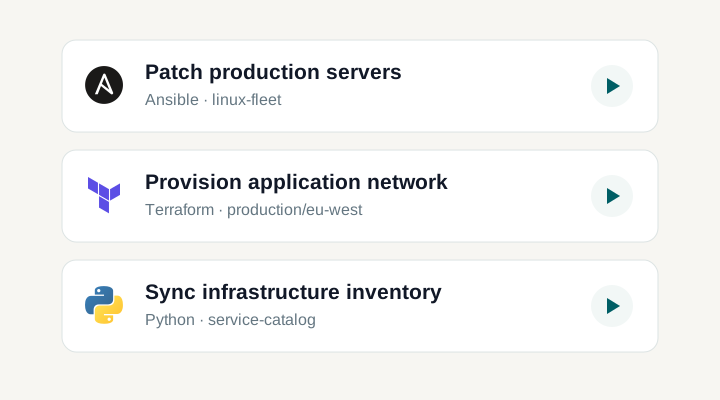
Keep routine jobs off your to-do list
Schedule Ansible playbooks, infrastructure code and scripts. Keep patching, certificate renewals and backups in one shared schedule, with a result for every run.
INInfrastructure
Weekly service checks0 2 * * 0Staging service preflight
Certificate renewal0 3 * * *Renew public TLS certificates
Database backup check0 6 * * 1-5Verify production backups
History
Weekly service checksAnsible · 18 Oct 2026Success02:00 UTCa few seconds
Weekly service checksAnsible · 11 Oct 2026Success02:00 UTCa few seconds
Staging service preflight › Task #22
SuccessStarted at 02:00 UTC · a few seconds
02:00:01 AM PLAY [Preflight staging services before rollout]02:00:01 AM TASK [Check service health endpoint]02:00:01 AM ok: [web-01.staging]02:00:01 AM ok: [web-02.staging]02:00:01 AM ok: [api-01.staging]02:00:02 AM TASK [Confirm service and release are ready]02:00:02 AM ok: [web-01.staging] => { "msg": "web-01.staging is ready for release 2026.09" }02:00:02 AM ok: [web-02.staging] => { "msg": "web-02.staging is ready for release 2026.09" }02:00:02 AM ok: [api-01.staging] => { "msg": "api-01.staging is ready for release 2026.09" }02:00:02 AM PLAY RECAP02:00:02 AM api-01.staging : ok=2 changed=0 failed=002:00:02 AM web-01.staging : ok=2 changed=0 failed=002:00:02 AM web-02.staging : ok=2 changed=0 failed=0
Template infoApp AnsibleTemplate Staging service preflight
Running infoStarted 25 Oct 2026, 02:00 UTCStatus Success
The cron entry is there. Is the routine work still getting done?
Patching windows and certificate renewals are easy to forget. A changed credential or unreachable host can break a job that used to work. A timer alone does not tell the team what ran or what needs attention.
Keep the schedule and the result together. Schedule a saved Task Template, check its next run and open each execution from history. The timing stays visible alongside the work it starts.
Schedule
Task
History
Schedule jobs and track every run
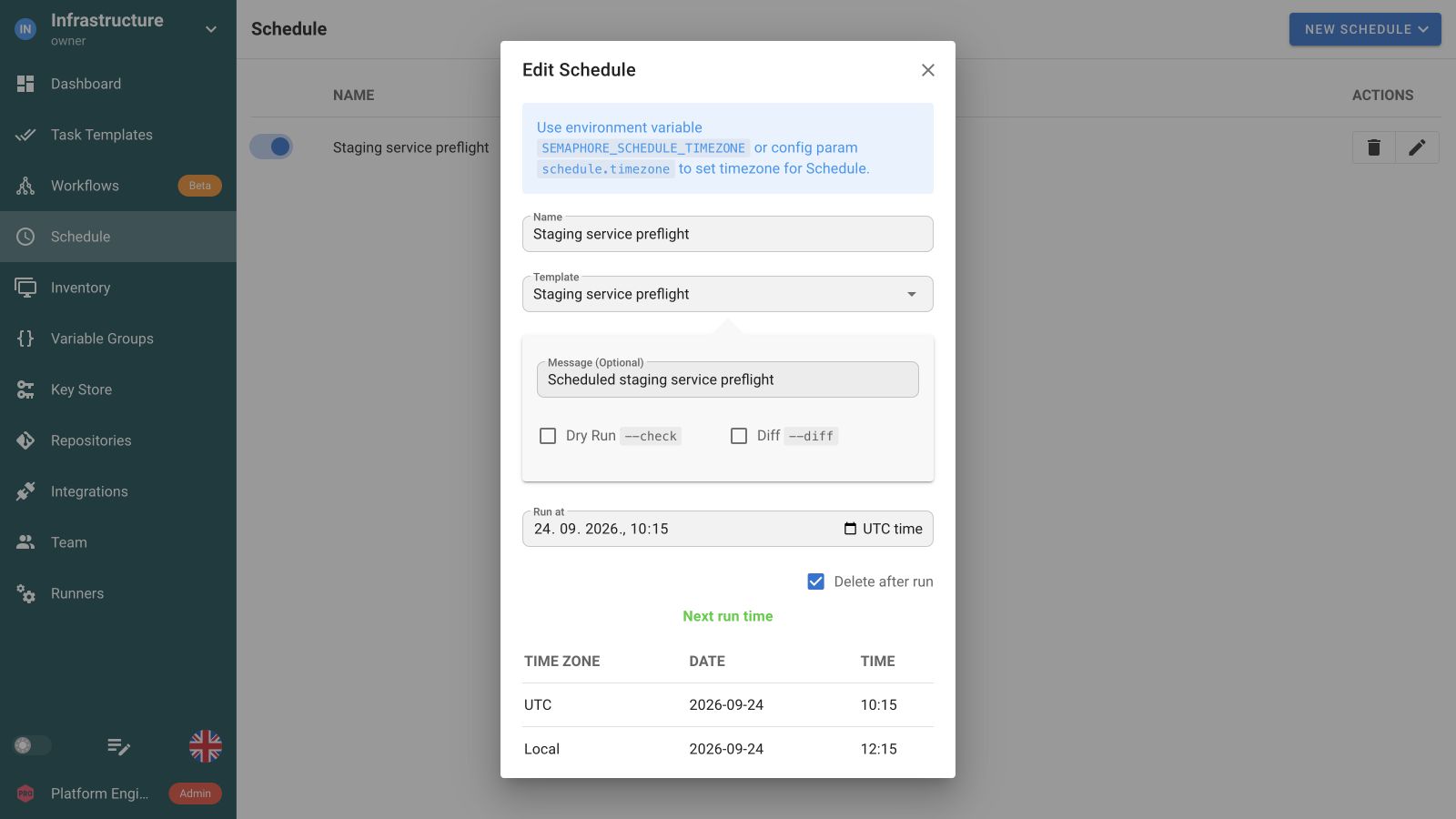
Choose the Task Template, set a recurring interval or cron expression, and review the next run before saving.
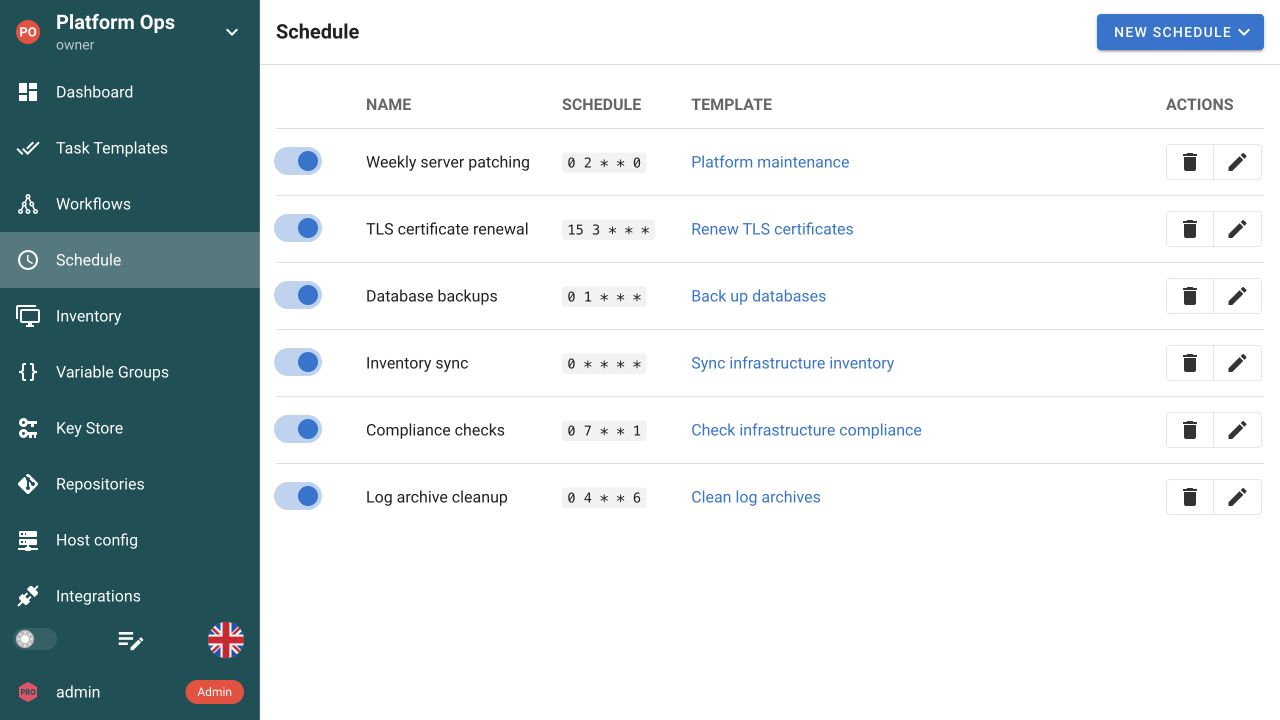
See what is scheduled, change its timing, or disable a job without removing the reusable template.
Check each occurrence, its start time and result, without collecting output from separate cron hosts.
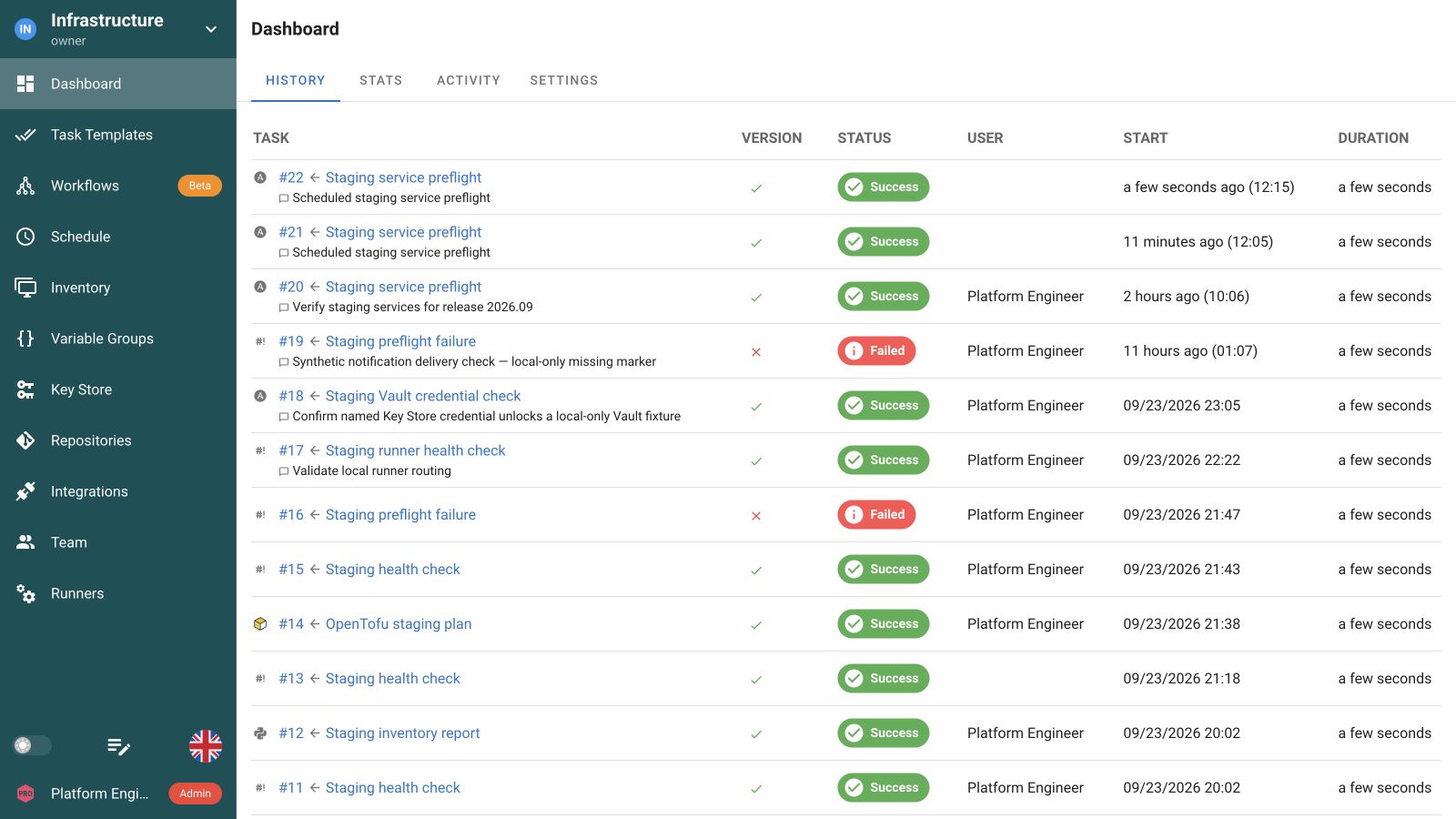
Open the task log and execution details to investigate a failed occurrence.
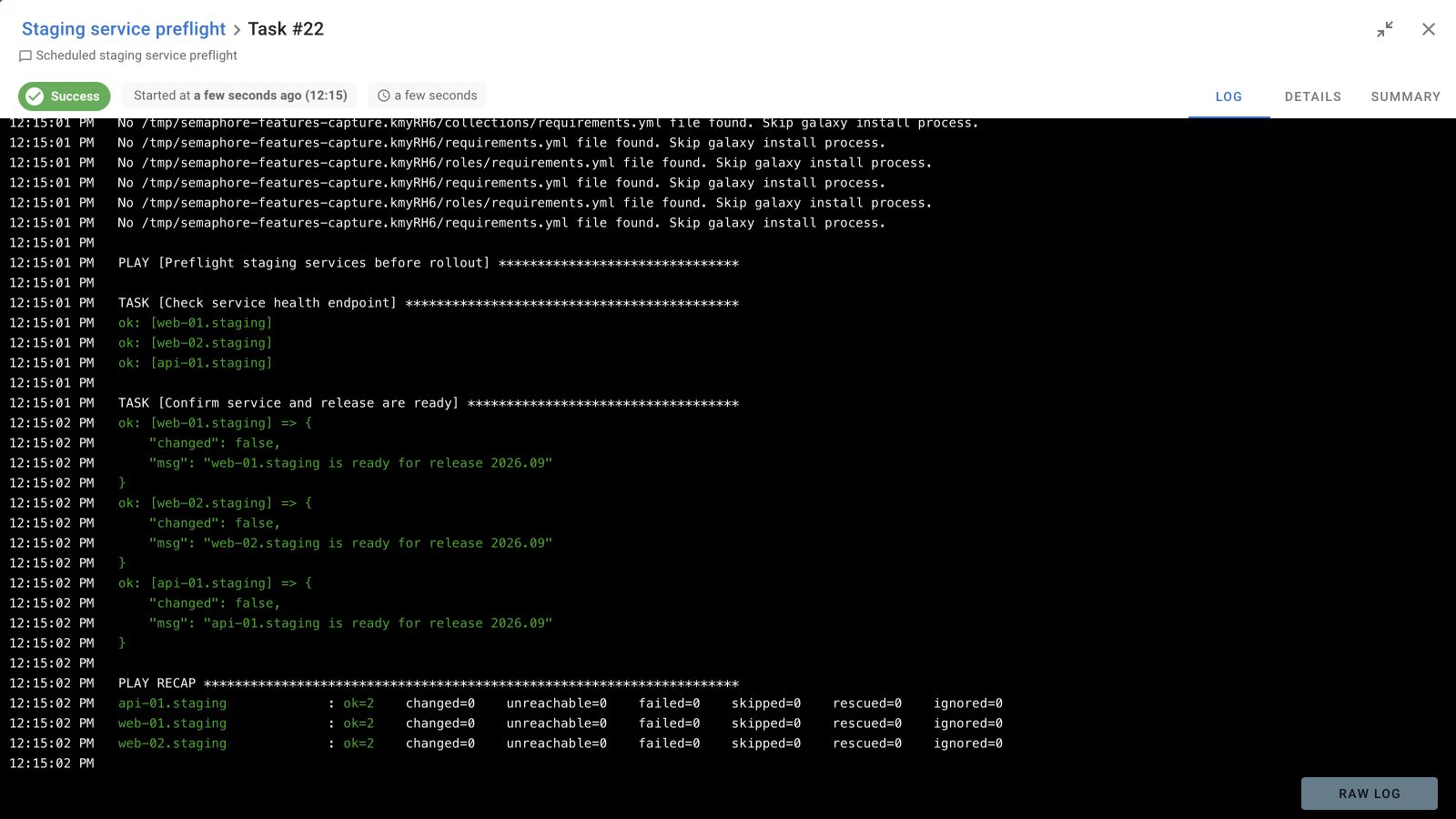
Keep recurring work part of the team’s routine
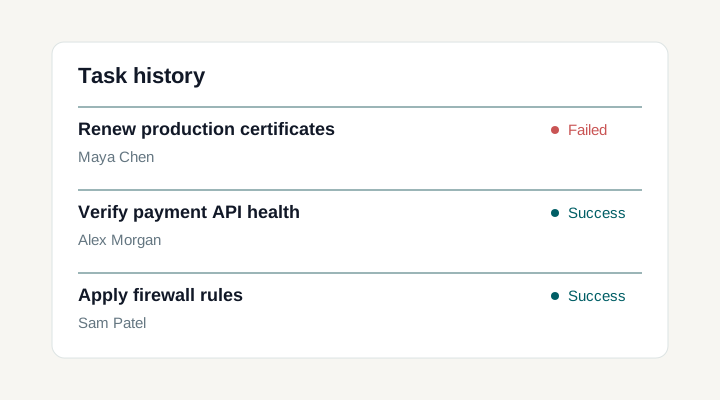
Inspect every scheduled occurrence
Run history & logs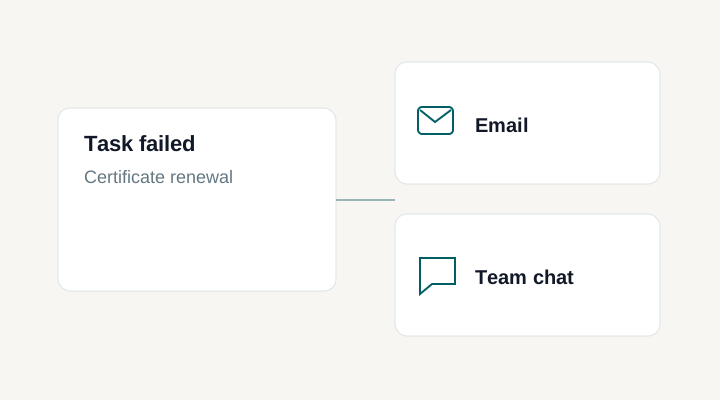
Send alerts when a scheduled job fails
NotificationsKeep routine automation predictable
Schedule a job you have already tested
A schedule adds timing to an existing Task Template and nothing else. The template keeps the repository, playbook or script, target configuration, credential references, and the inputs it accepts. That order matters in practice: run the operation by hand first, read its output, and only then give the same definition a cadence. Editing the template later changes every future occurrence, so review template changes the same way you review the code they run.
Patching, certificate renewal, and backup checks
These are the jobs that quietly stop working. Point a schedule at a tested Ansible patching playbook, a TLS renewal script, or a backup verification check and the cadence becomes part of the project rather than one engineer's crontab. Semaphore starts the operation and records the result; your playbook or script is still responsible for verifying the change and exiting non-zero when it did not work. Send those failures to a channel the team watches so a missed renewal surfaces before the certificate expires.
Cron expressions, presets, and the server timezone
Pick a preset interval or write a standard five-field cron expression. The editor shows the configured schedule timezone beside the expression and previews the next run in both that timezone and your browser's local time, which is the fastest way to catch an expression that does not mean what you intended. Administrators set the schedule timezone at server level and UTC is the default; there is no per-schedule timezone selector. If the configured zone observes daylight saving, check the expected occurrence around the clock change before you rely on a maintenance window.
Supply the values a scheduled run needs
A schedule can pass values through the prompts the template exposes, such as a branch, an Ansible host limit, or a Survey field. Decide which values may vary before you enable the cadence, test that combination manually, then save it on the schedule. Keep the exposed set narrow: a schedule should not become a way to widen the target scope of an operation that was reviewed with a smaller one.
Find and investigate a failed occurrence
Every occurrence becomes an ordinary task with its own status, start time, source context, and output, so investigation starts from the run that actually happened rather than from the current template. Compare the planned start with the observed start when diagnosing a delay. There is no automatic retry or catch-up for a missed window, which means recovery is a deliberate decision: inspect the original output, then launch a new run, often with a narrower host limit.
Choose alerts for unattended runs
A schedule can inherit the alerts configured on its template or use a different set of project alerts. Route unattended failures to the team that watches routine work, while manual executions can keep a separate alert selection.
Plan a one-time maintenance run
Use a one-time schedule for an operation that should run once at a chosen time, such as a maintenance check or a temporary environment cleanup. Keep recurring cron schedules for routine work. Both start a saved Task Template and leave a normal execution record to inspect.
Documentation and related features
FAQ
Can Semaphore schedule Ansible, Terraform, OpenTofu, and scripts?
Yes. A Semaphore schedule launches an existing Task Template, whether its application runs an Ansible playbook, Terraform or OpenTofu configuration, or a Bash, Python, or PowerShell script. Configure the repository, credentials, targets, and execution environment in the template first. Then add the timing and any supported inputs to the schedule. Each occurrence keeps a normal task record instead of becoming a separate scheduled-script execution model.
Can I use a cron expression or a preset interval?
Yes. Semaphore offers common schedule presets and accepts a standard five-field cron expression for more specific timing. Use the next-run preview to check that the expression means what you intend before saving it. A schedule starts an existing Task Template; it does not replace the playbook, Terraform configuration, or script in your Git repository. Keep the job idempotent where repeated runs could touch the same infrastructure.
Can I schedule server patching and TLS certificate renewal?
Yes, if you already have a tested Task Template for the operation. For example, a weekly Ansible patching playbook or a certificate renewal script can be triggered by a schedule. Semaphore sets when the task starts and keeps its execution record; the playbook or script must still perform the update, verify the result, and report failure accurately. Add notifications when a failed run needs attention before the next patch window or certificate expiry.
Which timezone does a schedule use?
Schedules use the timezone configured for the Semaphore server, which defaults to UTC. The displayed timezone and next-run preview help explain the expression; they are not a separate timezone setting for each schedule. Document the server timezone alongside the cadence, especially when your engineers work in several regions. If you use a daylight-saving zone, check the expected occurrence around clock changes before relying on a maintenance window.
Can a schedule supply a different branch, inventory, or host limit?
A schedule can supply supported task parameters through prompts enabled on the template. Start by deciding which values may vary and enabling only those inputs. Test the intended combination manually, then save the schedule's overrides. The template continues to hold the reusable execution configuration. A schedule should not become a way to bypass the operation's input design or quietly expand its target scope.
What happens if a scheduled operation takes longer than its interval?
Scheduled work uses the normal task execution model and its concurrency and capacity settings. A frequent timer does not make overlapping changes to the same targets safe. Compare the expected task duration with the interval and consider locks or idempotent behaviour in the automation itself. Test the relevant waiting and overlap behaviour in your deployment before using a short cadence for resource-intensive or destructive operations.
Where can I find a failed scheduled run?
Open the project's task history and locate the occurrence you need to investigate. Review its status, timing, source context, and tool output before deciding on a rerun. Compare the planned start with the observed start when diagnosing delays. Notifications can bring important results to a configured channel, but the task remains the detailed execution record.
Does scheduling include automatic retries and missed-run backfill?
Do not assume retry, catch-up, or business-calendar behaviour that is not documented for your installed release. A schedule defines when to launch an operation; recovery after downtime is a separate requirement to design and test. Decide whether a missed backup or maintenance check should run late, be skipped, or require an engineer decision. That choice depends on the operation and its effect on the target environment.
Can I start a workflow on a schedule?
The current Schedule form selects a Task Template, rather than a Workflow. To start a complete workflow on a timer, call the Pro workflow API from an external scheduler, or from a script Task Template that you schedule in Semaphore. The workflow then follows its configured dependencies, approvals, and success or failure paths. Its progress is recorded as a separate workflow run. See Workflows and the workflow API documentation.