

HashiCorp Vault
Resolve credentials from your existing Vault KV secrets.
Store keys, passwords and tokens in the built-in Key Store or connect your vault. Reuse named credentials across jobs, keep secrets out of code and update them at the source.



Store credentials separately from your code. Reuse named keys across repositories, inventories and jobs, with the secret source that fits your infrastructure.
Keep SSH keys, login/password pairs and string secrets in Semaphore’s encrypted Key Store. Reuse them for Git access, host connections and Ansible Vault passwords.
Resolve credentials from your existing Vault KV secrets.
Use OpenBao as the source for reusable credentials.
Connect credentials managed in AWS Secrets Manager.
Import vault secrets into the Key Store with secret synchronization.
Use credentials managed in Devolutions Server.
Connect your CyberArk-managed secrets to automation.
Need another source? Resolve credentials from server environment variables or files, synchronize vault secrets into the Key Store, or use secret values alongside shared configuration in Variable Groups.
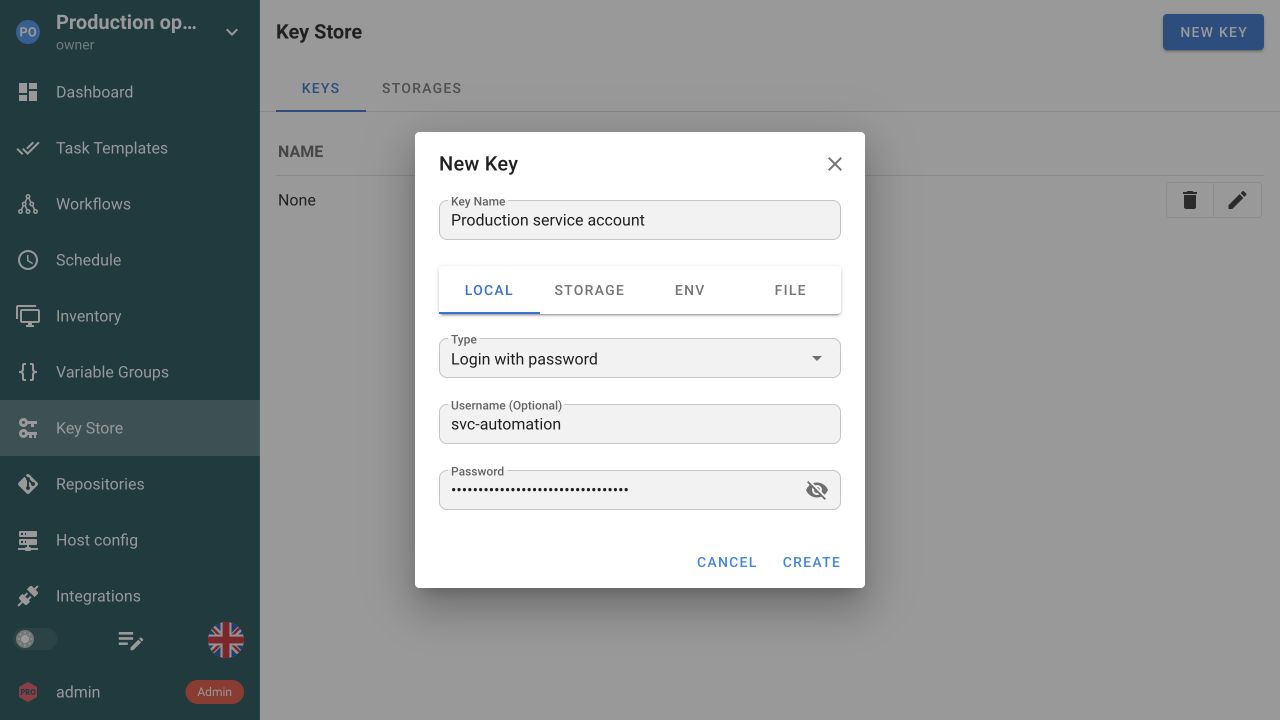
Save a named key or login/password credential in the built-in Key Store. Reuse it without adding the value to your automation code.
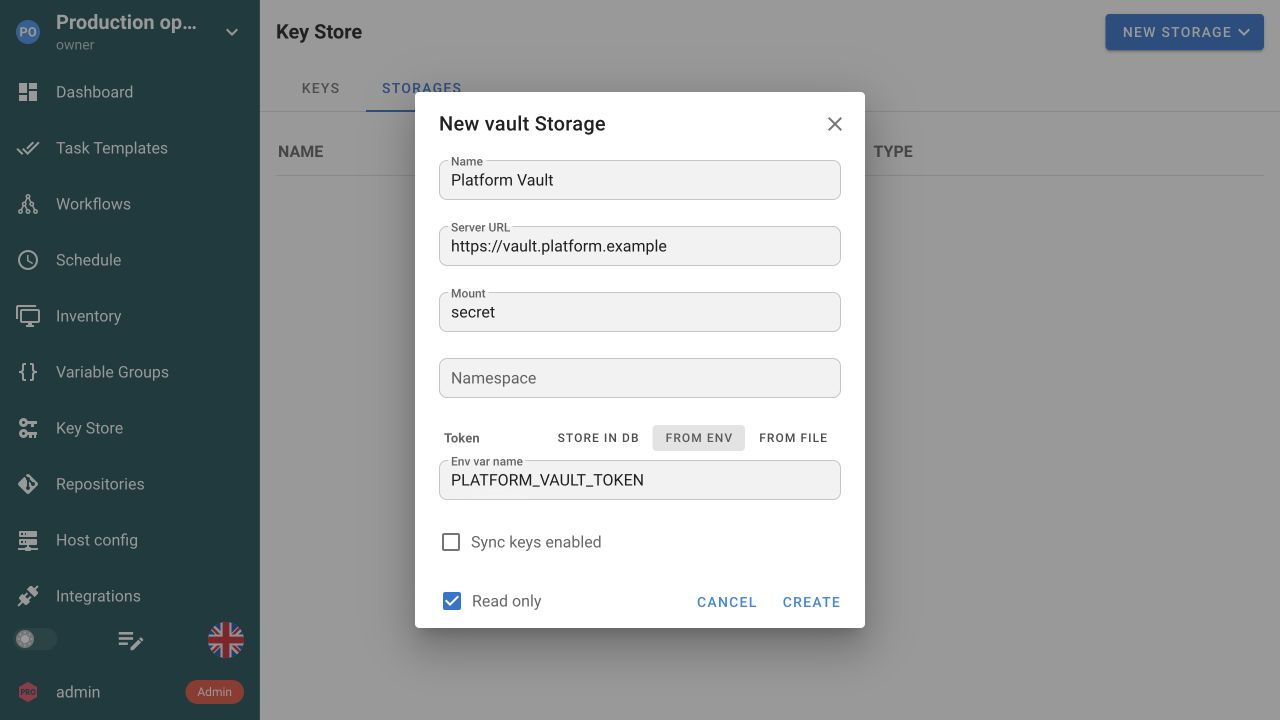
Connect an external vault with its address and authentication settings. Choose read-only access when Semaphore should only retrieve secrets.
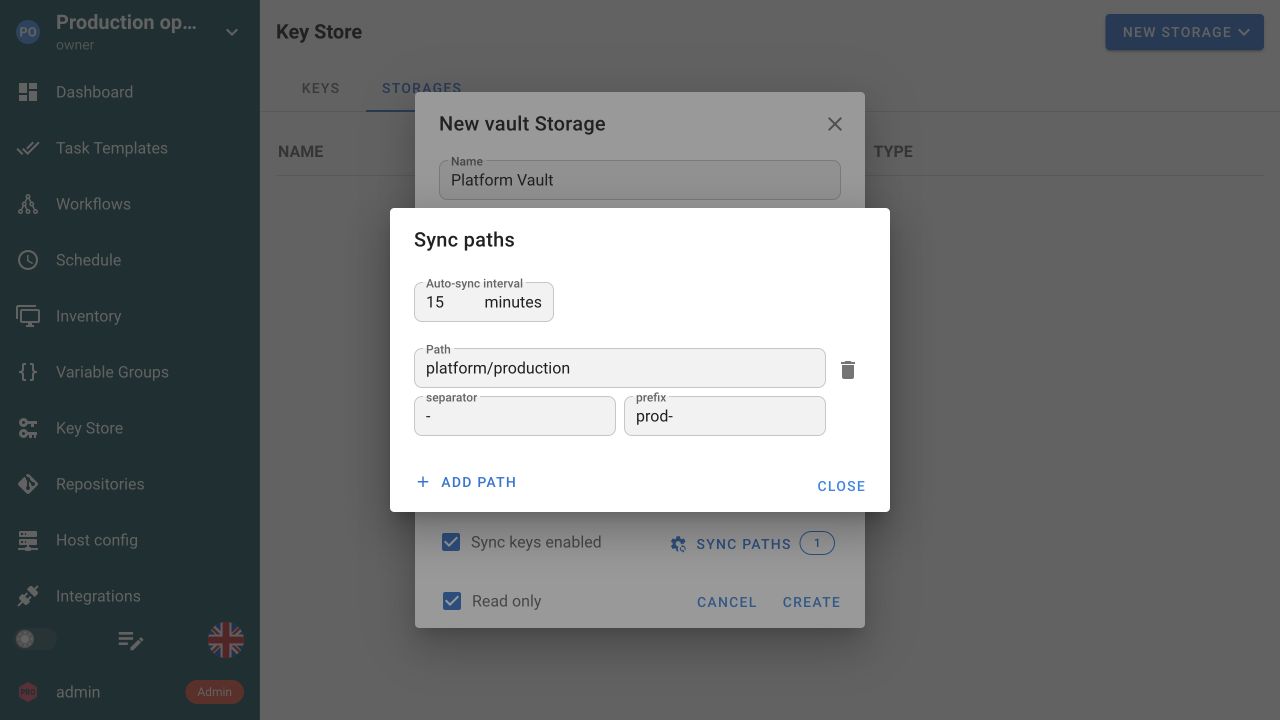
Select the remote paths to import, set a naming prefix and choose an automatic sync interval. Keep the imported Key Store entries aligned with their source.
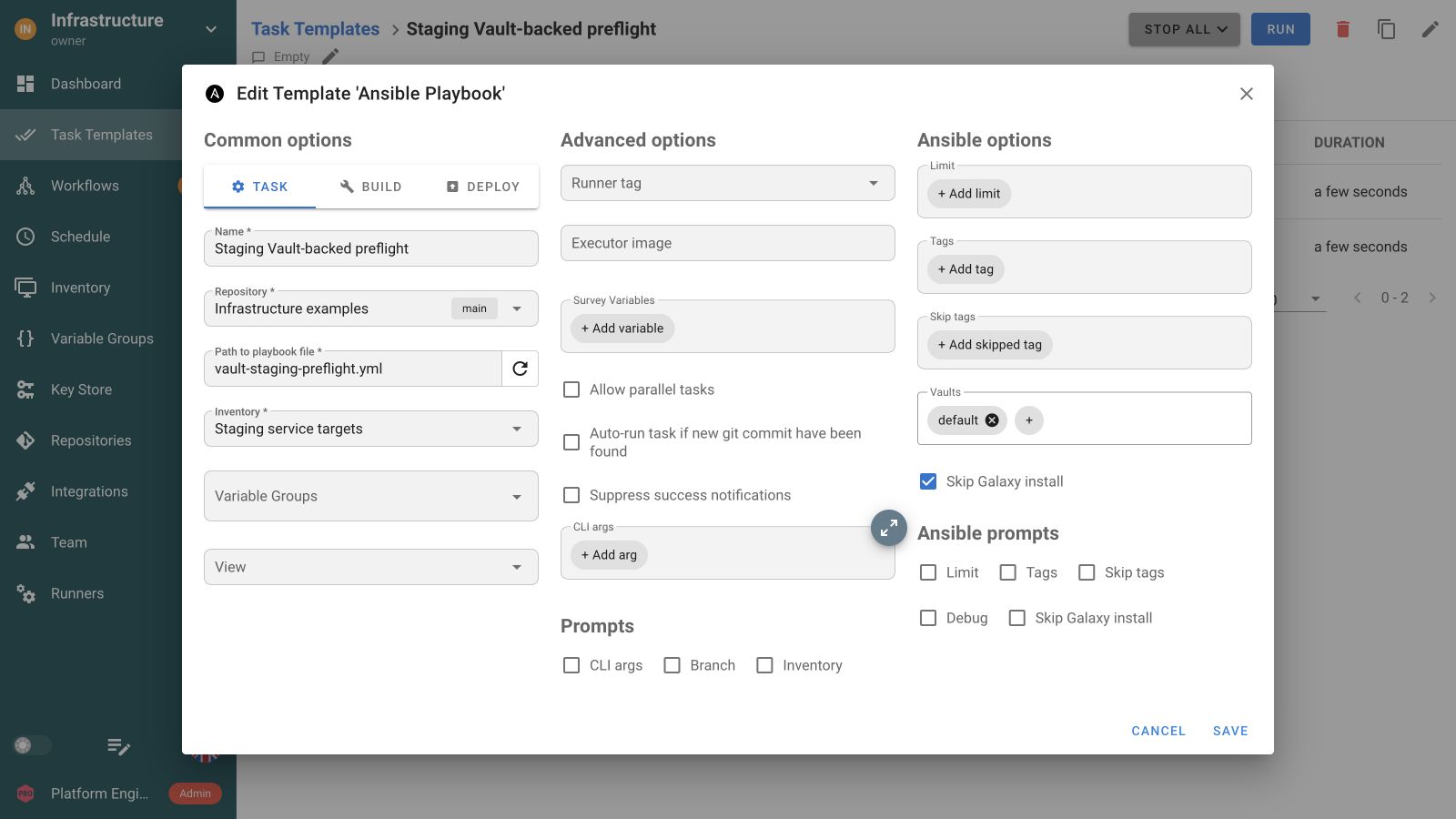
Use the credentials your job needs through its repository, inventory and Ansible Vault references. The template keeps the setup ready for the next run.
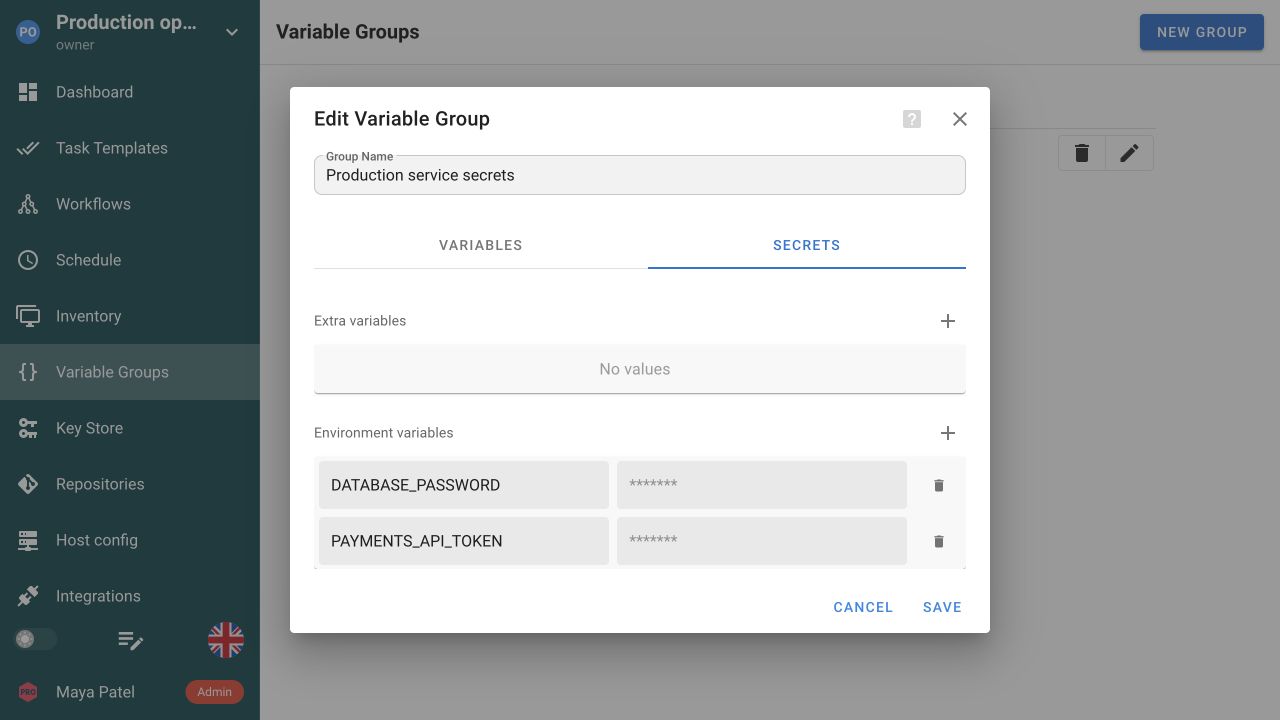
Keep API tokens and passwords in the group’s Secrets tab. Attach the Variable Group to the Task Templates that need them.
The Key Store holds the credential types an operation actually needs: SSH keys and login details for managed hosts, access for private Git repositories, sudo passwords, and Ansible Vault passwords. A template points at the entry, so engineers configure and read a name while the value stays out of the repository and out of the task form. Local values are encrypted in the database when access-key encryption is configured, which makes that configuration and its recovery path part of your backup procedure rather than an optional setting.
Environment and file sources let a Key Store entry read its value from the Semaphore server when a task needs it, instead of storing a copy in the database. This is the path to use when another process already writes refreshed credentials onto the host: rotate the source and the next task picks up the new value without anyone editing a template. The Semaphore server resolves these sources even when a remote runner executes the task, so the file does not need to exist on the runner. File sources follow the configured secrets directory and the documented JSON format, and SSH or login entries use that wrapper rather than a raw key file.
Variable Groups combine shared configuration with secret values. Reference a stored credential for a secret input rather than duplicating it in every job. Pass the group to Ansible, Terraform, OpenTofu or a script with the variable names its tool expects.
Reference secrets from HashiCorp Vault or OpenBao with Pro. Enterprise adds supported integrations such as AWS Secrets Manager, CyberArk and Devolutions Server. Keep the secret in the system that owns it and use the documented provider configuration to make it available to your automation.
Storing a value well does not control what your code does with it. A playbook or script can write a secret into its output through a debug task, a command argument, or an API response, and there is no guarantee that every such value is removed from a task log. Use the tool's own facilities, such as Ansible's no_log, review failure output as well as success output, and treat access to logs and exports as access to whatever they contain.
Task JWTs provide a signed identity for an individual execution. A receiving service can validate its issuer, audience and claims instead of sharing a long-lived token with every job. Configure the trust relationship on both sides; ordinary SSH keys, passwords and vault references remain available for systems that need them.
Use named Key Store credentials for access such as private repositories, managed hosts, and Ansible Vault passwords. Keep the automation code and non-sensitive configuration in Git, while the template references the credential it needs. A reference makes reuse and rotation easier than embedding values in scripts. It does not remove the need to protect who can edit executable source, because that code runs with the access supplied to it.
No. Ansible Vault protects encrypted Ansible content; a Task Template can use a Vault password from Semaphore's Key Store to unlock it. HashiCorp Vault is a separate Pro external storage option for Key Store secrets. The recorded preflight on this page demonstrates the Ansible Vault password path, not a connection to HashiCorp Vault. Evaluate that external storage separately with a disposable credential before using it for operational work.
Local Key Store values use the configured access-key encryption mechanism for database storage. Set and protect the encryption configuration correctly, and include its recovery requirements in your backup procedure. Encryption at rest is one part of the design: authorized execution still needs to use the credential. Protect the server, runtime, administrative access, and logs rather than treating an encrypted database value as inaccessible to all code or engineers.
The documented environment and file sources are resolved by the Semaphore server when a task needs the key, including when execution occurs on a remote runner. File sources must follow the allowed secrets-directory configuration and the documented value format. A later task can pick up a rotated source value without rewriting its template. Do not assume that placing a raw key file on the runner implements this server-side source mechanism.
Yes. Pro supports HashiCorp Vault and OpenBao as external secret sources. Enterprise adds other supported secret-manager integrations. Configure the provider and reference the credential through the Key Store instead of committing its value to Git. Follow the provider guide for authentication and secret paths, then test the job with the intended credentials.
Templates refer to named credentials rather than embedding a separate password or key in every job. Update the credential or its configured source, then check the repositories and inventories that reference it. Test a representative task after rotation so authentication failures are caught before the next scheduled production run.
Do not rely on a universal masking guarantee. A playbook or script can print sensitive variables, command arguments, or API responses into its output. Keep logging deliberate, use the tool's appropriate secret-handling options, and review representative failure output as well as success output. Restrict access to logs and exported records according to their contents. Storing a value securely does not by itself control everything the executing code prints.
Yes. Give the credential a name in the Key Store and select it wherever the repository, inventory or template needs that credential type. The jobs reference the configured entry instead of carrying their own copy in Git. Use separate credentials when the target systems need different identities. See Task Templates.