

Patch a Linux fleet
Run your patching playbook against a selected inventory. Use a host limit for a smaller batch, then review the host results.
Share a prepared jobKeep your playbooks in Git. Use Semaphore to run them with saved inventories and credentials, schedule maintenance, and inspect results for each host.


The inventory, SSH key, Vault password and flags still live in someone’s shell history. Every handover starts with the same setup.
Run your patching playbook against a selected inventory. Use a host limit for a smaller batch, then review the host results.
Share a prepared jobSelect the release through run inputs and reuse the saved repository, inventory and Vault credentials.
Share a prepared jobSchedule your renewal playbook and configure alerts for failed tasks. Keep an execution record for each run.
Set up a scheduleOne template keeps the repository, playbook path, inventory, Vault credentials, and runtime choices together.
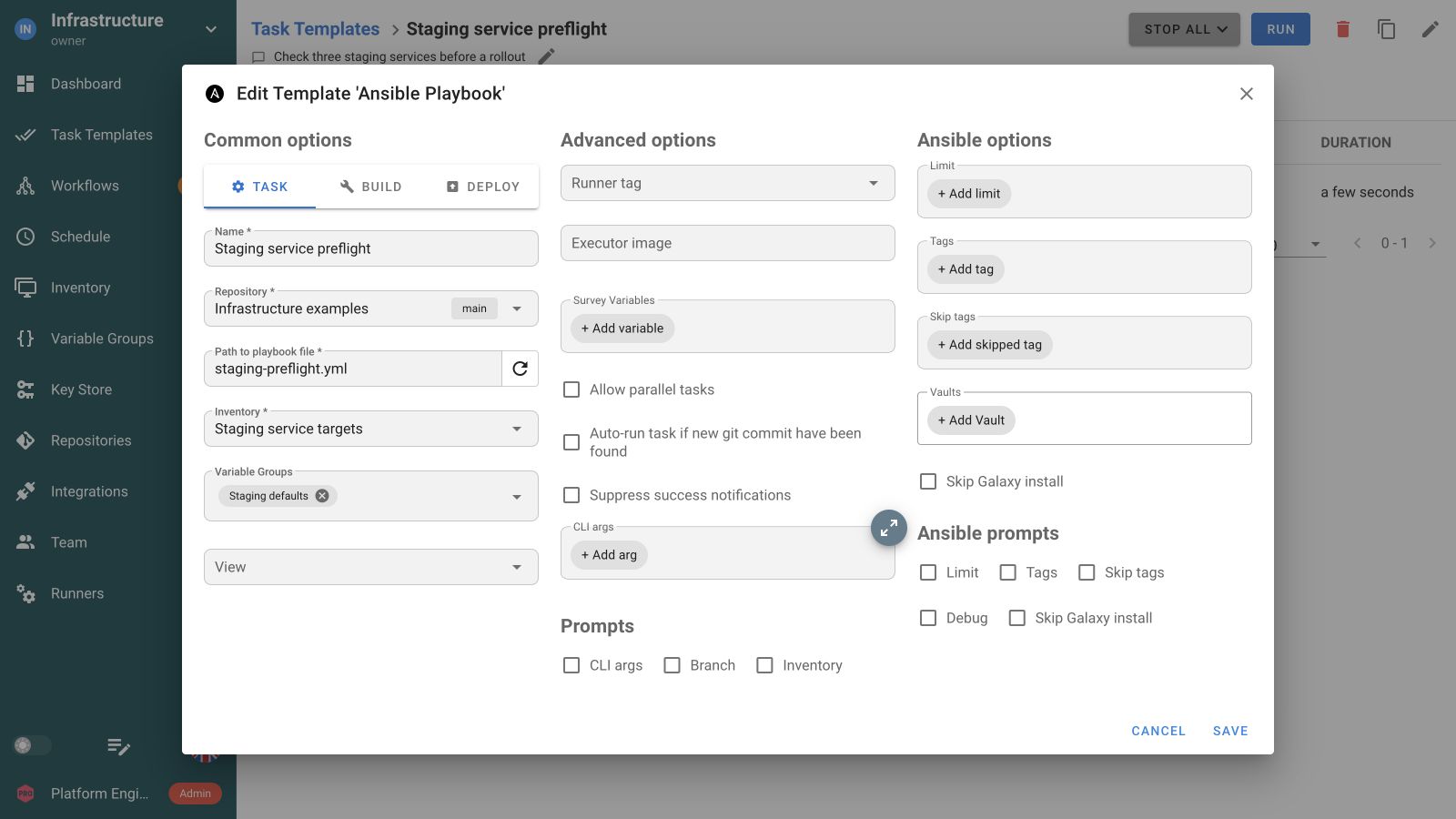
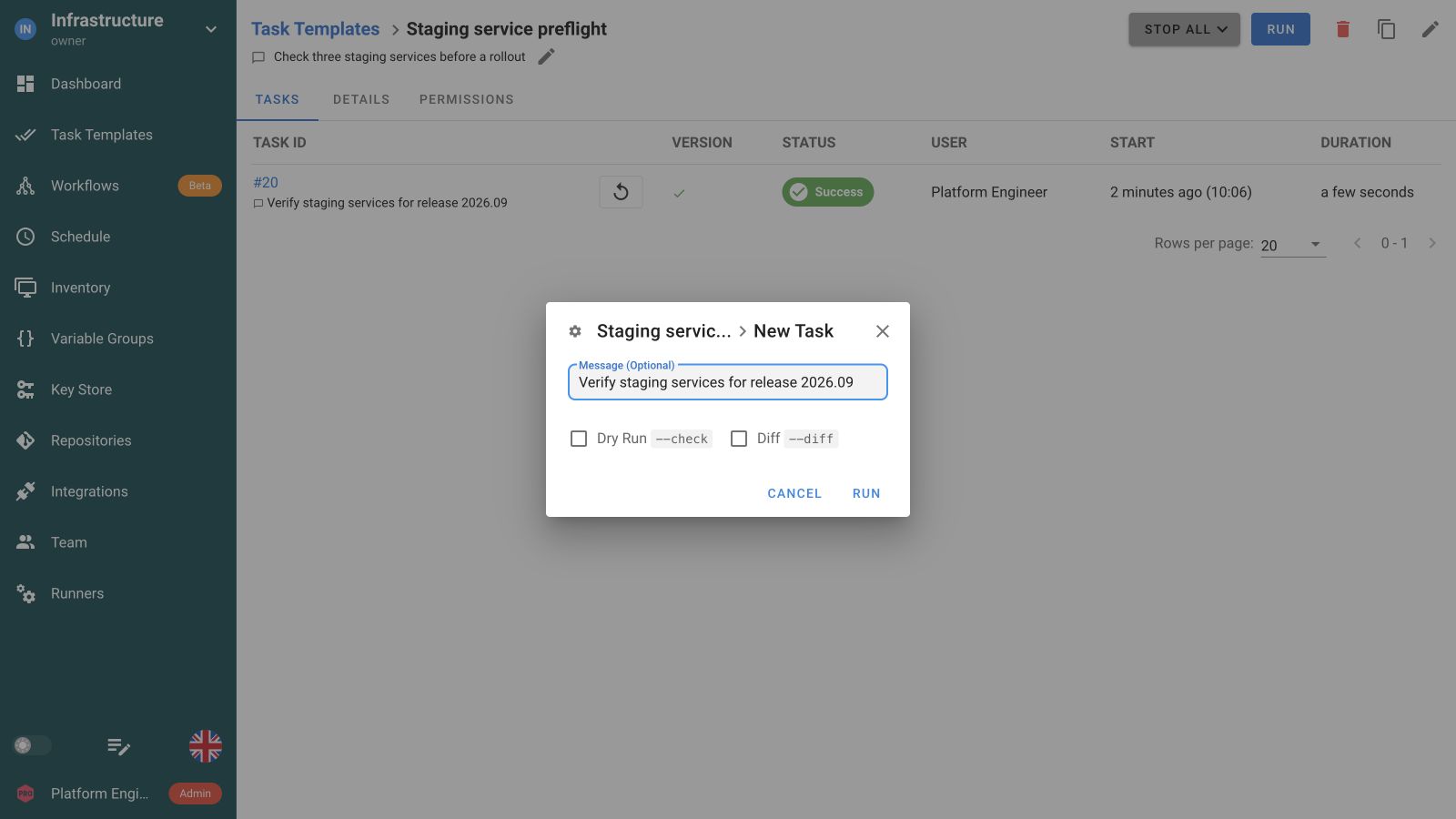
At launch, engineers choose only the options the template exposes, such as limits, tags, dry run, or diff.
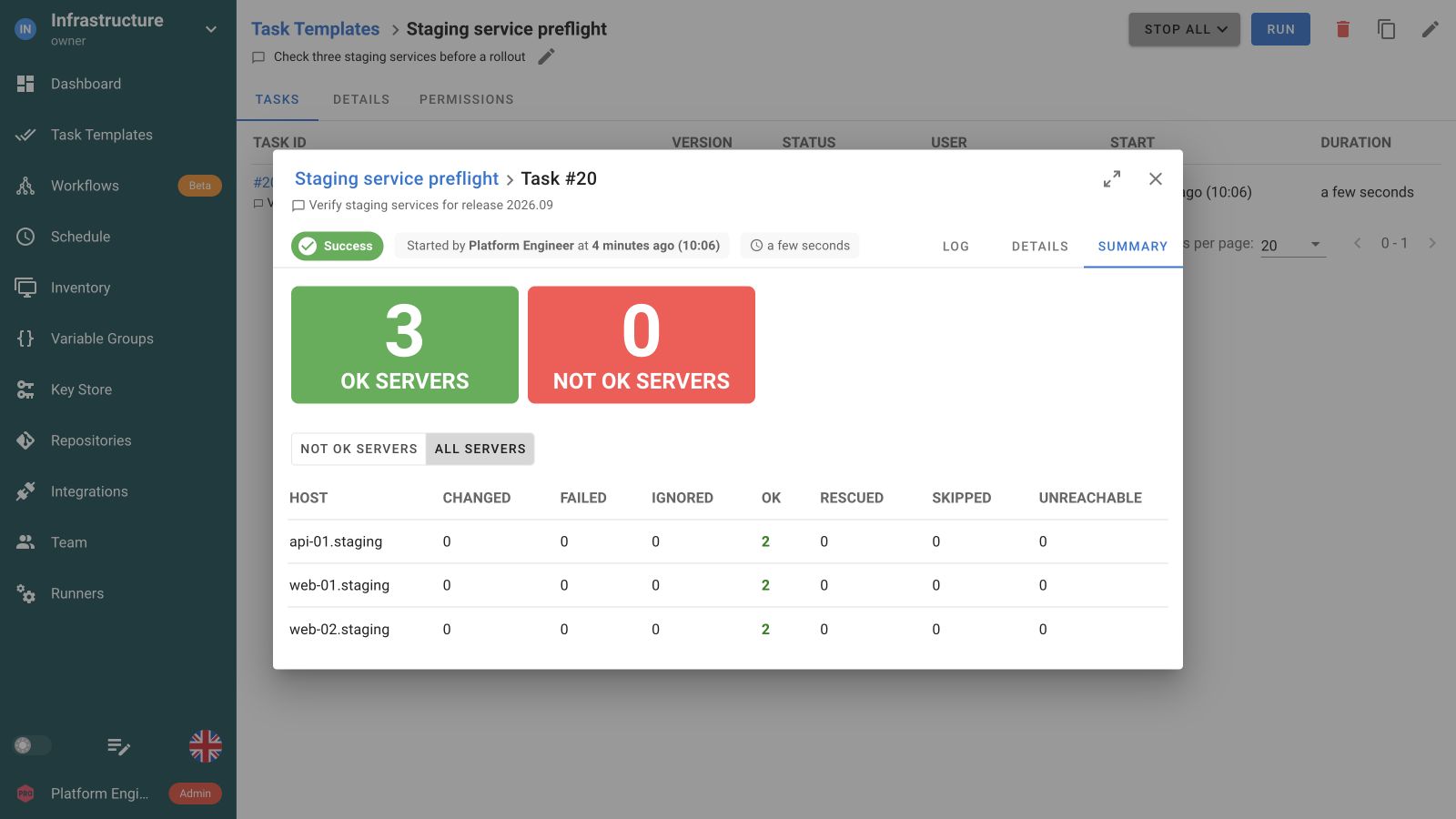
The finished run shows play output and the host recap, so the team can see which targets succeeded or failed.
Savvii uses Semaphore to run provisioning playbooks behind its Laravel middleware. In the published case study, the architecture serves an agency fleet of around 600 servers.
See how Savvii runs itConnect Terraform provisioning, Ansible configuration and Python checks in a Workflow. Pass infrastructure outputs into the playbook’s inputs, then pass the configured service values to verification. Add approval and failure paths where the operation needs them.
 Provision the environment
Configure the servers
 Check the services
 Collect diagnostics
Use a static inventory, a repository file or a dynamic inventory supported by your environment. Enable the Limit prompt when a run needs to target only part of the inventory.
Save defaults in the template and expose the Ansible options your team needs at launch. Survey Variables collect custom inputs such as a release version or change reference.
Attach saved credentials for repository and host access, and multiple Ansible Vault passwords where needed. Your playbooks, roles and collections stay in their existing repository.
Run the same template manually, from an API integration or on a schedule. Use a Workflow for dependencies, approvals and success or failure paths between jobs.
Yes. Create an Ansible Task Template, select the repository and playbook path, and attach the inventory, variables and credentials it needs. Your roles, collections and Git review process stay in place. Prepare the required Ansible dependencies on the execution environment.
Use a static inventory, an inventory file from a repository or a dynamic inventory supported by your environment. Save the inventory in the template. Enable the Limit prompt when engineers need to narrow a run to particular hosts or groups.
Yes. Configure the supported prompts and options in the template, then use them when starting a task. Defaults stay saved for future runs. For supported API overrides such as a host limit, enable the corresponding prompt in the template first.
Assign project roles that separate task execution from editing resources. The team runs a prepared template with its saved configuration. Enterprise custom roles can narrow access to selected templates. Review all assigned roles because their permissions add together.
Yes. Create a working Ansible Task Template, then add a schedule for its recurring runs. Your playbook performs the patching or renewal. Semaphore starts the task at the configured time and keeps the output and status of each occurrence.
Yes. Connect their Task Templates in a Workflow so infrastructure provisioning can be followed by Ansible configuration and a separate verification task. Add success or failure conditions and an approval where your procedure needs a decision before continuing.
Save credential entries in Semaphore’s Key Store or connect a supported external secret source. Attach their references to the resources and template that need them. A job reuses that configuration without teammates copying secret values into each run.
No. Ansible runs in the execution environment used by Semaphore. Prepare its version, collections and access there. Teammates launch the saved Task Template through the UI or API, and review the recorded output without recreating the runtime on their laptops.

