

Check backups and storage
Schedule your verification script to inspect backup freshness or storage availability. Return a failed exit code when a check needs attention.
Set up a scheduleKeep your shell scripts in Git and run them through Semaphore. Save the inputs, schedule routine work and give your team a shared record of what happened.


A useful command still depends on local tools, exported variables and someone remembering to run it. That is a fragile setup for routine team work.
Schedule your verification script to inspect backup freshness or storage availability. Return a failed exit code when a check needs attention.
Set up a scheduleUse existing command-line tools in a prepared environment. Keep each check’s output available after the terminal session ends.
Share a prepared jobSave a tested cleanup script as a named job with deliberate inputs. Run it manually or at a recurring interval.
Share a prepared jobThe template selects a script from your repository with the environment values it needs, so anyone can run the named job.
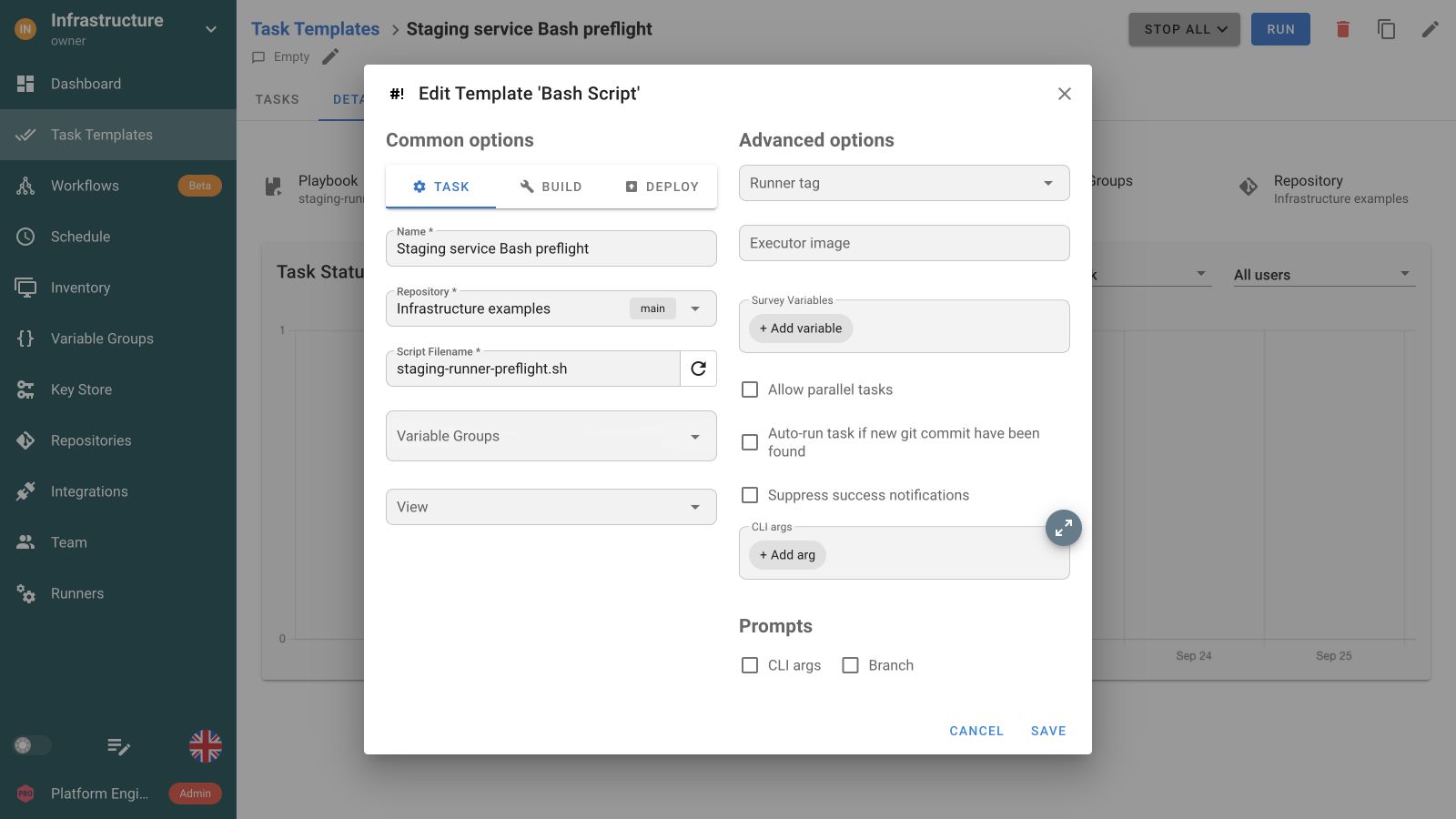
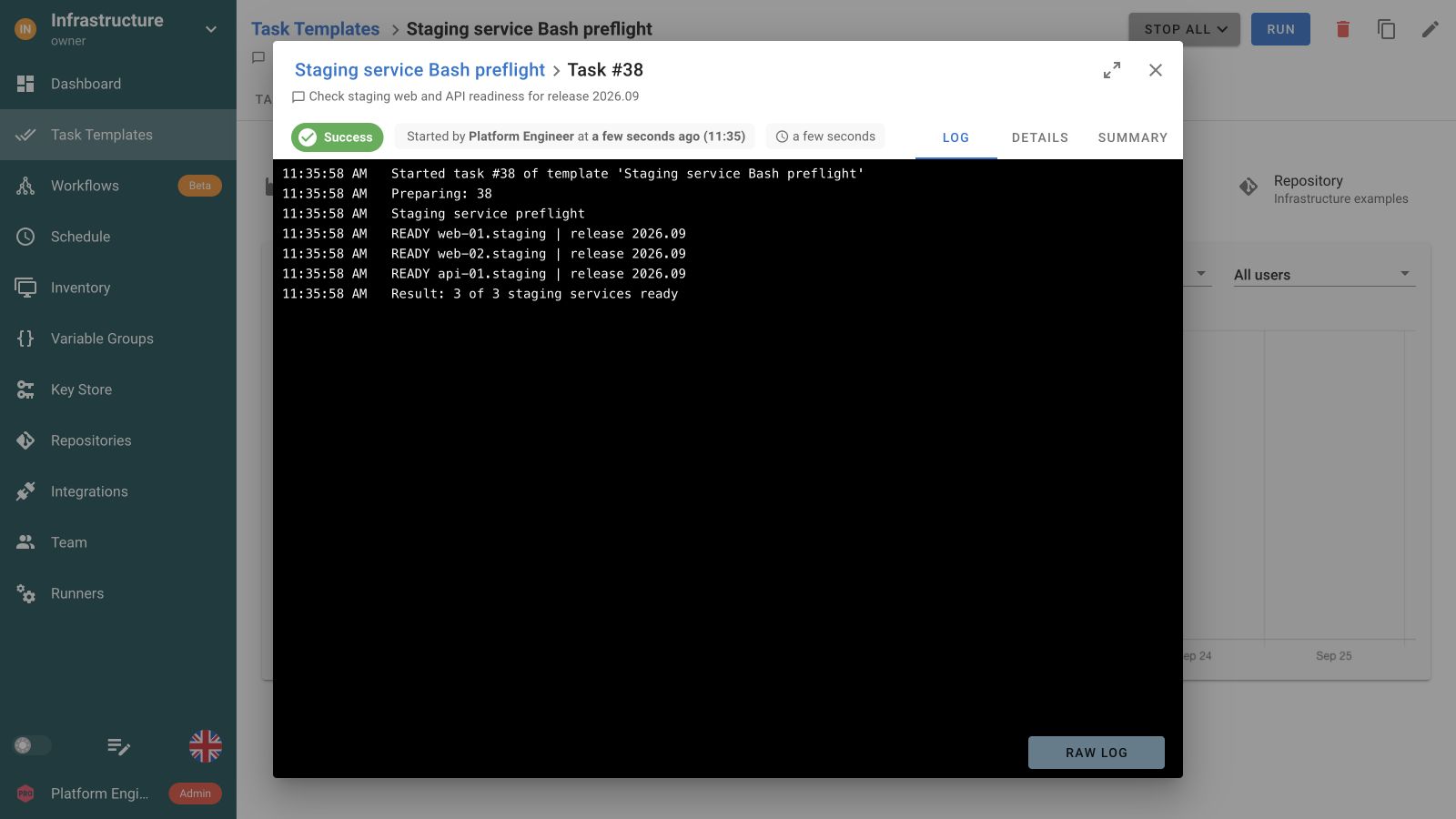
Each run keeps the script's output and exit status attached, so the next engineer can read the result.
Run a backup verification script before Ansible maintenance, then use Python to check the service afterwards. A failed prerequisite can prevent the next job from starting.
Verify the backup
 Run maintenance
 Check service health
Collect diagnostics
Select a Bash Script template and a repository path. Variable Groups supply environment values. Expose only the run inputs the operation needs and validate them in your script.
Bash tasks execute with /bin/bash in the execution environment. Prepare the command-line tools they call. Use Ansible for automation across an inventory of remote hosts.
Scripts run non-interactively. Print useful diagnostic output and exit with a non-zero code when the intended operation fails. Semaphore keeps that output with the task.
Schedule the saved template or trigger it from an integration. Configure alerts for failed tasks and write generated backups or exports to durable storage.
Yes. Create a Bash Script Task Template with the repository and .sh entry point. Attach Variable Groups for environment inputs and prepare the command-line tools the script calls. Semaphore executes it with /bin/bash and records the output and exit status.
No. The script runs on the selected Semaphore server or runner. It does not automatically fan out commands to inventory hosts. Use an Ansible Task Template for managed-host automation, or explicitly implement the required remote behavior in your script.
Use deliberate environment values and supported template inputs for choices such as a service name or destination. Validate and quote values inside the script. A saved template makes the operation reusable, while safe handling of shell inputs remains part of your code.
The script runs in its execution environment, so local files are created there unless your code writes them elsewhere. Use durable storage for backups and exports. Keep diagnostic output and references in the task log so teammates can locate the result.
Yes. Save your verification script as a Task Template and add a schedule. Prepare the command-line tools and access it requires on the execution environment. Return a non-zero exit code when a check fails and configure notifications for those outcomes.
Yes. Connect their Task Templates in a Workflow. For example, a Bash backup verification can precede Ansible maintenance, followed by a Python service check. Configure task dependencies so a failed prerequisite does not start a success-dependent maintenance job.
They can launch a prepared Task Template through Semaphore instead of opening a shell session on the execution host. Configure project access and deliberate inputs for that job. The template and script still determine what runs and which resources it can affect.
Open the task from its template or project history to inspect its recorded output and status. Your script should print enough diagnostic context and return a meaningful exit code. The next engineer can investigate the saved run without asking for a terminal transcript.

