



Connect your Git repository
Use GitHub, GitLab, Bitbucket, or another Git host over HTTPS or SSH. Select the branch and file; add credentials for private repositories.
Turn playbooks and scripts into named jobs with the right targets, credentials, and inputs already attached. Your team gets a clear way to run them and inspect the result.
| Name | Run | Status |
|---|---|---|
Save the setup once in a Task Template. Give the team a ready-to-run job instead of another walkthrough of hosts, credentials, and command-line options.
Let colleagues run the job without editing its setup.
Skip the manual setup and remembered commands.
Keep patching and certificate renewals off your to-do list.
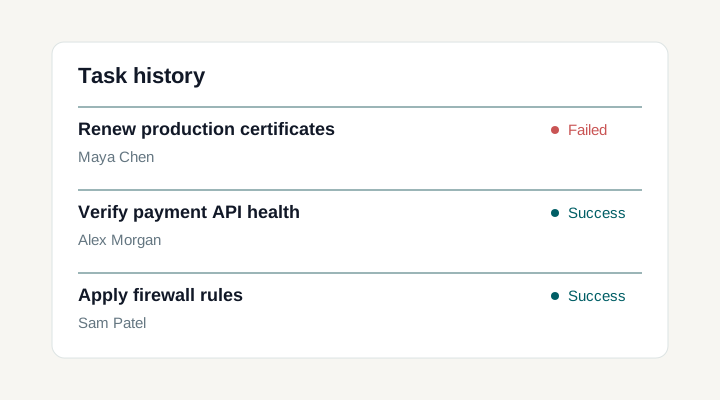
See who ran what, when, and how it finished.
The UI was clean enough that a non-engineer could understand what was happening.

Save the playbook, repository, inventory, and execution options as a named job.
Start the saved job with Run. Add prompts or a Survey only when an engineer needs to supply values.
Inspect logs, execution details and results for each host.
Survey Variables collect the values that change: an environment, a release version, or a change reference. Keep the rest of the setup in the template, ready for the next run.
Survey Variables and prompts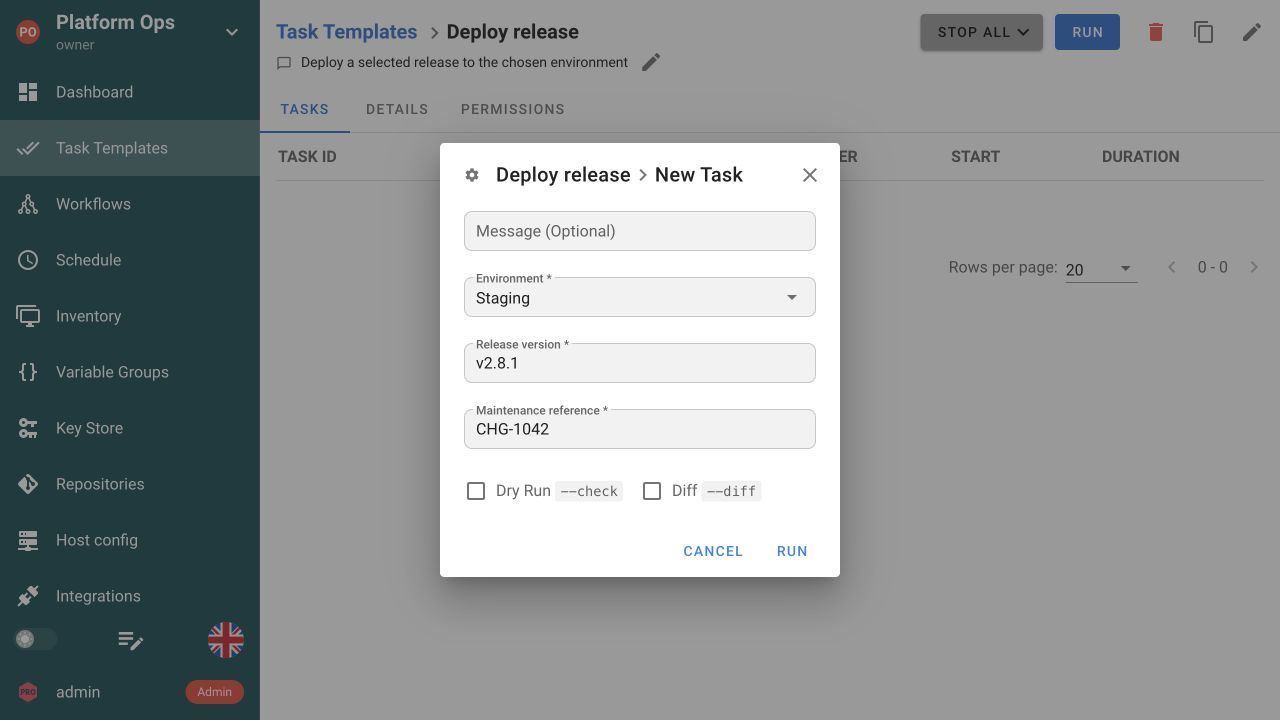
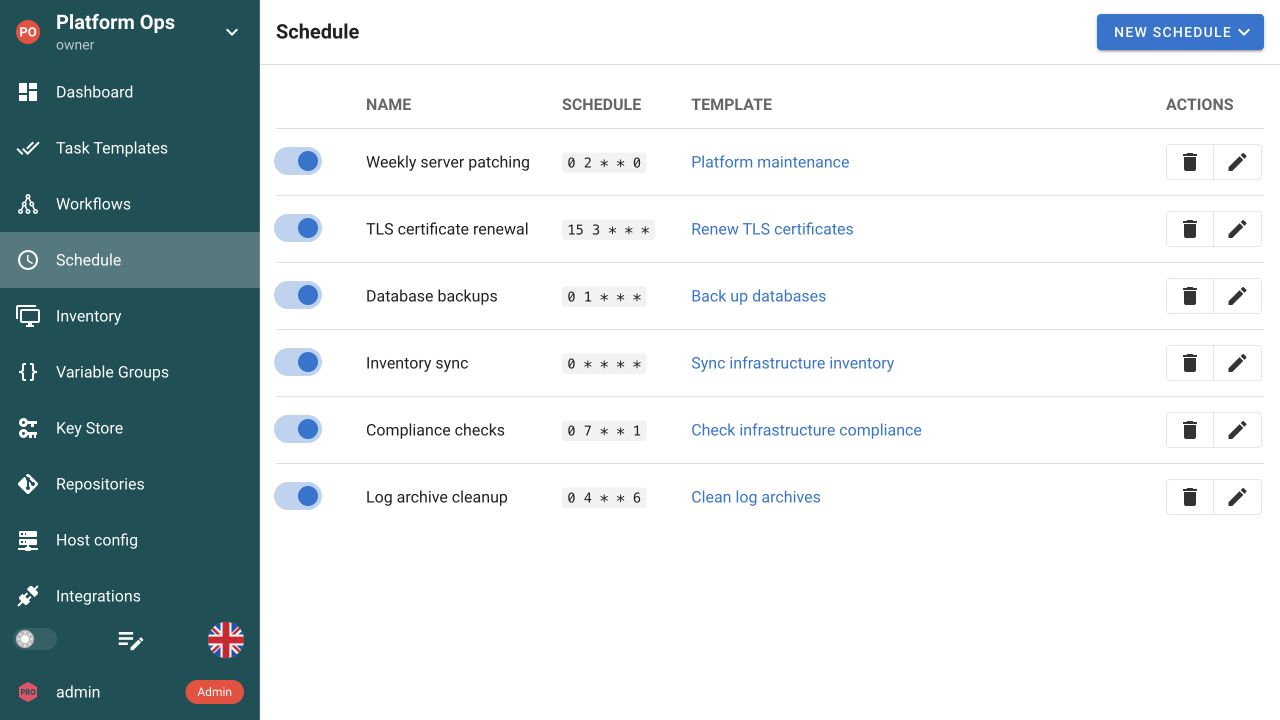
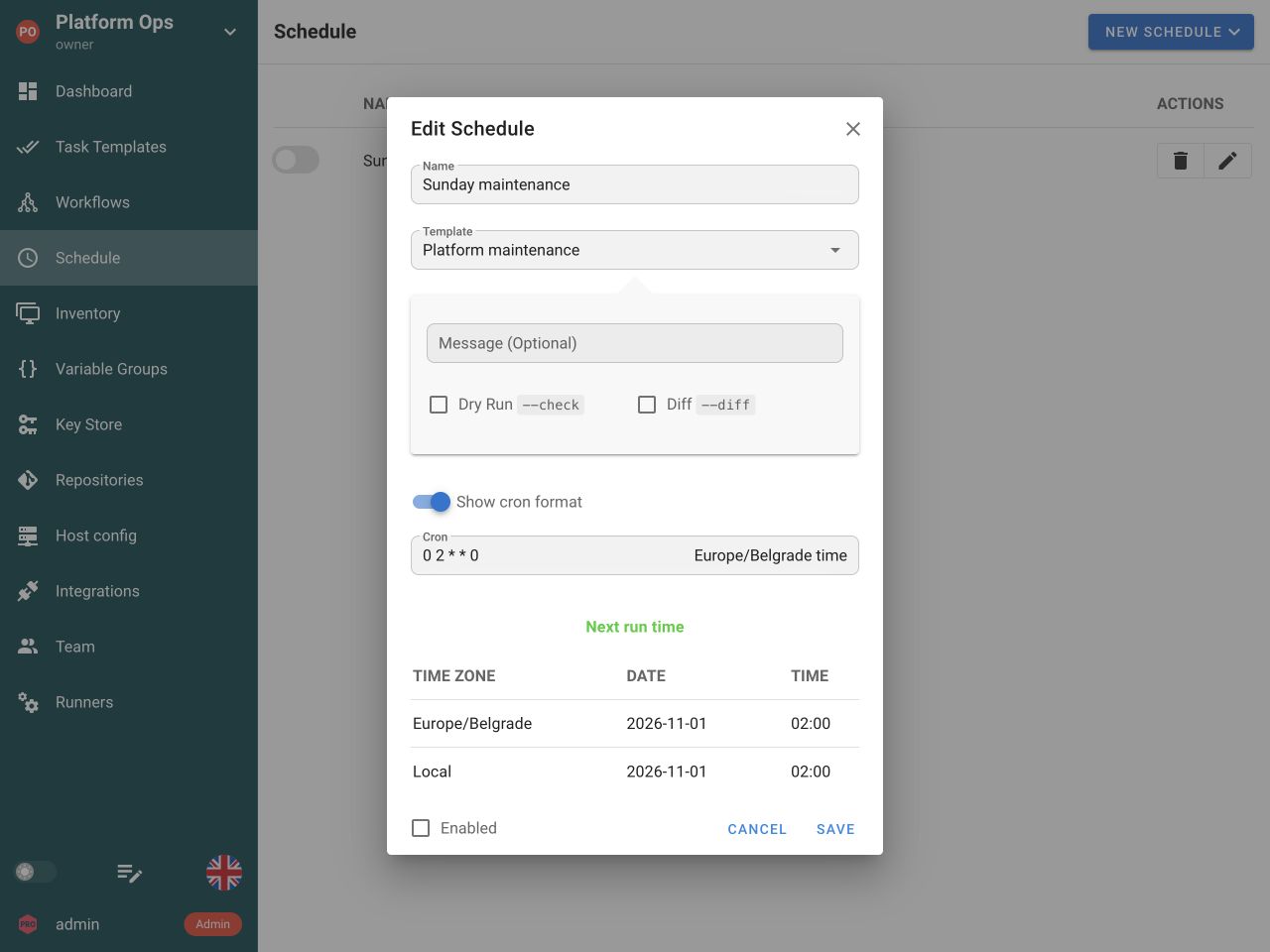
A personal crontab is easy to lose track of. Schedule a saved Task Template for patching, certificate renewal, or routine checks. Each occurrence creates its own task, with a status and output your team can inspect.
Explore SchedulesInstall Semaphore, connect the automation already in your repository, and give your team a shared place to run it.
Keep your playbooks, scripts, and infrastructure code. Add a shared way to run them.
Use GitHub, GitLab, Bitbucket, or another Git host over HTTPS or SSH. Select the branch and file; add credentials for private repositories.
Each tool keeps its own settings, runtime, and output.
Use a Runner tag to send tasks to matching project runners in Pro, with access to the private network and tools the job needs.
Project RunnersOverride the default job image for a Docker runner in Pro or a Kubernetes runner in Enterprise. Pin the toolchain this template needs. Local execution ignores this field.
Executor image configuration

Route jobs by tag and choose a Docker image per template. Kubernetes execution is available in Enterprise.
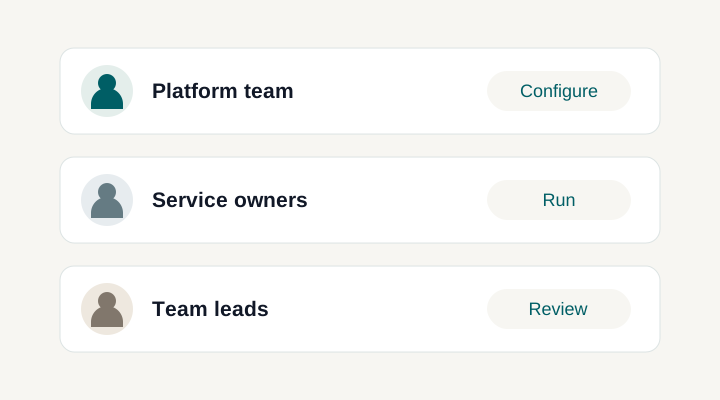
Give engineers a named job with a Run button and the inputs they need. Project roles and permissions determine who can run it and who can edit its definition. Each execution keeps its own status and output.
Use playbooks, configurations, and scripts from GitHub, GitLab, Bitbucket, or another compatible Git host. Connect over HTTPS or SSH, configure the branch and working directory, and keep code review in your existing Git workflow.
Attach the inventory that defines your hosts and groups. Keep credentials in the Key Store, and enable an Ansible limit prompt when engineers need to select a subset of those targets for a run.
Variable Groups hold configuration reused across runs. Built-in prompts expose options such as branch, tags, or host limit. Survey Variables collect custom values, so engineers can supply what changes without rebuilding the rest of the job.
Use Build templates to assign versions and Deploy templates to select successful builds. Your automation creates, stores, and retrieves the artifacts; Semaphore keeps the versioned handoff between the two jobs.
Run on the Semaphore server or a configured project runner with access to the target systems. Prepare the required Ansible collections, Python packages, or other dependencies there. Docker and Kubernetes executors can provide the job’s toolchain through an image.
Enable auto-run to check the repository for new commits at the configured polling interval and start the template when changes are found. Keep review and approval of the code in your Git workflow.
Choose whether a template may run tasks in parallel. Configure result notifications for the team, and suppress success messages for routine jobs when you only need attention on failures.
Yes. Connect your Git repository, select the Ansible playbook, and attach its inventory and credentials to a Task Template. Later runs reuse that setup. Keep your existing roles and collections; make sure the server or runner has the Ansible dependencies they need. Explore Ansible automation.
Task Templates support Ansible, Terraform, OpenTofu, Terragrunt, Bash, PowerShell, and Python. Each template uses the fields and execution model for its tool. You keep your code in Git and give the team a shared place to launch it. The execution environment still needs the required tools, packages, and network access.
Yes. Use project roles and permissions to separate running automation from editing its definition within the project. A colleague can launch a prepared job with the inputs you expose, while its repository, inventory, and credential references stay configured in the template. See how Access Control works.
Yes. Add Survey Variables to collect custom values such as an environment, release version, or maintenance reference. Built-in prompts expose tool options such as an Ansible host limit or branch override. Engineers fill in the allowed inputs for that execution instead of editing the saved template. See the Survey form.
Yes. Start with a working Task Template, then add a schedule using a cron expression or preset interval. Your playbook or script performs the patching, backup, or certificate renewal; Semaphore starts it at the configured time. Each occurrence has its own status and output. Explore Schedules.
Open the template's task history to inspect individual executions, their initiator, start time, status, and output, including any error messages. Open a run to investigate a failure rather than relying on a message that someone clicked Run. Scheduled executions also appear as tasks. Explore Run History.
Yes. The REST API can start a Task Template, and a configured webhook integration can trigger one from an incoming event. Reuse the saved execution setup instead of duplicating it in each calling service. Enable the appropriate prompts for supported run-time overrides. Explore API and Webhooks.
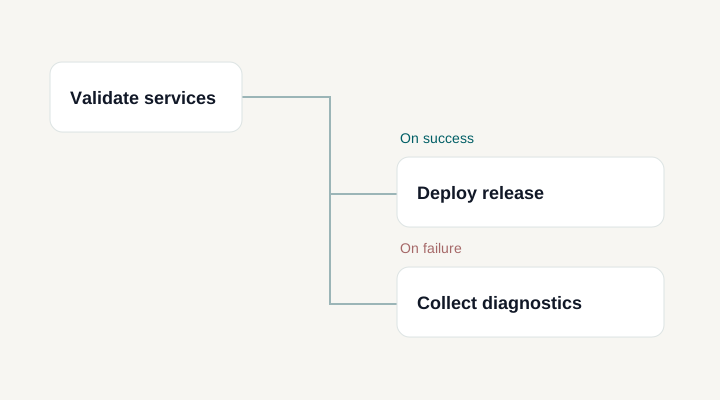
Yes. Workflows connect existing Task Templates into a larger operation, with success and failure paths, approvals, and delays. Each task keeps its own execution configuration and output. Use a workflow when a procedure needs coordination across jobs or a human decision between them. Explore Workflows.
In Pro, a Runner tag routes tasks to matching project runners near the systems they manage. A template can override the default job image for Docker execution in Pro or Kubernetes execution in Enterprise. The image field does not apply to local execution. Explore Runners.
You can keep playbooks and roles already stored in Git. Recreate their execution context in Semaphore: repositories, inventories, credentials, variable groups, and Task Templates. This is a configuration migration, not an automatic AWX import. Check Ansible versions, collections, prompts, and runner access before handing jobs to the team. Compare Semaphore UI and AWX.


