
 dashboarddone_allaccount_tree
Local accounts
Sign in with a Semaphore username and password.
Combine project RBAC, granular template permissions and identity-provider sign-in. Map groups to roles and add two-factor authentication for local accounts.
Permissions
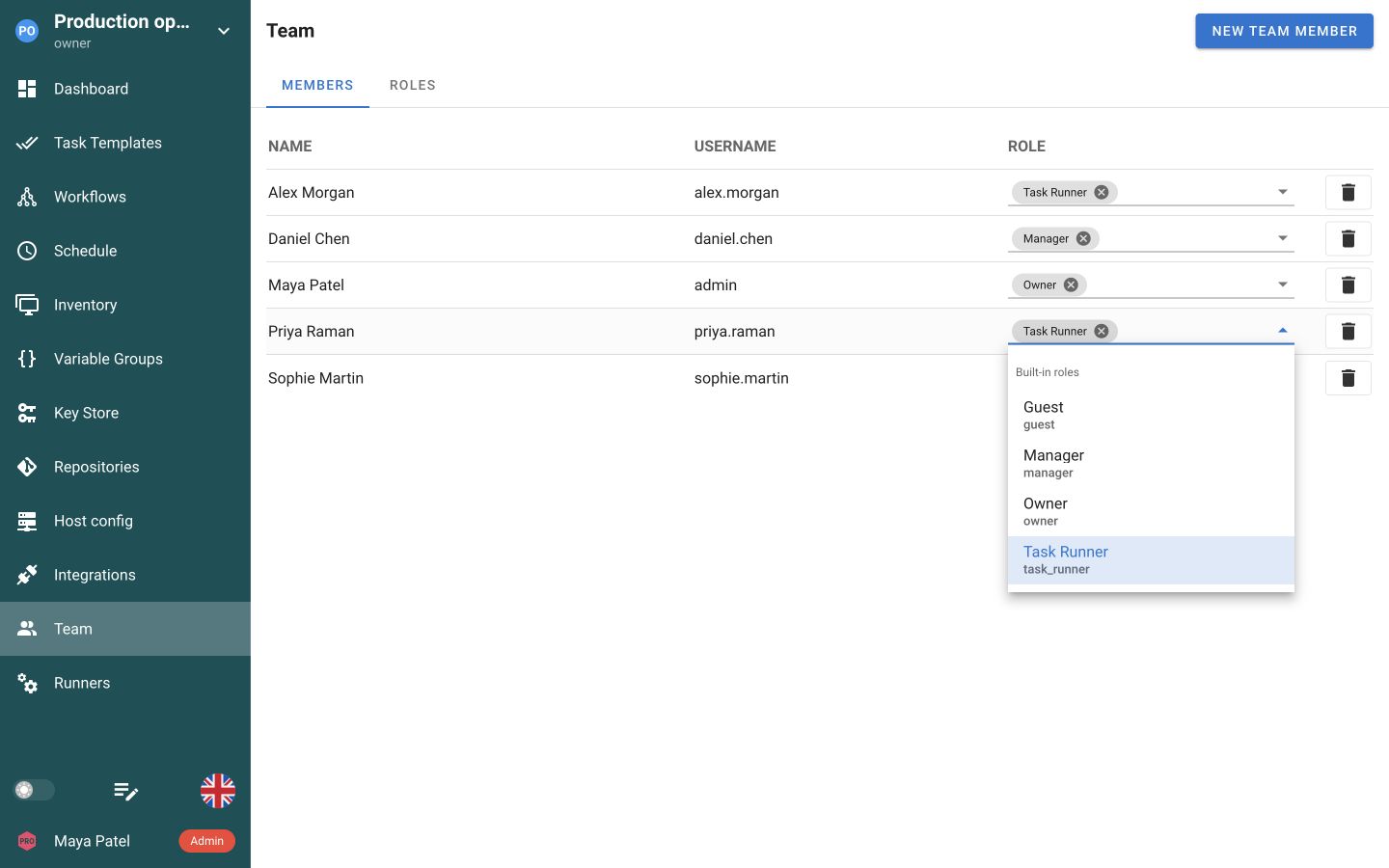
Assign project roles in Team. Let engineers run jobs, review results or manage configuration according to their responsibilities.
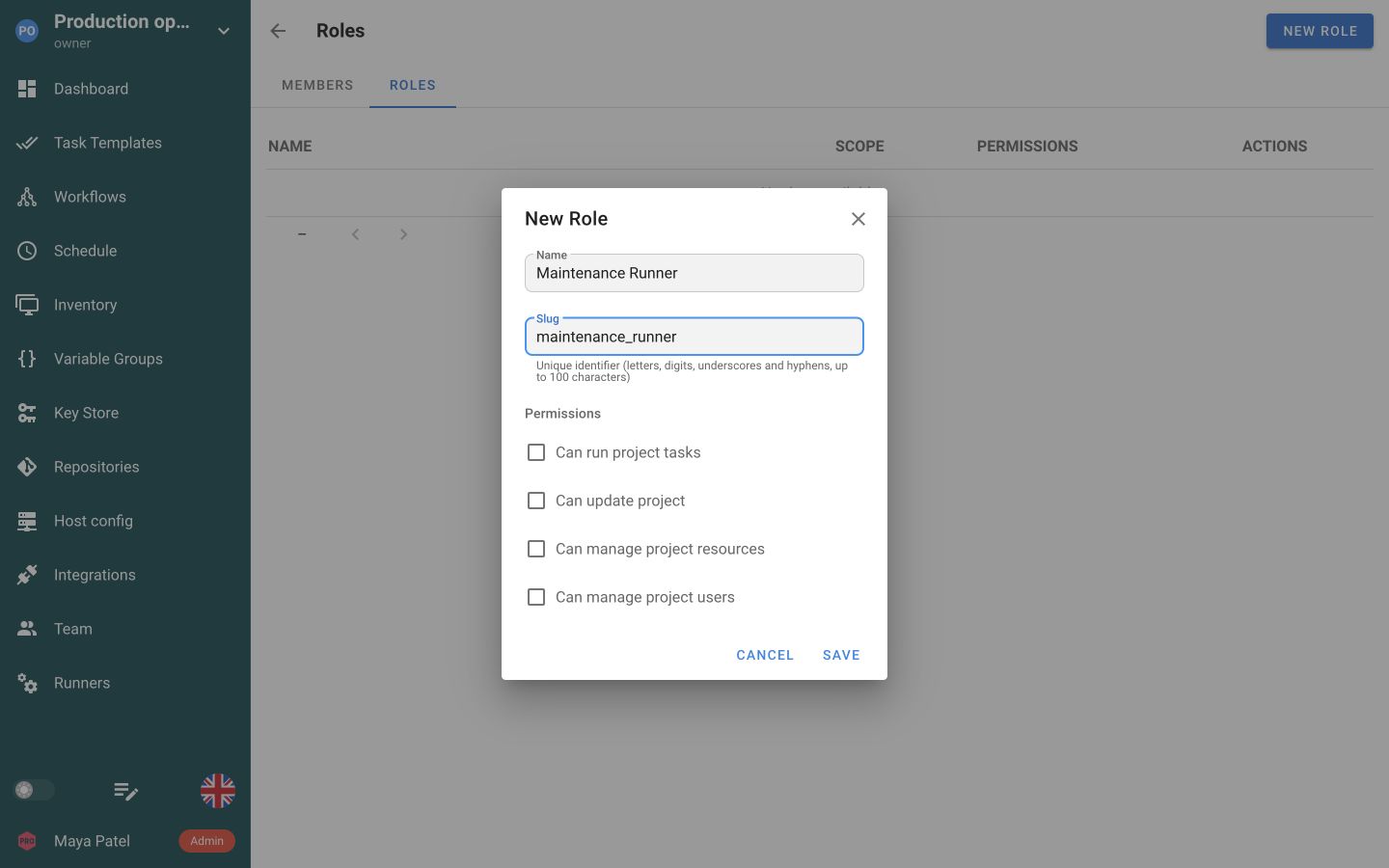
Create a role for a specific responsibility. Leave project-wide permissions off when access should be limited to selected jobs.
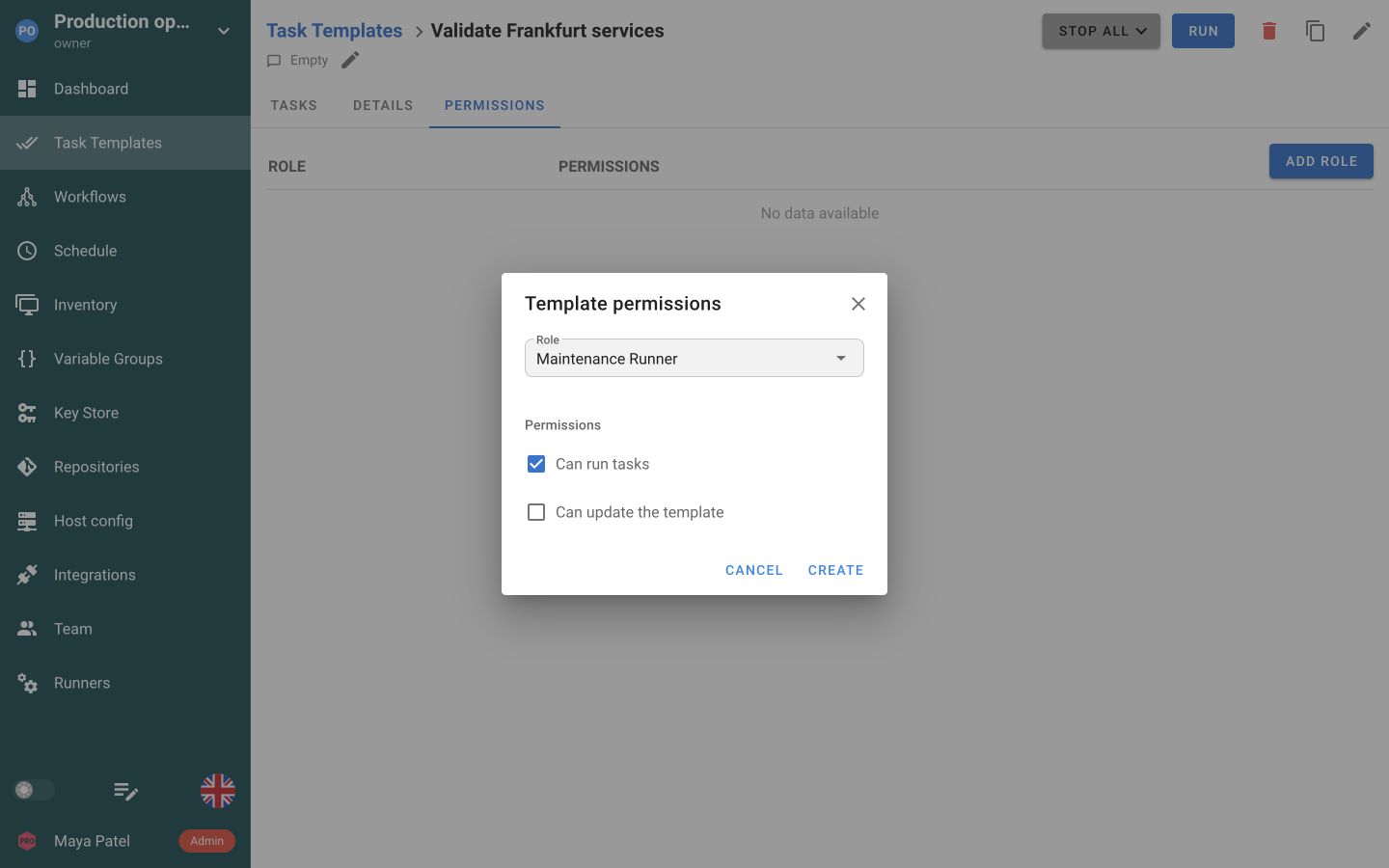
Add the role to a Task Template and allow Run without allowing edits to its configuration.
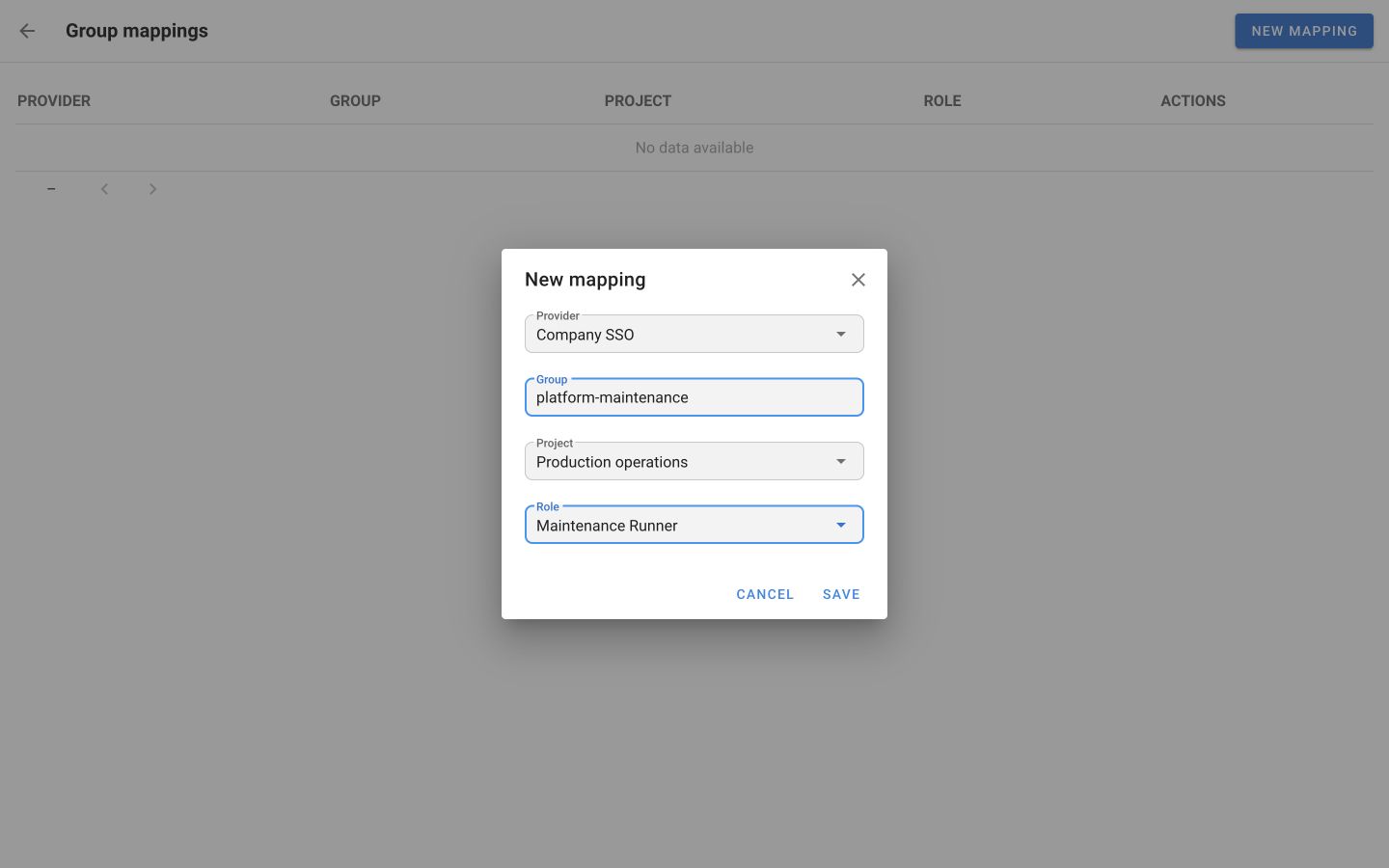
Map an identity-provider group to a project role in Enterprise. Semaphore refreshes mapped access at the next sign-in.
Open Account → Security to set up an authenticator app for local sign-in. The same screen links external identities.
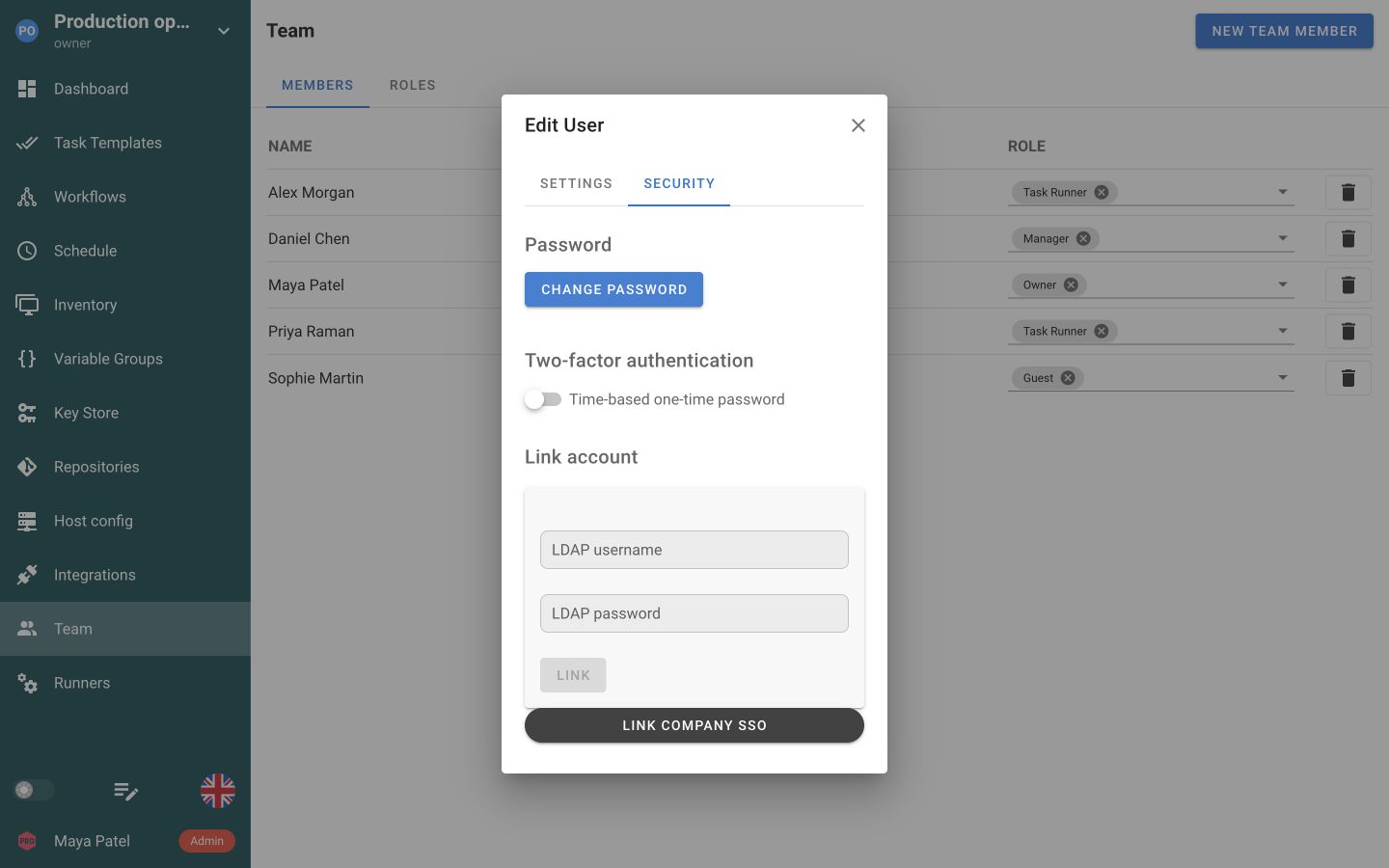
Connect your existing identity system for sign-in. Semaphore project roles determine which resources and actions each person can access.
Sign in with a Semaphore username and password.
Let people sign in with their existing directory credentials.

Connect Keycloak, Okta, Microsoft Entra ID, Authentik or another OIDC provider.




Accept a signed identity token from your trusted authentication proxy.
Enable authenticator-app codes for local accounts, configure recovery and set a session lifetime. Users enrol their own second factor.
An authenticator-app code adds a second factor at sign-in.
Allow recovery when the authenticator is unavailable.
Require a fresh sign-in after a configured maximum lifetime.
Assign built-in roles to project members without configuring every permission from scratch. A person can hold multiple roles, with their permissions combined.
In Enterprise, define a custom role around a team’s responsibilities. Choose the actions it can perform instead of giving everyone the same broad access.
Give a custom role access to specific Task Templates instead of every job in the project. Allow task execution while keeping template editing separate.
The same approach applies to Workflows, with separate permissions to run, edit and approve.
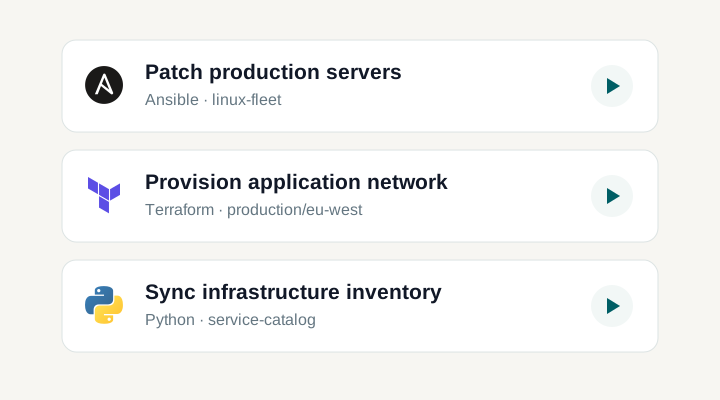
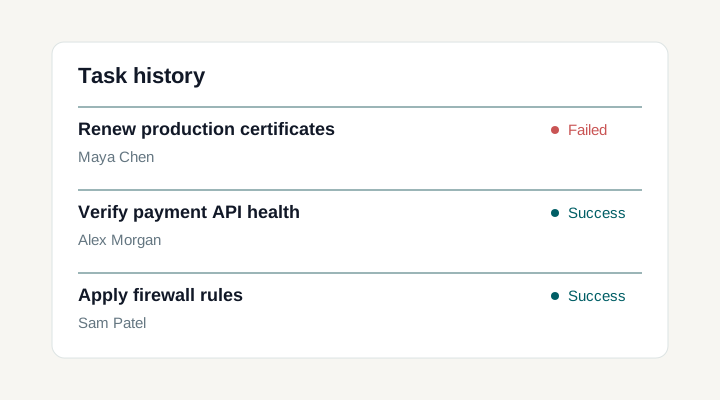
A delegated job is a Task Template that already carries its repository, inventory and credential references. Build and test it first, then create the role that may run it. Sign in with a representative account and confirm both halves of the result: the intended task starts, and a second one is not available.
Workflow grants cover viewing, running, editing and approving. Approval is separate from running, so you can decide whether the person who starts an operation is also the person who releases its waiting stage. Assign the two permissions deliberately rather than together by default.
An Enterprise group mapping connects an OIDC group with a role in a Semaphore project, using the groups claim the provider sends. Semaphore refreshes the mapped roles when the person signs in. Removing someone from a directory group does not end the session they are already holding, so plan revocation around that timing.
When daily sign-in depends on an external provider, keep one tested local administrator account alongside it. Record who owns it and where its credentials are held, and exercise the path before an outage. Afterwards, review the access that was granted during recovery so a temporary change does not become permanent.
Selected-object permissions apply to those two objects. A single inventory, repository, variable group or Key Store entry is not governed that way; those sit under the project-wide permissions and under the project boundary itself. Verify any requirement that depends on narrower resource control before building a process on it.
A team member can hold several roles at once, built-in and custom, global and project-level. Their effective access is the union of all of them, so a broad role assigned elsewhere can undo a carefully narrowed one. Read the complete set before you rely on a restriction.
Authentication establishes which user is signing in, through a local account or a supported external identity system. Authorization determines which projects and actions that Semaphore user can access. Enabling SSO does not by itself assign the correct operating role. Design the two together: confirm identity linking, add the intended project membership, and test the actual actions available to a representative account before delegating an operational task.
The built-in Task Runner role can run every template in its project. To delegate only selected jobs, use an Enterprise custom role with grants on the chosen Task Templates and Workflows and no project-wide run permission. Permissions from all assigned roles add together, so a broader role held alongside it can still let the person run other templates.
Yes. An Enterprise custom role combines project-wide permissions with grants on individual objects. Leave the project-wide permissions off and add only the Task Templates and Workflows the role is for, choosing view, run or edit on each, plus approve on a Workflow. A global role is defined once and reused across projects; a project role stays inside the project that created it. Users can hold several roles and their permissions are additive, so review the complete set when restricting access to sensitive automation.
Individual-object granularity applies to Task Templates and Workflows. Do not assume a project-wide permission to manage inventories, repositories, variable groups, or Key Store entries can be narrowed to one of those objects. Use project boundaries and the available role model deliberately when separating operational responsibilities. If your access design depends on another kind of resource-level restriction, verify that exact requirement before relying on it in production.
The documented authentication options are local accounts, LDAP and Active Directory, OpenID Connect, and JWT passed from a trusted reverse proxy, with availability shown in the current plan comparison. An externally authenticated user still has a Semaphore user record and needs the intended project access. Check provider identifiers and account-linking behaviour before changing an existing setup. Do not assume that enabling an identity provider automatically maps all directory groups to the roles your authorization design requires.
Maintain a tested local administrative recovery path alongside the external authentication configuration. Document who owns it, where the required credentials are held, and how access is exercised during an outage. Test the process before an incident rather than discovering that every administrator depends on the same unavailable provider. After recovery, inspect the relevant account and project access so temporary operational changes do not become unintended permanent permissions.
Yes. The built-in Task Runner role can run project templates while leaving other resources read-only. For access to selected jobs, use an Enterprise custom role with grants on those Task Templates and Workflows. Check all roles assigned to the member, because permissions are additive. A prepared Task Template keeps the execution setup available for the team.
The Guest role gives read-only project access. A guest can inspect project information and task results without running tasks or changing settings. Add the person to the appropriate project team and review their other roles as well. A broader role assigned alongside Guest can grant additional permissions.
Enterprise group mappings associate an OIDC provider group with a role in a Semaphore project. Configure the groups claim in the provider and add a mapping for the intended project and role. Semaphore refreshes these assignments when the person signs in through that provider, so changes are applied at the next sign-in rather than immediately to an existing session.
Yes. Enable TOTP in the server configuration so users can enrol an authenticator app for their local account and enter its time-based code after the password. Enrolment produces a recovery code for the sign-in where the authenticator is unavailable. Enabling the option does not force every account to enrol, so treat adoption as a process. The same configuration area sets an absolute session limit, which ends a session after a fixed lifetime regardless of activity.