Run Python automation beyond your laptop

Turn Python checks, reports and API integrations into shared Semaphore jobs. Keep code in Git, pass reusable inputs and schedule scripts with a result for every run.

The script works on your laptop. Can the team run it?

Local packages, environment values and a remembered command make a useful Python script hard to hand over or run reliably every day.

Give the script a repeatable execution setup

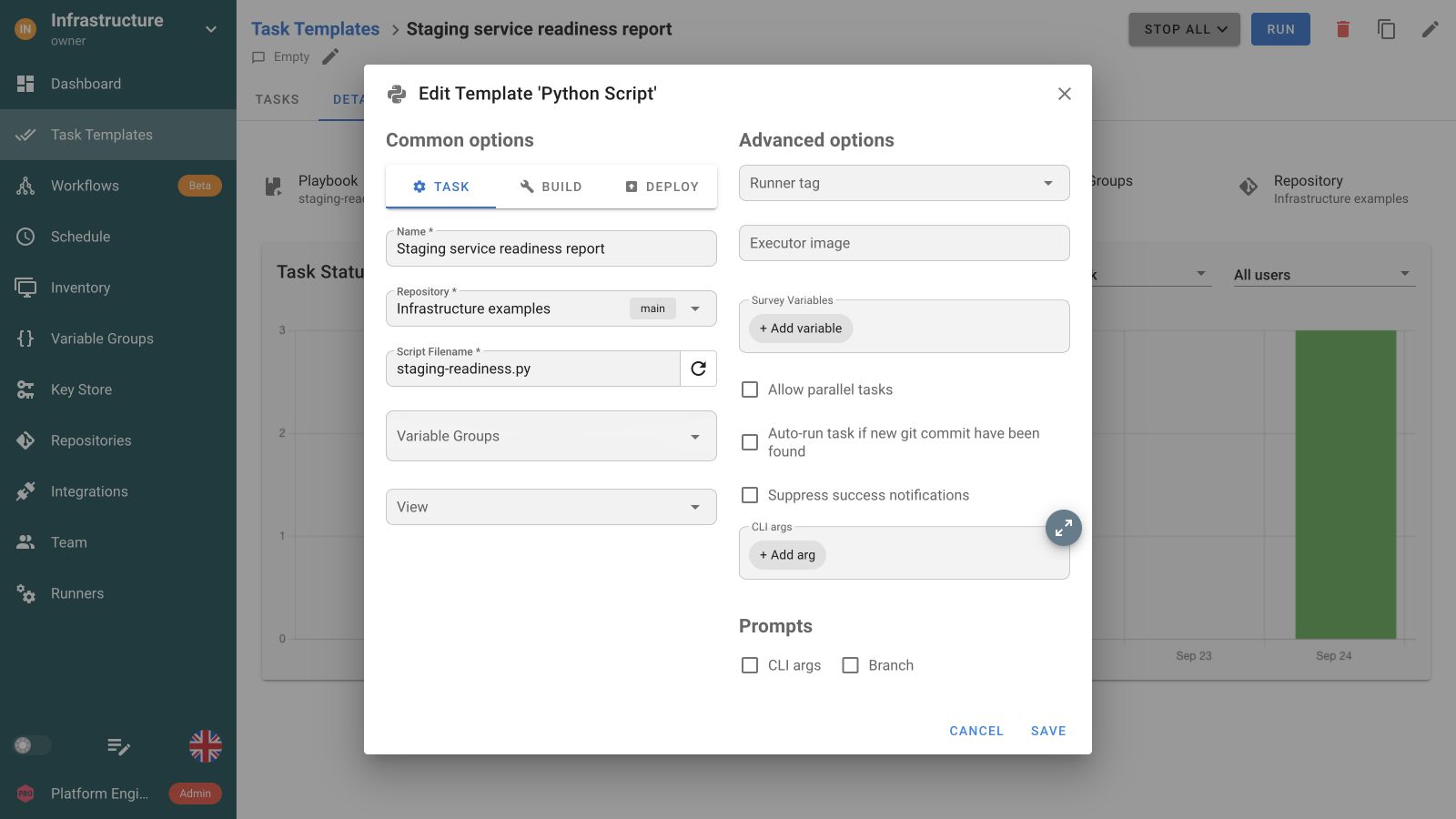
  • Save the repository and .py entry point
  • Prepare Python packages on the execution environment
  • Run on demand or on a schedule with shared output

Use your Python libraries for operational work

Validate configuration before a change

Run your schema or policy checks against configuration from Git. Stop the task with a failed exit code when validation fails, before another Workflow step changes infrastructure.

Add a validation step to a Workflow

Sync your CMDB or service catalog

Run your API integration script with reusable environment inputs. Schedule synchronization so the team does not have to start it by hand.

Schedule an integration job

Verify services after a deployment

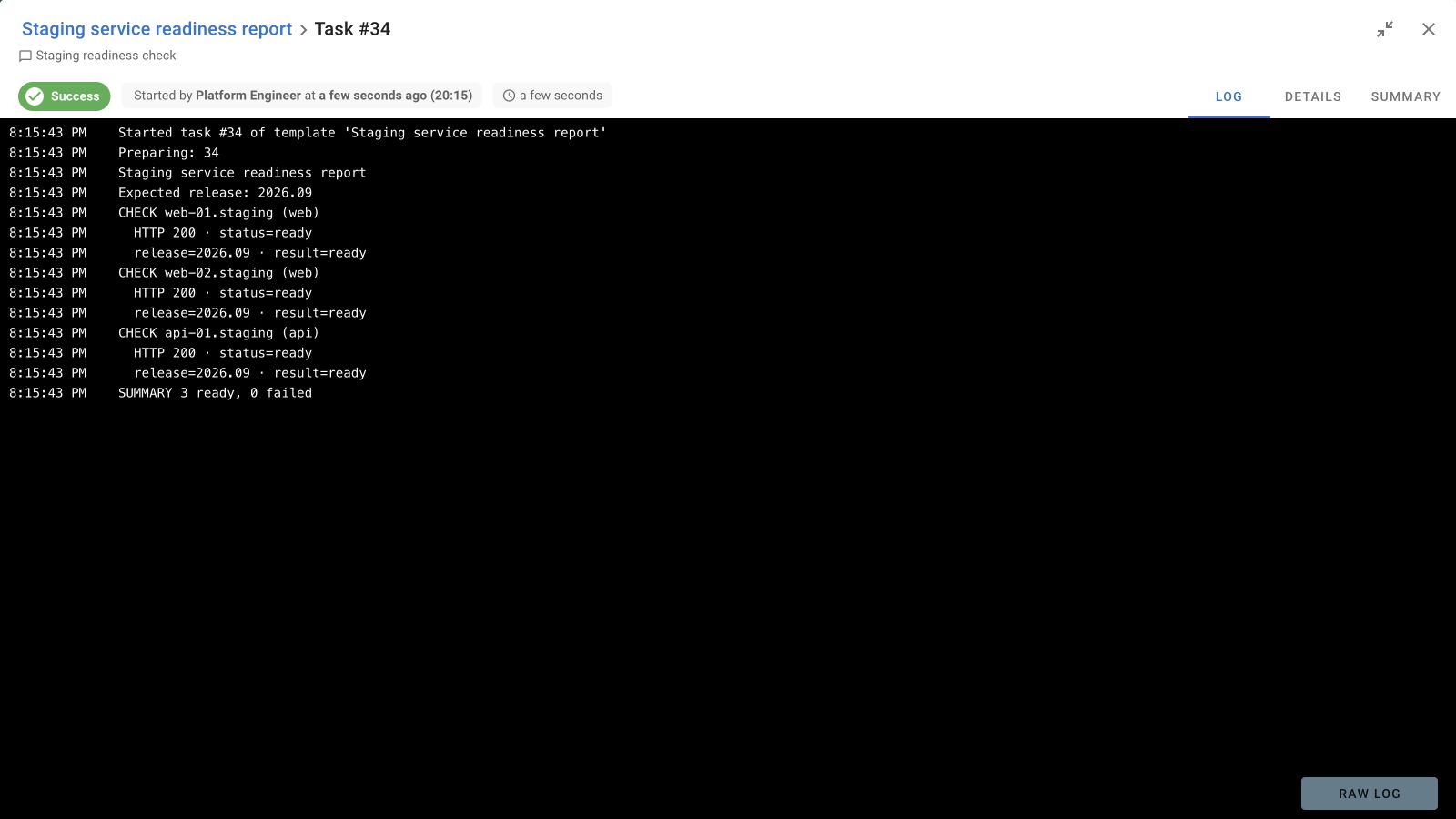
Use your Python libraries to check endpoints and application readiness after Terraform or Ansible jobs. Keep the result with the complete operation.

Connect deployment and verification

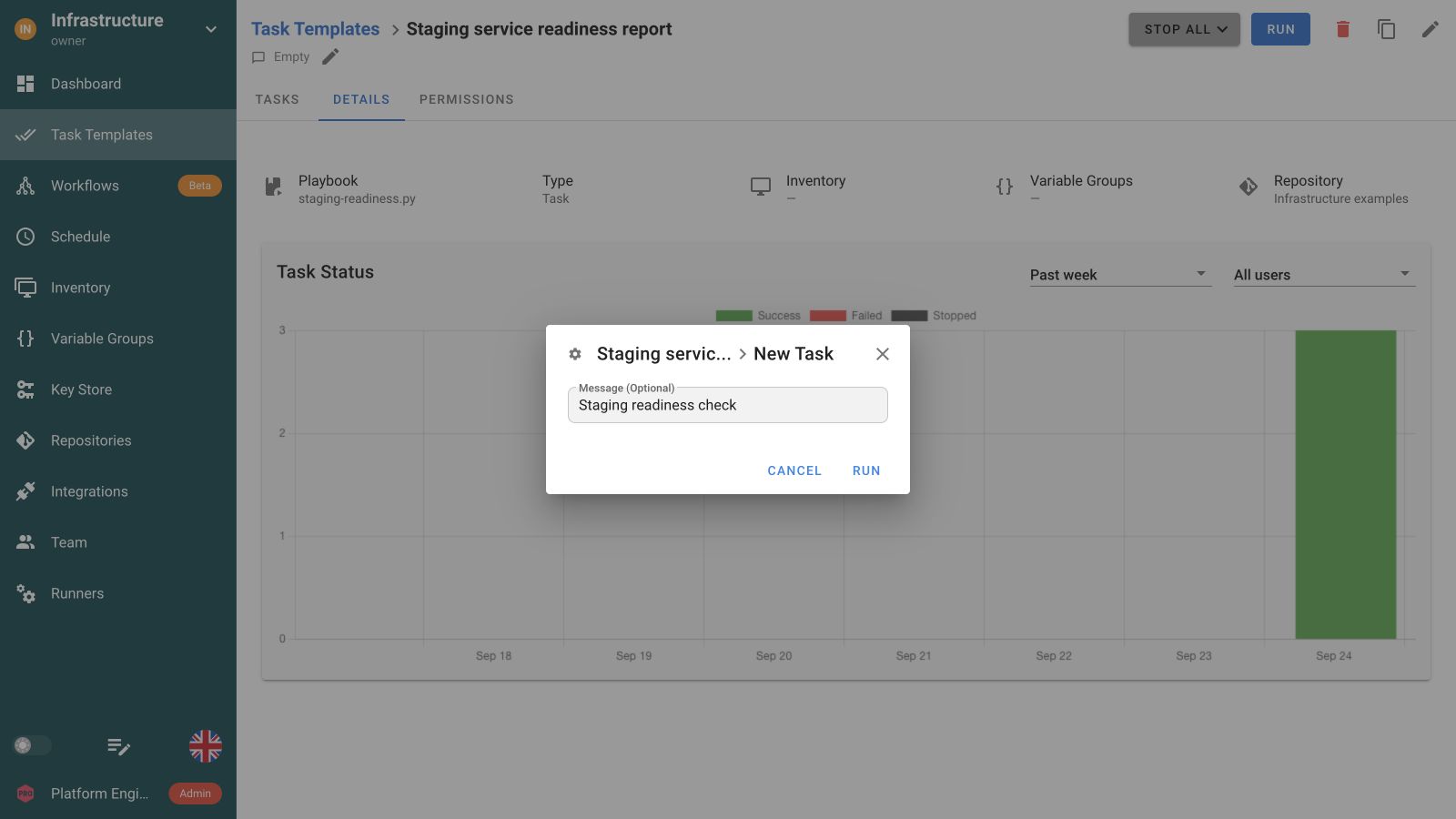
Save a Python job, launch it and read the output

Validate configuration before the infrastructure changes

Run your Python validator first. Continue to Terraform only after validation succeeds, then use Ansible to configure the environment. Each step keeps its own output.

Configuration validationWorkflow
Validate configuration
On successOutputs → inputs
Provision infrastructure
On successOutputs → inputs
Configure the environment
On failure
Collect diagnostics

Python code, dependencies and inputs

Prepare the interpreter and packages

Python tasks use python3 on the execution environment. Install your script’s dependencies there. The Docker installation supports a requirements.txt file at /etc/semaphore/requirements.txt, installed at container startup.

Supply reusable configuration and secrets

Variable Groups inject environment variables for your script to read through os.environ. Keep sensitive values in secret entries rather than embedding them in source.

Retain output and store reports deliberately

Semaphore keeps task status and output. Your script should return a non-zero exit code on failure. Save generated files in the storage your process owns rather than treating task logs as a file store.

Choose the environment your code needs

Run on a prepared server or use project runners in Pro for dedicated environments. Keep the Python version, packages and access to external APIs consistent across runs.

FAQ

Which Python interpreter runs a Semaphore Python task?

Python tasks use python3 on the execution environment. Prepare the Python version and packages your script imports there. A Task Template selects the repository and .py path, while the server or runner provides the runtime and network access.

Are Python dependencies installed automatically for each task?

Prepare the required packages on the execution environment. For the Docker installation, a requirements.txt file mounted at /etc/semaphore/requirements.txt is installed at container startup. This does not create a fresh virtual environment or install repository dependencies for every task.

How can a Python script receive parameters and credentials?

Attach Variable Groups to the Task Template. Their values become environment variables that Python can read through os.environ. Store sensitive values as secrets rather than in source. Validate runtime inputs before using them in API requests or file paths.

Where should a generated CSV or JSON report be stored?

Have your script write reports to durable storage used by your process, such as an object store or a shared destination. Print a useful reference in task output. Semaphore task history retains status and logs rather than serving as a general file repository.

Can I validate configuration with Python before deployment?

Yes. Use your own validation script and libraries to check configuration and return a non-zero exit code when a check fails. Put that Task Template before Terraform or Ansible in a Workflow. Semaphore coordinates the tasks rather than supplying a built-in validator.

Can I schedule a Python inventory sync or report?

Yes. Create a Python Task Template with its script, environment inputs and required packages, then add a schedule. Your code performs the API synchronization or report generation. Semaphore records each run and can send alerts for configured task outcomes.

Can Python checks run after Ansible or Terraform?

Yes. Add the Python Task Template after the provisioning or configuration step in a Workflow. Use it to verify application readiness or another condition your script can inspect. The task’s exit status determines whether its configured success or failure path follows.

Can my team run Python jobs without installing Python locally?

Yes. Python and its packages run on Semaphore’s execution environment. Teammates use the saved job through the UI or API and inspect its output. Configure project roles and template inputs so they can run the operation with the access they need.