
Local
Run directly on the runner host, using the tools and dependencies installed there.
Use project runners to reach separate networks, add execution capacity and give jobs the tools they need. Keep task history and results in Semaphore.
 Semaphore
Jobs need different network access, tools and capacity. Running them all on the application server means sharing the same limits.
Choose where each job runs, prepare its tools and add capacity independently of the Semaphore server.
Create a project runner, give it a name and enable it. Tags can be added here or updated later.
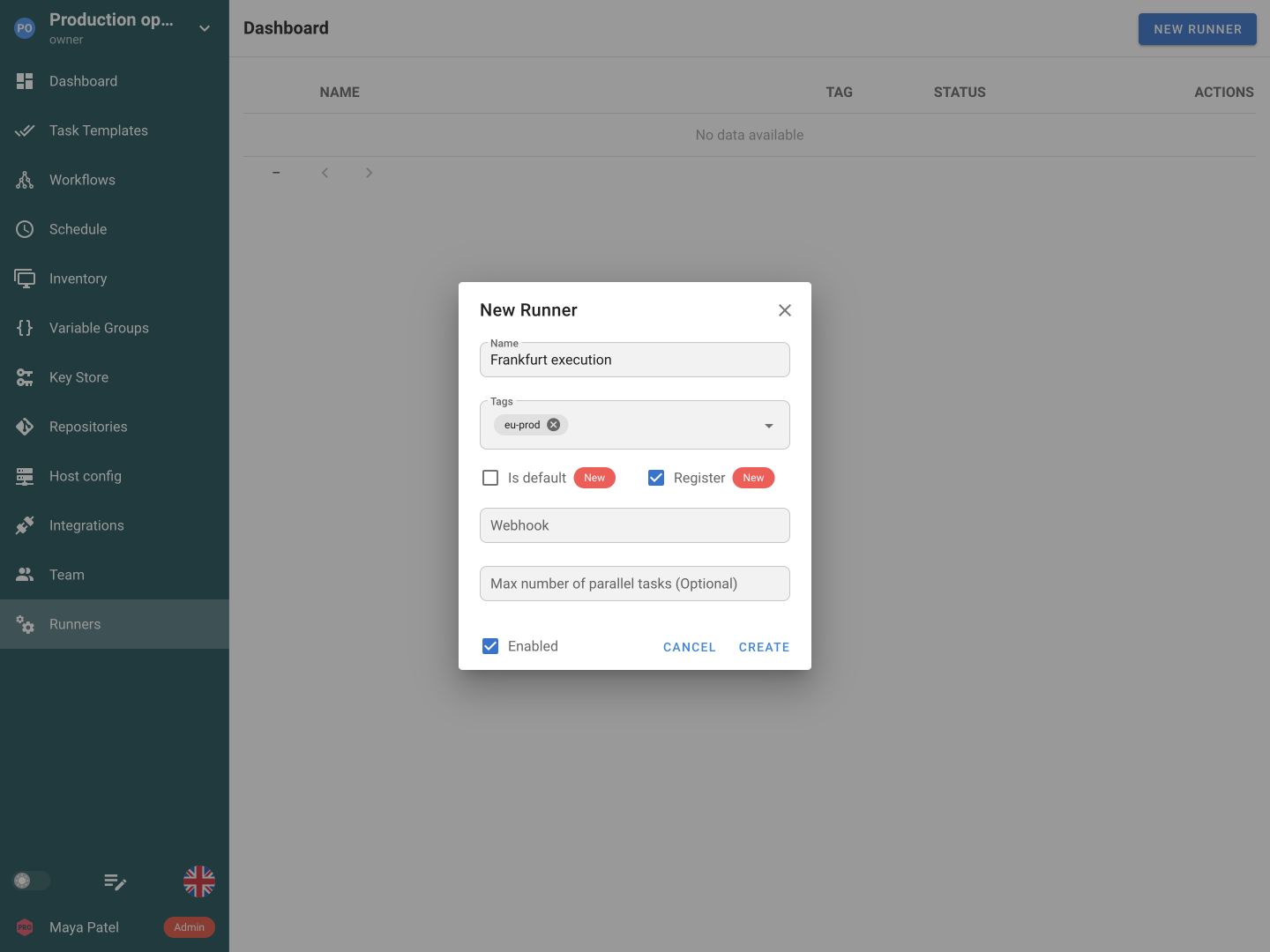
Install Semaphore on the execution machine and start it in runner mode with its generated configuration. Confirm that the runner appears Online.
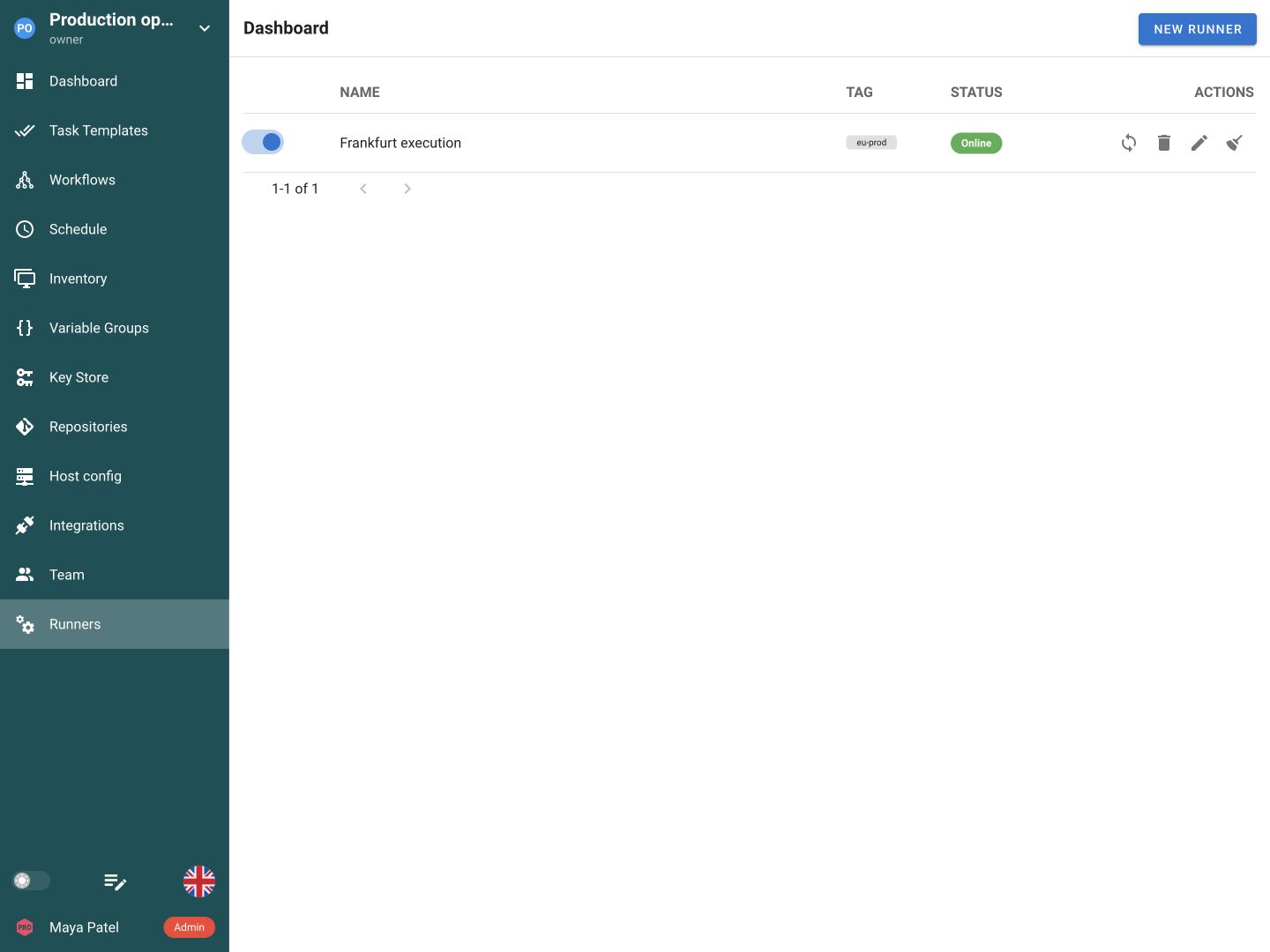
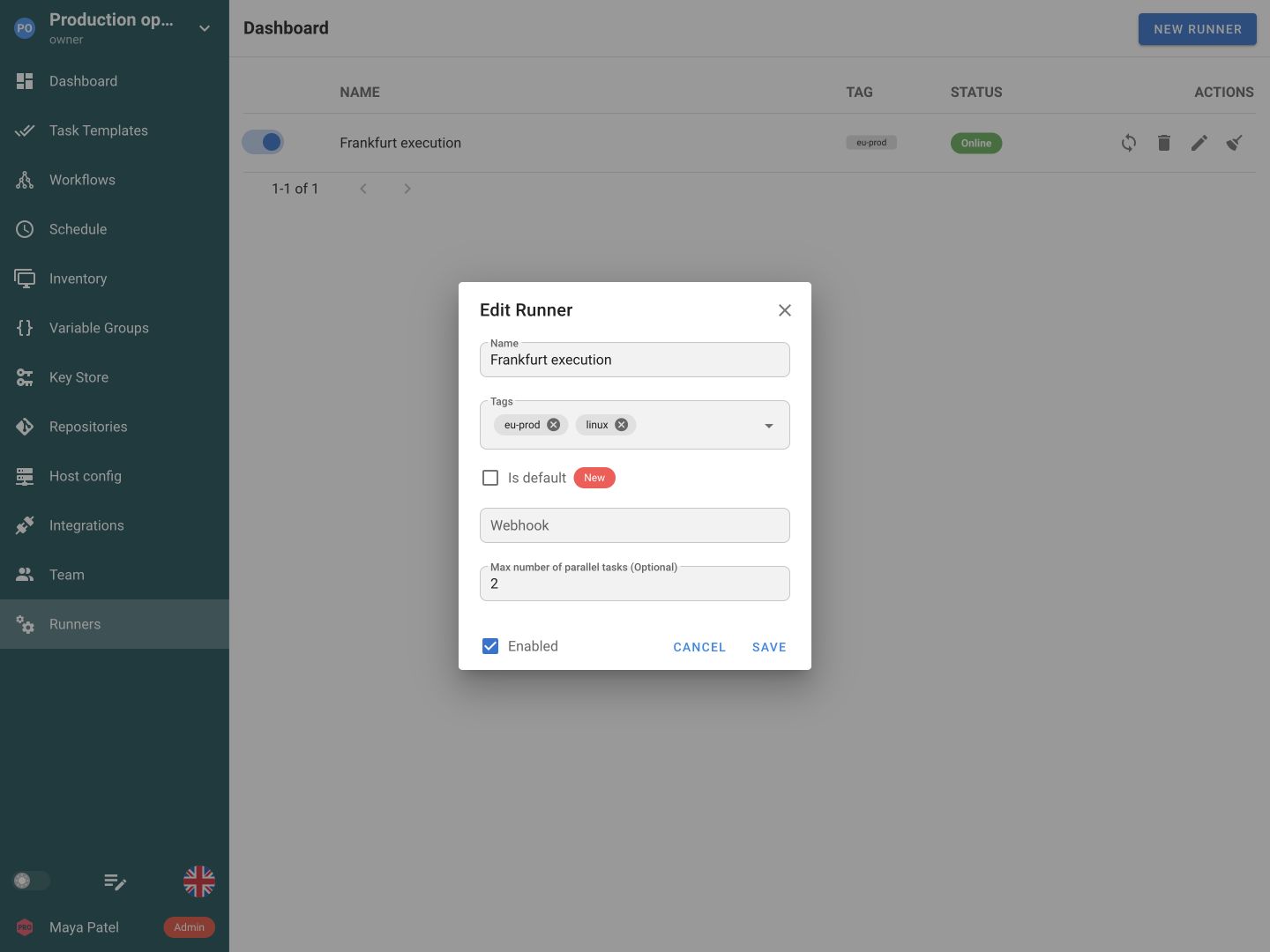
Tag runners by location, environment or workload. A runner can carry more than one tag.
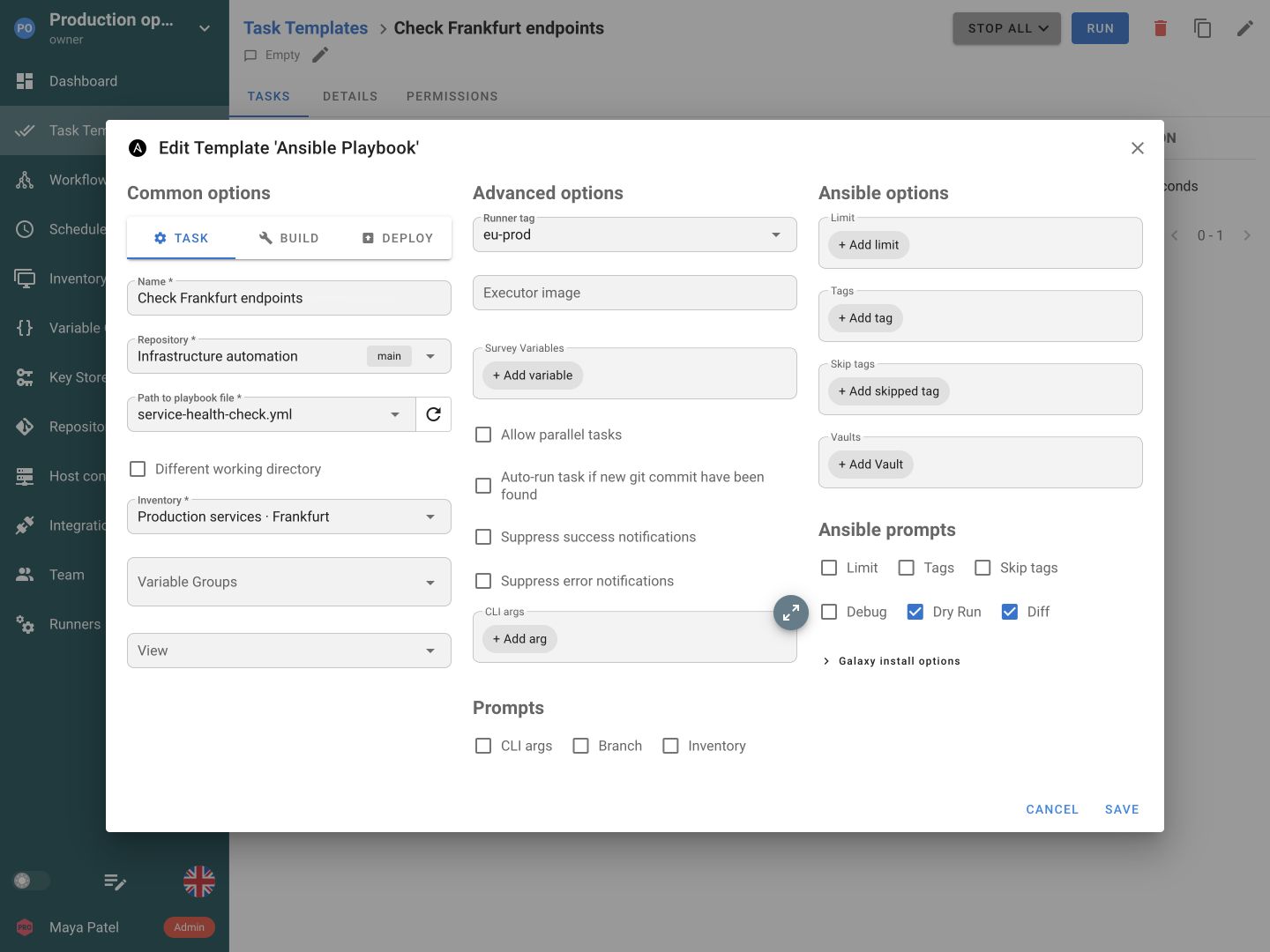
Set the Runner tag in the Task Template to a matching value. New tasks wait for an online runner with that tag.
A runner determines where the job runs. Its executor determines whether the job uses the host environment or starts in a container.
Run directly on the runner host, using the tools and dependencies installed there.
In Pro, run jobs in containers and choose an executor image per Task Template.
In Enterprise, run jobs in Kubernetes pods with the image and dependencies they need.
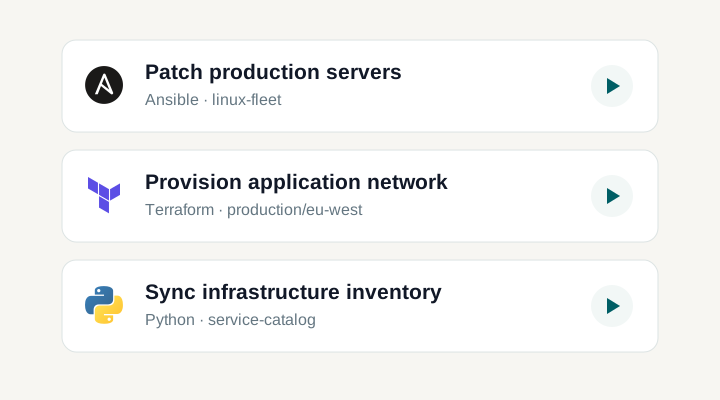
Run automation in the region or network where its targets live. A runner can provide access to a private subnet, reduce the distance to managed systems, or give one team dedicated execution capacity. Network placement, runner tags and the executor each solve a different part of that setup.
A runner connects to and polls the Semaphore server. The server does not need to initiate an inbound connection to that runner. This is useful for a site behind NAT or a private subnet, provided the runner can reach Semaphore and the targets and sources its tasks require.
Global runners are available across projects, while Project Runners belong to one project. Supported tags connect template requirements to runner capabilities or locations. Default-runner settings cover tasks without a tag requirement. If no suitable runner is available, a task can remain waiting rather than silently running somewhere else.
Local execution runs in the runner host's process context and uses its permissions. Supported Docker and Kubernetes executors introduce a container or pod boundary, with configuration and edition requirements of their own. Their mounts, networking, privileges, and images determine the actual boundary; the word runner alone is not an isolation guarantee.
Additional runners can add capacity or reach without making every task run on the web application host. Parallel-task settings and polling affect the operating profile. Advanced one-off patterns can combine registration, assignment hooks, and a runner that exits after a job, but they require deployment automation around that lifecycle.
Use an Enterprise offline license when the installation must operate inside a closed network. Keep Semaphore and its runners within that environment, and provide the Git repositories, executor images and tool dependencies the jobs need without public network access.
Local execution uses the runner host’s process permissions. Use Docker or Kubernetes executors when jobs need their own container or pod, with images, mounts and network settings suited to the task.
Tasks need the credentials and configuration referenced by their template. Environment and file sources in the Key Store are resolved on the Semaphore server before the value is used for execution.
Global runners are registered for use across the instance, while Project Runners belong to a particular project. Global distributed execution is available in all plans; project scope and related routing capabilities are included in Pro and Enterprise as shown in pricing. Choose scope according to operational ownership and environment access. A project-specific runner can keep placement deliberate, but its runtime configuration still determines what an executing process can access.
The runner initiates communication by connecting to and polling Semaphore for work. That supports placement behind NAT or inside a private network without a server-initiated inbound connection to the runner. The runner still needs to reach the Semaphore endpoint and the repositories, package sources, external services, and targets its tasks use. Check those paths individually; outbound polling does not make all other network requirements disappear.
Use the supported runner tags, template requirement, and default-runner settings to match work to an appropriate execution environment. Name tags for a meaningful capability or location and keep availability and capacity visible. If no suitable runner is ready, a task can remain waiting. Test the selected route with a harmless operation and confirm the executing runner in task details before using the same path for production changes.
Not by itself. A local executor runs in the runner host's process context with the access that environment provides. Docker or Kubernetes execution introduces a different boundary, but mounts, privileges, networking, and image contents still matter. Choose placement and execution mode as separate decisions. Prepare the required dependencies and review host access rather than treating the word runner or container as a complete security guarantee.
Prepare the runtime that each job requires on its selected execution path. Supported executor-image settings can help keep a particular Ansible, Terraform, Python, or other dependency set explicit without changing every job on a shared host. Check the installed version and edition for the relevant executor options. Then test repository access, packages, and target connectivity inside that actual environment, not only from an administrator's interactive session.
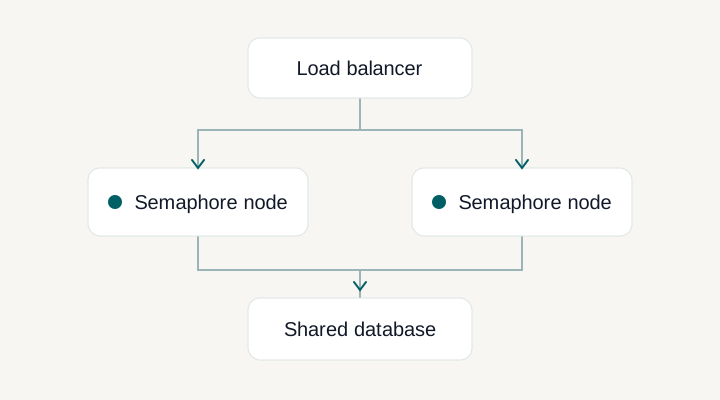
Adding runners expands or relocates task execution; it does not create a highly available application control plane. Application HA uses multiple coordinated Semaphore nodes with the documented shared database, Redis, and load-balancing architecture. These capabilities can complement each other, but solve different problems. Decide whether your bottleneck is execution capacity, network reach, or access to the UI and API before selecting which part of the deployment to scale.
The task stays in the waiting state until an available runner matches the template’s routing requirements. Check the runner’s tag, enabled flag and recent connection status, then check execution capacity. A tag is a selection rule, so an untagged or differently tagged runner will not automatically take that job.
Yes. A template can override the default job image when its runner uses the Docker executor in Pro or the Kubernetes executor in Enterprise. This lets jobs use the toolchain their automation needs. Prepare the image with the required applications and dependencies; the field does not change local-executor behavior. See template execution settings.