Project runners Pro
Runners execute tasks on machines other than the Semaphore server: closer to the target infrastructure, in another network zone, or with a different toolchain. Global runners are registered by an administrator and serve every project. Project runners belong to one project and are managed by its team in the Runners section.
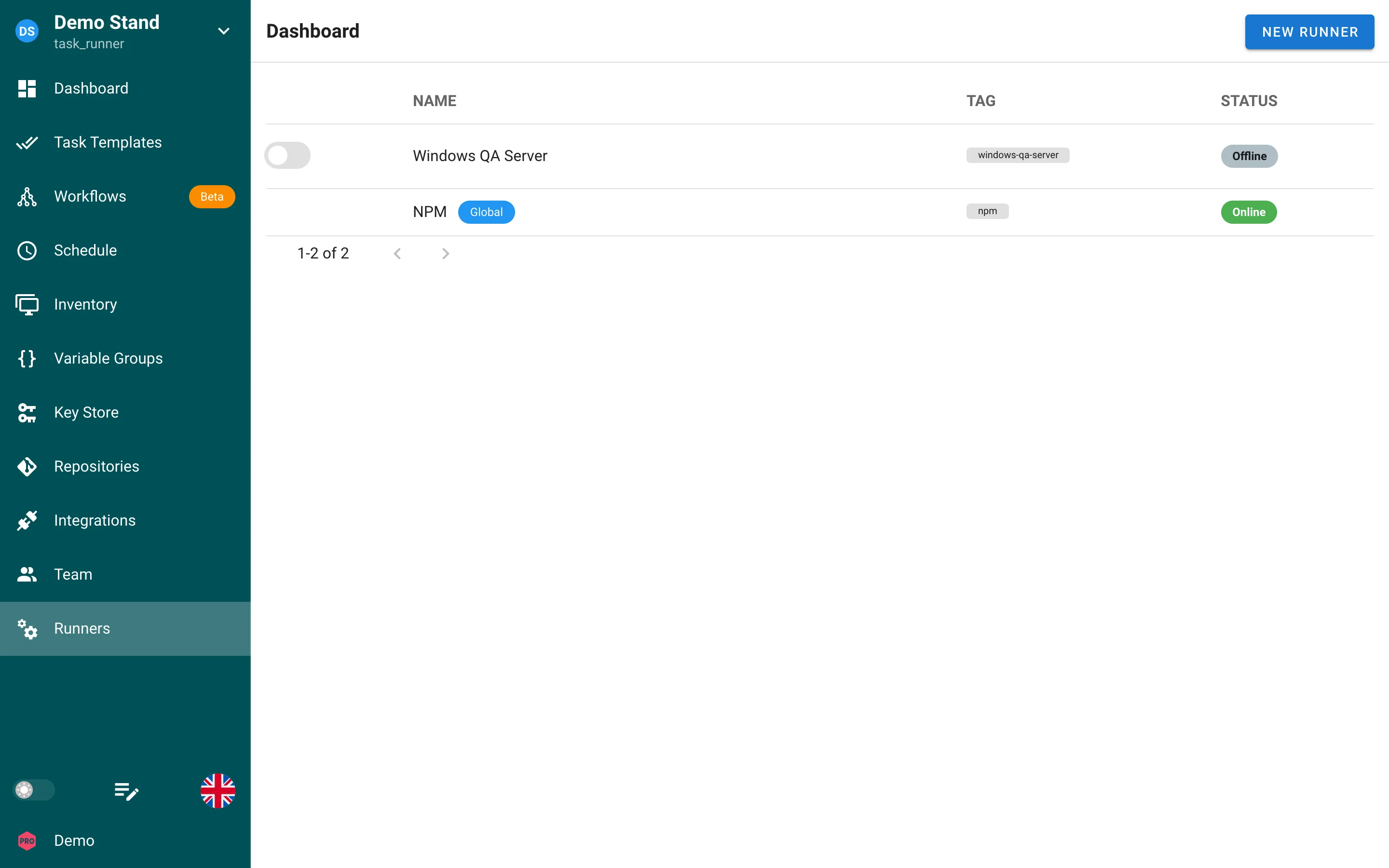
| Column | Content |
|---|---|
| Switch | Enables or disables the runner. A disabled runner receives no tasks. Only project runners have the switch; global runners are managed by the administrator. |
| Name | Runner name. The Global badge marks runners shared by all projects. |
| Tag | Tags of the runner. Templates with a Runner tag run only on runners that have that tag. |
| Status | Online when the runner polled the server recently, Offline otherwise. |
Adding a runner
You need the Manager role or higher. Click New Runner and fill in the form.
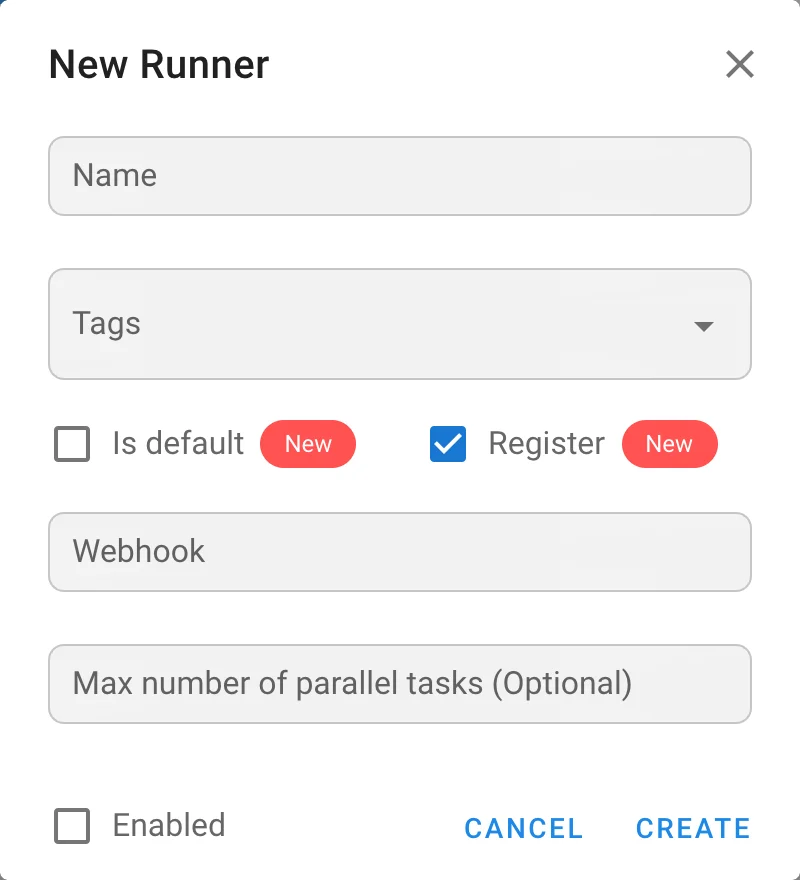
| Field | Description |
|---|---|
| Name | Runner name shown in the list and in task details. |
| Tags | Optional. One or more tags. A template with a Runner tag is executed only by runners that carry the tag. |
| Is default | Runners with this flag also take tasks of templates without a runner tag. A runner without the flag and without tags never receives tasks. |
| Register | Checked: the runner is created as registered and the dialog shows the runner token to put into the runner configuration. Unchecked: the runner is created unregistered and you get a one-time registration token; the runner registers itself with semaphore runner register or semaphore runner start --auto-register. |
| Webhook | Optional URL that Semaphore calls when a task is assigned to the runner. Use it to start on-demand (one-off) runners, for example with a cloud function. |
| Max number of parallel tasks | Optional. How many tasks the runner may execute at the same time. |
| Enabled | Whether the runner receives tasks. |
After creation, click the runner to see its token or registration token again and to copy the configuration snippets.
Installing the runner
The runner is the same semaphore binary or the semaphoreui/runner Docker image started in runner mode. Installation, the configuration file, registration commands, executors (local, Docker, Kubernetes), and security are described in the admin guide: Runners and CLI: Runners.
Routing tasks to runners
- Give the runner one or more Tags, for example
windows-qa-server. - In the template form, set Runner tag to the same value.
- Tasks of the template wait in the
waitingstatus until a runner with that tag is online.
Templates without a runner tag go to the runners marked Is default, including global default runners. The runner that executed a task is shown on the Details tab of the task window.
Security
- Runners connect to the server, never the other way round, so a runner can live behind NAT or in a private network.
- Every request from a runner is authenticated with its token. Revoke a runner by deleting it or disabling it.
- Use HTTPS between runners and the server; see Network security.