Settings
The Settings tab of the project dashboard is available to project Owners. It holds the general project options and the destructive actions.
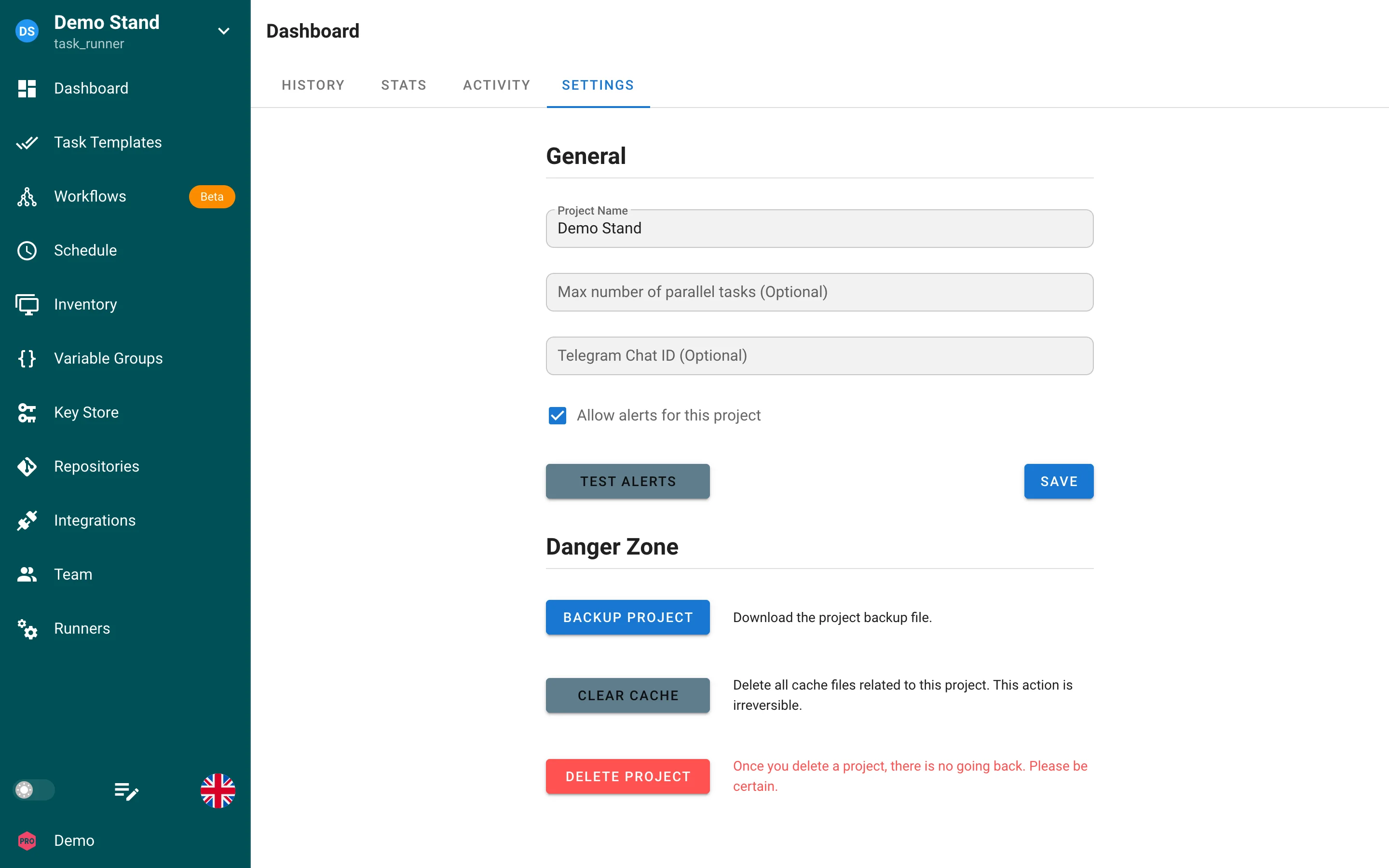
General
| Field | Description |
|---|---|
| Project Name | Display name shown in the project switcher and in alerts. |
| Max number of parallel tasks | Optional. Maximum number of tasks of this project that may run at the same time. Leave it empty for no limit. Tasks above the limit stay in the queue with the status waiting until a slot is free. |
Save applies the changes. Notification settings (server channels, the per-project Telegram chat, named alerts and the test button) live in the Alerts tab.
Danger Zone
| Action | Effect |
|---|---|
| Backup project | Downloads a JSON file with the project definition: templates, inventories, variable groups, keys (without secret values), repositories, schedules, views, alerts (without tokens), and integrations. Restore it through New Project → Restore project or with semaphore projects import. |
| Clear cache | Deletes all cached files of the project on the server, for example cloned repositories. The next task clones the repositories again. The action is irreversible. |
| Delete project | Deletes the project with all its resources and task history. There is no undo. |
Related settings
- Members and roles: Teams
- Runners attached to the project and runner tags: Project runners
- Where task results are reported: Alerts
- Notification channels are configured on the server: Notifications