

Create repeatable environments
Save the module directory and workspace in a template. Reuse your configuration with the inputs for the intended environment.
Share a prepared jobRun your OpenTofu configurations through Semaphore with saved workspaces and inputs. Share plan output, apply changes deliberately and keep a history of every run.


A teammate has the configuration but still needs the right directory, workspace, credentials and tofu runtime before they can use it.
Save the module directory and workspace in a template. Reuse your configuration with the inputs for the intended environment.
Share a prepared jobRun a Plan-only task and inspect the proposed resources. Keep Apply as a separate operation with its own execution record.
Share a prepared jobGive an environment cleanup operation its own clearly scoped template. Select the intended workspace and explicitly choose Destroy when the environment is no longer needed.
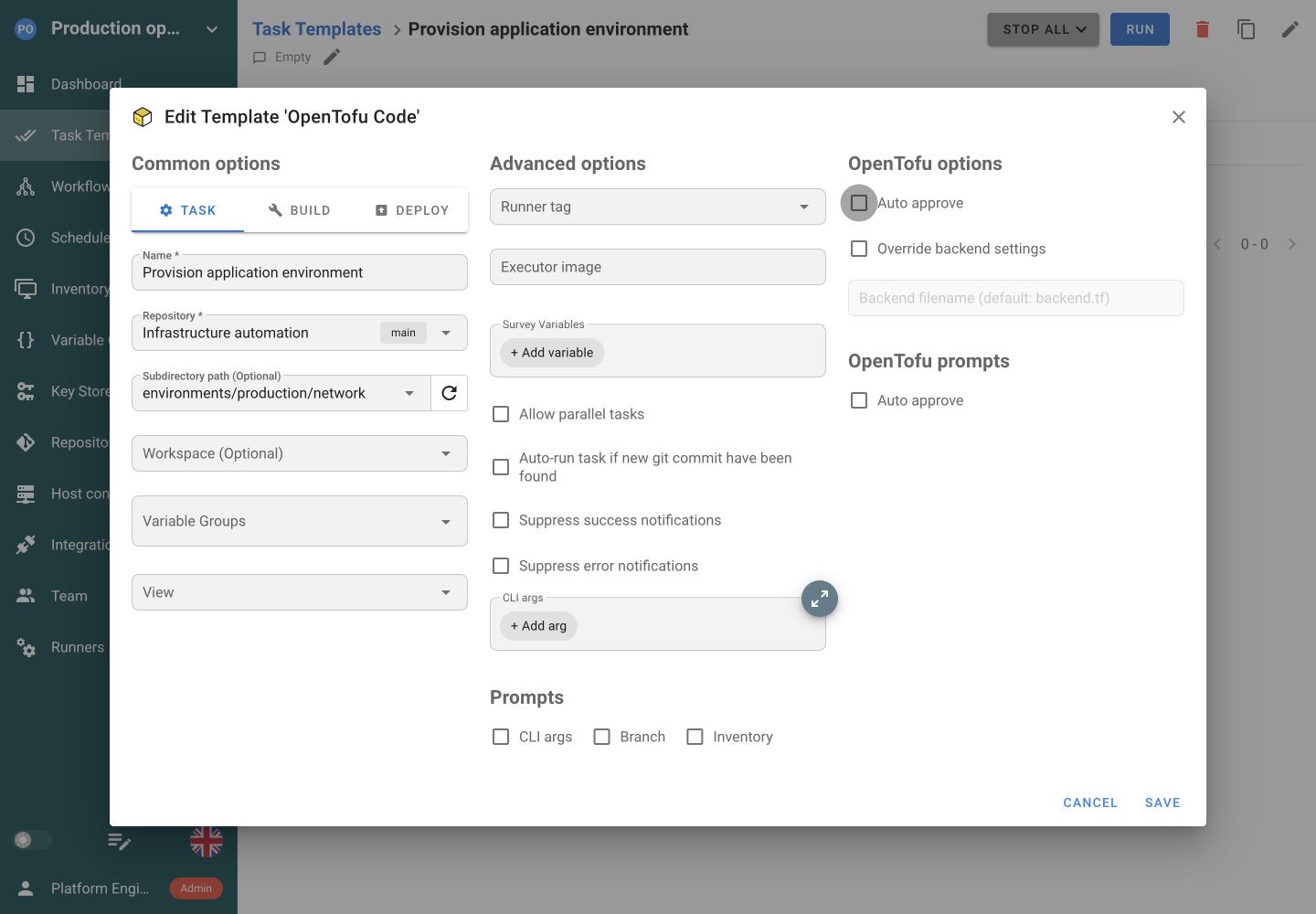
Control access to cleanup jobsThe template selects OpenTofu as its own application and points at the configuration directory to run.
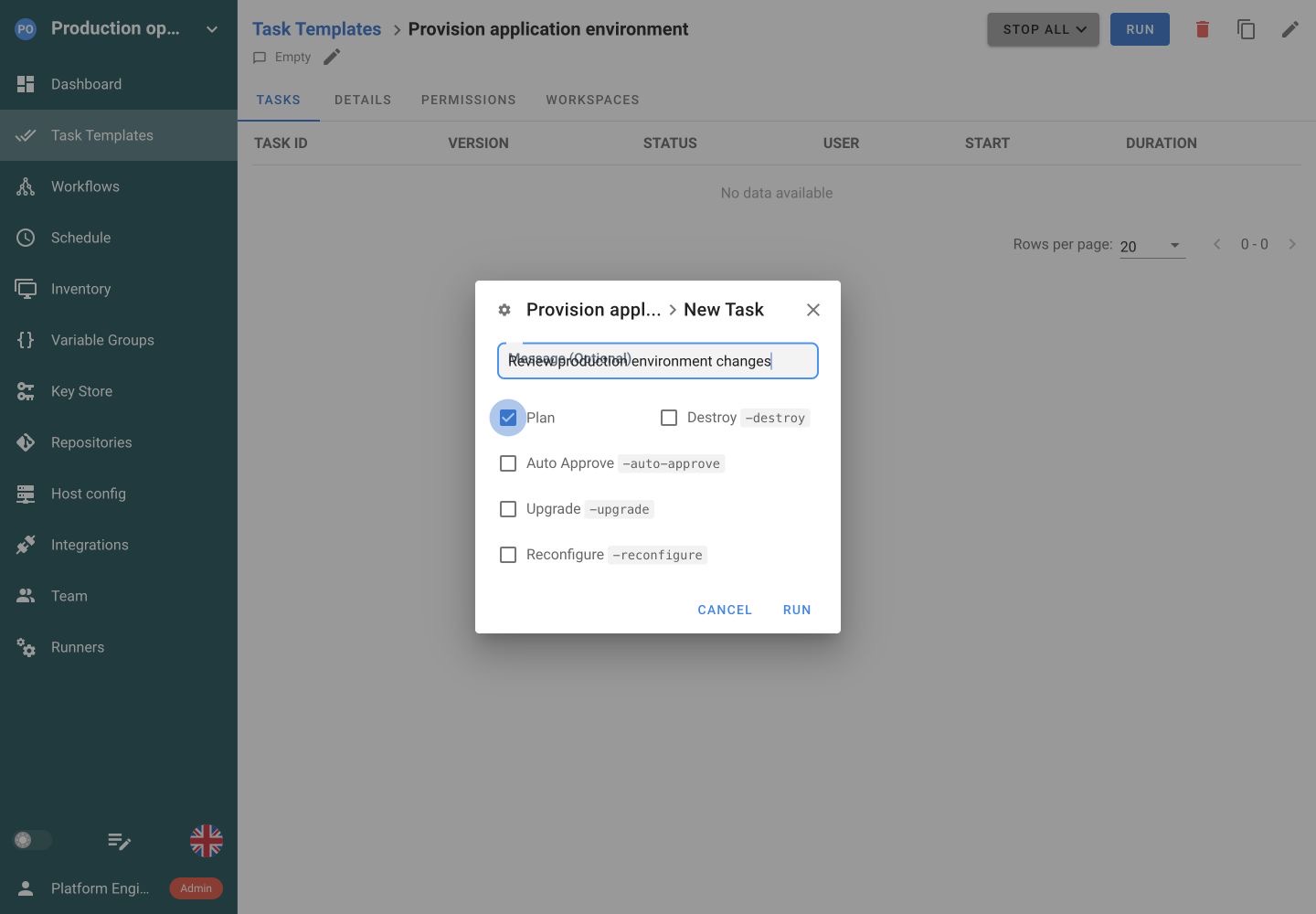
Plan previews proposed changes without applying them. Review the task output, then start Apply as a separate action.
Pass successful OpenTofu outputs into an Ansible configuration task, then use Python to verify the resulting service. A Workflow coordinates the jobs and maps structured outputs to the next task’s inputs.
Provision the environment
 Configure the hosts
 Check readiness
 Collect diagnostics
Choose OpenTofu for the Task Template and prepare the tofu binary, provider access and module credentials on its execution environment.
Select the configuration directory and workspace. Supply TF_VAR_ inputs through Variable Groups. Use separate templates or groups when environments need different configuration.
Use the backend already configured in your code, or select Semaphore’s HTTP backend in Pro. State locking and recovery follow the backend you choose.
Plan-only tasks show proposed changes without applying them. A later Apply is a new execution, not automatic promotion of the earlier plan output.
Yes. Select OpenTofu as the Task Template application and point it at your repository and configuration directory. Configure the workspace and Variable Groups, then prepare the tofu binary, providers and module access on the server or runner that executes it.
Yes. OpenTofu can continue using the backend configured in your code. Semaphore’s HTTP backend is an additional Pro option with state locking, versions and UI management. Keep the state credentials and recovery process appropriate to the backend you choose.
Use clearly named templates with the intended directories, workspaces and Variable Groups. Workspace selection alone does not switch environment inputs or credentials. Review the complete execution setup before exposing the job to teammates or adding a recurring schedule.
Prepare the tofu binary and the provider and module access required by your configuration. The execution environment also needs connectivity to the relevant infrastructure APIs and state backend. Project runners can place execution in a dedicated environment in Pro.
Yes. Save the OpenTofu configuration, workspace and inputs in a Task Template, choose Plan-only execution and add a schedule. Review each plan’s output for proposed changes. An Apply is a separate operation and is not performed by a Plan-only task.
Yes. Connect an OpenTofu provisioning template to Ansible configuration and Python verification jobs in a Workflow. Each task keeps its own code and execution settings. Set dependencies and outcome conditions so the next job starts at the appropriate point.
Use Variable Groups attached to the template. Values with TF_VAR_ names become input variables for your configuration. Store sensitive values as secrets. Configure different templates or groups when environments require different inputs rather than relying on a workspace name alone.
Yes. Use project roles to separate executing tasks from editing their saved configuration. Keep the intended directory, workspace and credentials prepared in the template. Enterprise custom roles can grant access to selected templates for more narrowly scoped delegation.

