HashiCorp Vault secret storage Pro
Semaphore UI supports HashiCorp Vault as a storage for secrets.
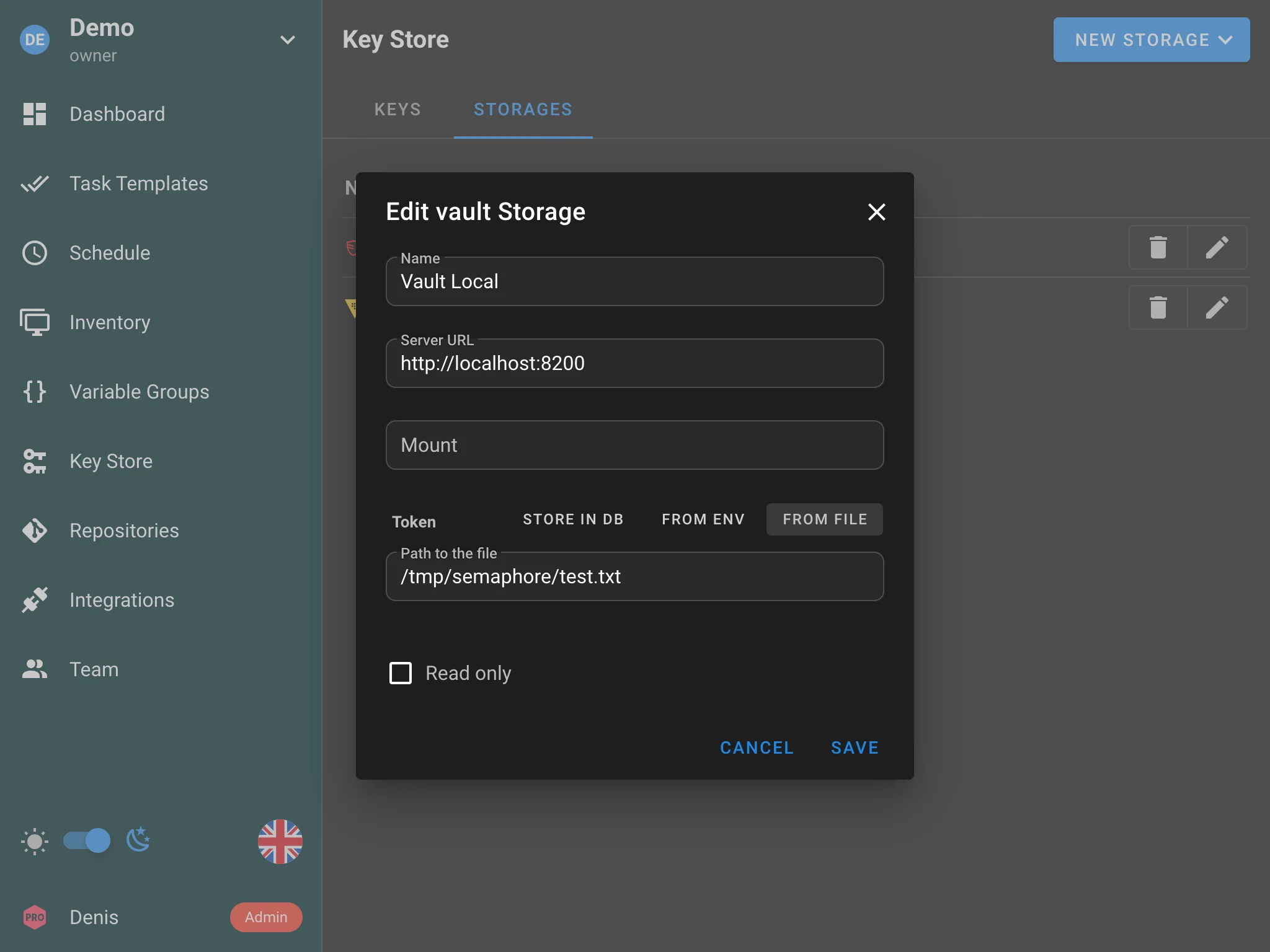
You can provide the following options:
- HashiCorp Vault URL — address of your Vault server.
- Mount — the secrets engine mount path.
- Token — authentication token. The token can be:
-
Stored in the database.
-
Provided via an environment variable.
-
Provided via a file (useful for Vault Agent).
warningWhen the token comes from a file, that file must be inside the secrets directory Semaphore uses. Configure that directory using
dirs.secretsor theSEMAPHORE_SECRETS_PATHenvironment variable. The legacy top-levelsecrets_pathoption is still accepted for older configs. If none are set, the default is/tmp/semaphore. See Secrets directory for precedence details.Example
config.jsonfragment:{
"dirs": {
"secrets": "/root/path/for/secrets"
}
}
-
The storage can work in read-only mode.
How to use
- Configure the HashiCorp Vault connection in the Semaphore settings (URL, mount path, and token).
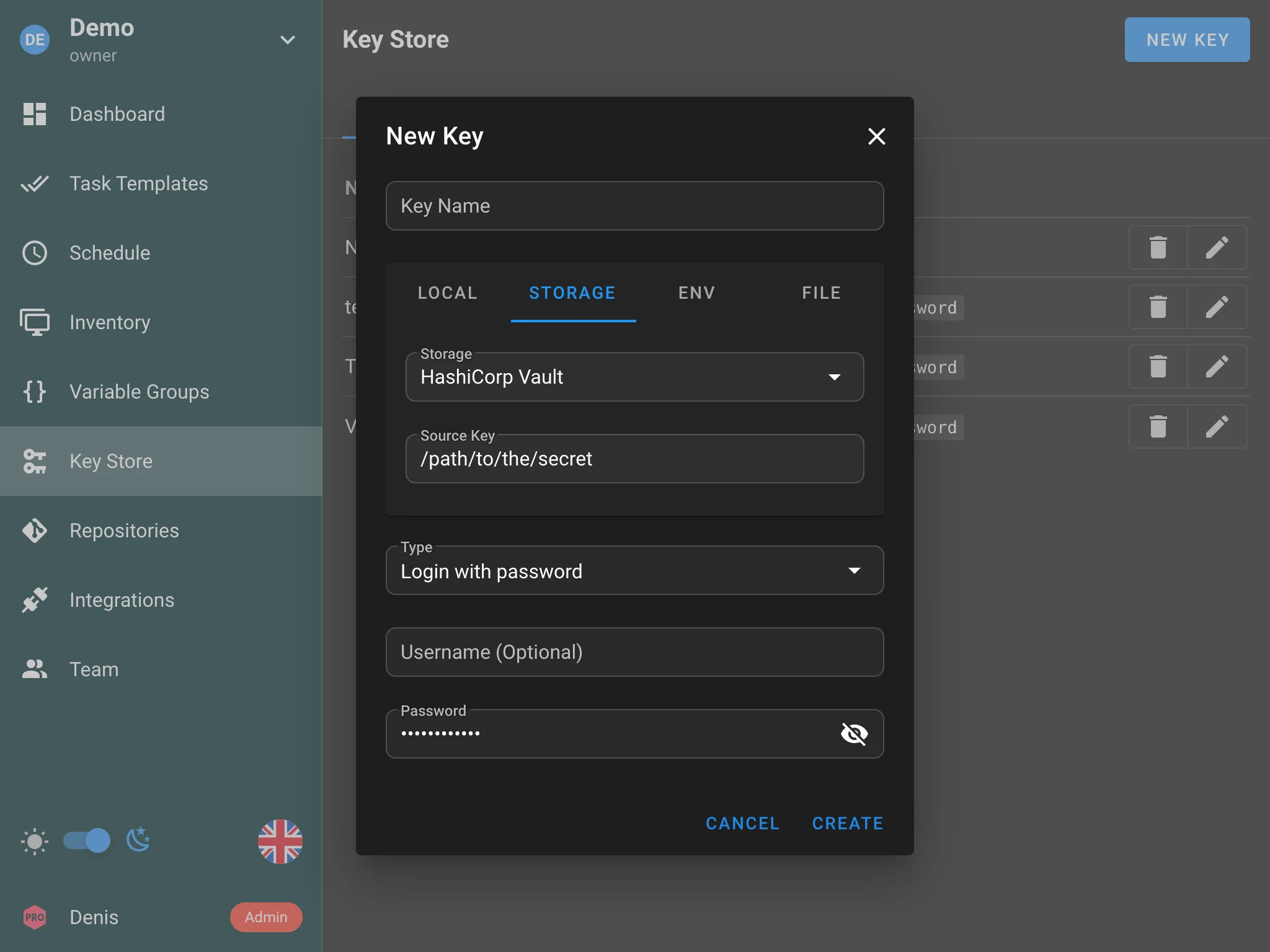
- When creating or editing a key in the Key Store, select HashiCorp Vault as the storage type.
- Provide the secret path in Vault where the credential should be stored.
HashiCorp Vault Agent
Instead of storing the Vault token directly, you can use HashiCorp Vault Agent to automatically handle token retrieval and renewal.
Vault Agent runs as a sidecar process alongside Semaphore and writes a valid token to a file on disk. Semaphore then reads the token from that file.
To set this up:
-
Configure and run Vault Agent with an appropriate auto-auth method (e.g., AppRole, Kubernetes, AWS IAM).
-
Set Vault Agent to write the token to a file using a
sinkblock, for example:auto_auth {
method {
type = "approle"
config = {
role_id_file_path = "/etc/vault/role-id"
secret_id_file_path = "/etc/vault/secret-id"
}
}
sink {
type = "file"
config = {
path = "/etc/vault/token"
}
}
} -
In Semaphore, when configuring the HashiCorp Vault connection, select File as the token source and provide the path to the token file (e.g.,
/etc/vault/token).
This approach avoids long-lived static tokens and lets Vault Agent handle authentication and token renewal automatically.
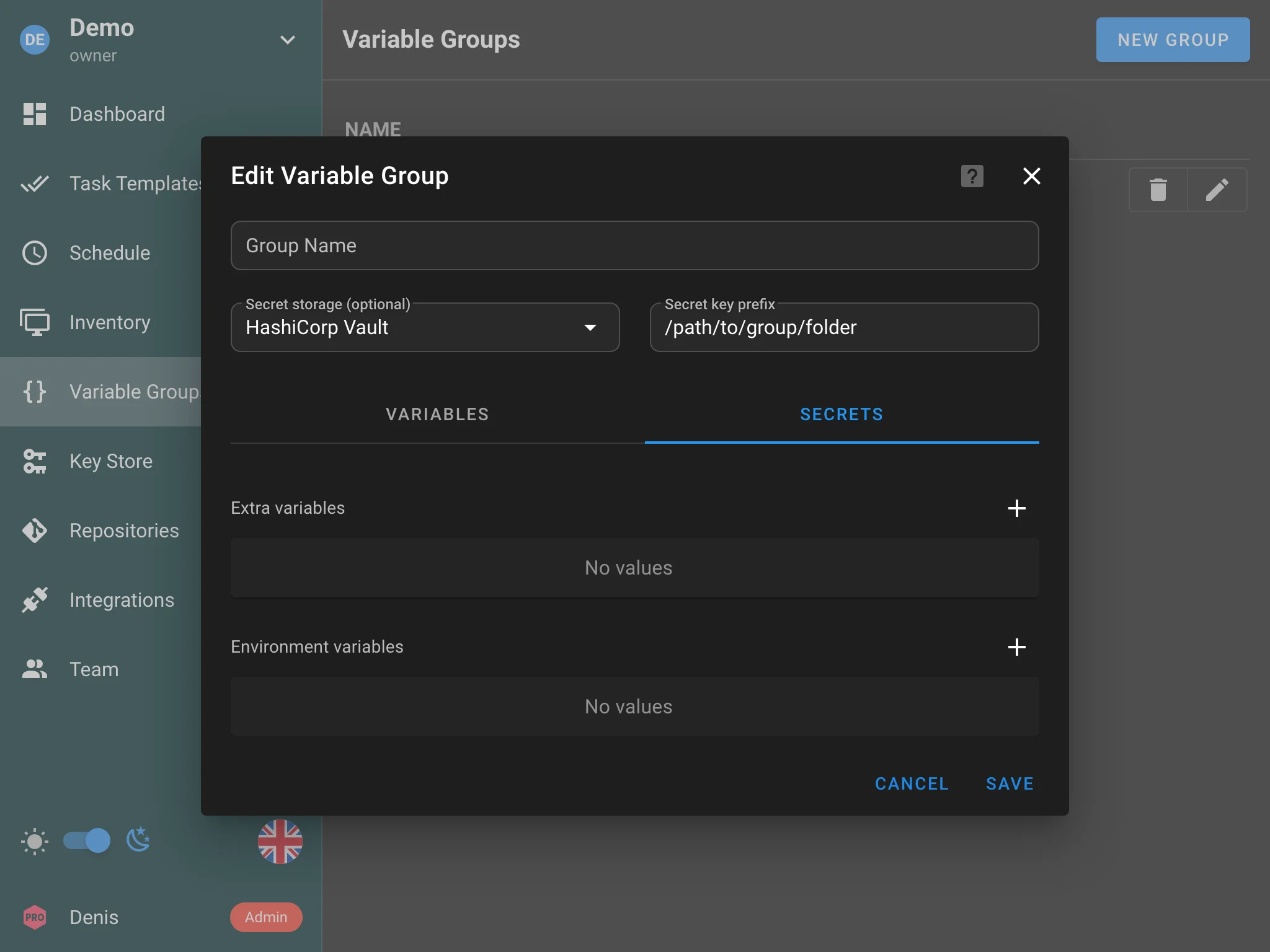
Variable Groups
HashiCorp Vault can also be used as a storage for Variable Groups. When editing a variable group, select HashiCorp Vault as the storage type and specify the path of the folder where secrets will be stored.