

What is a runner?
A Semaphore UI runner is a standalone instance of Semaphore without a UI. It connects to your main Semaphore server, picks up tasks, and executes them. Runners can be hosted on separate servers in any region or network — completely independent from where your Semaphore UI lives.
What problem does it solve?
Without runners, all your automation tasks run on a single server. That works fine at the start, but as your team (or number of teams) grows, three problems tend to appear:
- Load. A large queue of tasks competing for one server’s resources slows everything down.
- Isolation. When multiple teams share the same execution environment, one broken pipeline can affect everyone else.
- Geography. Ansible connects to your servers over SSH. If your infrastructure is in Sydney but your Semaphore instance is in Frankfurt, every deployment crawls through a transatlantic connection. Runners solve all three.
Global runners vs Project runners
Semaphore offers two types of runners, and the difference matters if you’re evaluating the Pro plan.
| Feature | Global runners (OSS) | Project runners (Pro) |
|---|---|---|
| Available in | OSS (free) | Pro |
| Load distribution | ✅ | ✅ |
| Network isolation | ❌ | ✅ |
| Tag-based routing | ❌ | ✅ |
| Per-project control | ❌ | ✅ |
Global runners are assigned randomly across all projects. Great for distributing load, but you can’t control which runner picks up which task. Project runners let you attach a tag to any template or inventory, then route specific tasks to specific runners. That’s what enables isolation and geographic routing.
3 real-world use cases when using runners
-
Multiple teams, zero interference Your platform team and product team both use Semaphore. They work independently — different projects, different servers, different risk tolerance. With project runners, each team gets its own runner. If one team’s runner goes down, the other team doesn’t even notice.
-
Distributed infrastructure across regions Your website runs in a New York data center. A backend service runs in Australia. With a single centralized runner in Europe, every deployment SSH-es across the globe — slow and unnecessary.
Set up a runner in New York and one in Australia. Tag your inventories accordingly. Now each task connects locally, inside the same network, at full speed. Faster deployments and a smaller attack surface as a bonus.
-
Cutting cloud costs with webhooks + AWS Lambda This one is worth slowing down on, because it’s a meaningful cost optimization. Runners support webhooks on two events: task start and task finish. You can use these to spin cloud resources up and down automatically.
Here’s the setup: your runner lives on an AWS EC2 instance. When it’s running, it costs money. When it’s stopped, it costs nothing.
- On task start → webhook triggers a Lambda function → Lambda starts the EC2 instance → runner comes online, connects to Semaphore, picks up the task
- On task finish → webhook triggers another Lambda → Lambda stops the EC2 instance
Your runner is only running when it’s actually doing work. For teams with sporadic workloads, this alone can justify the Pro plan.
How to set up a project runner
-
Go to your project settings and open the Runners tab. You’ll see any existing runners listed here.
-
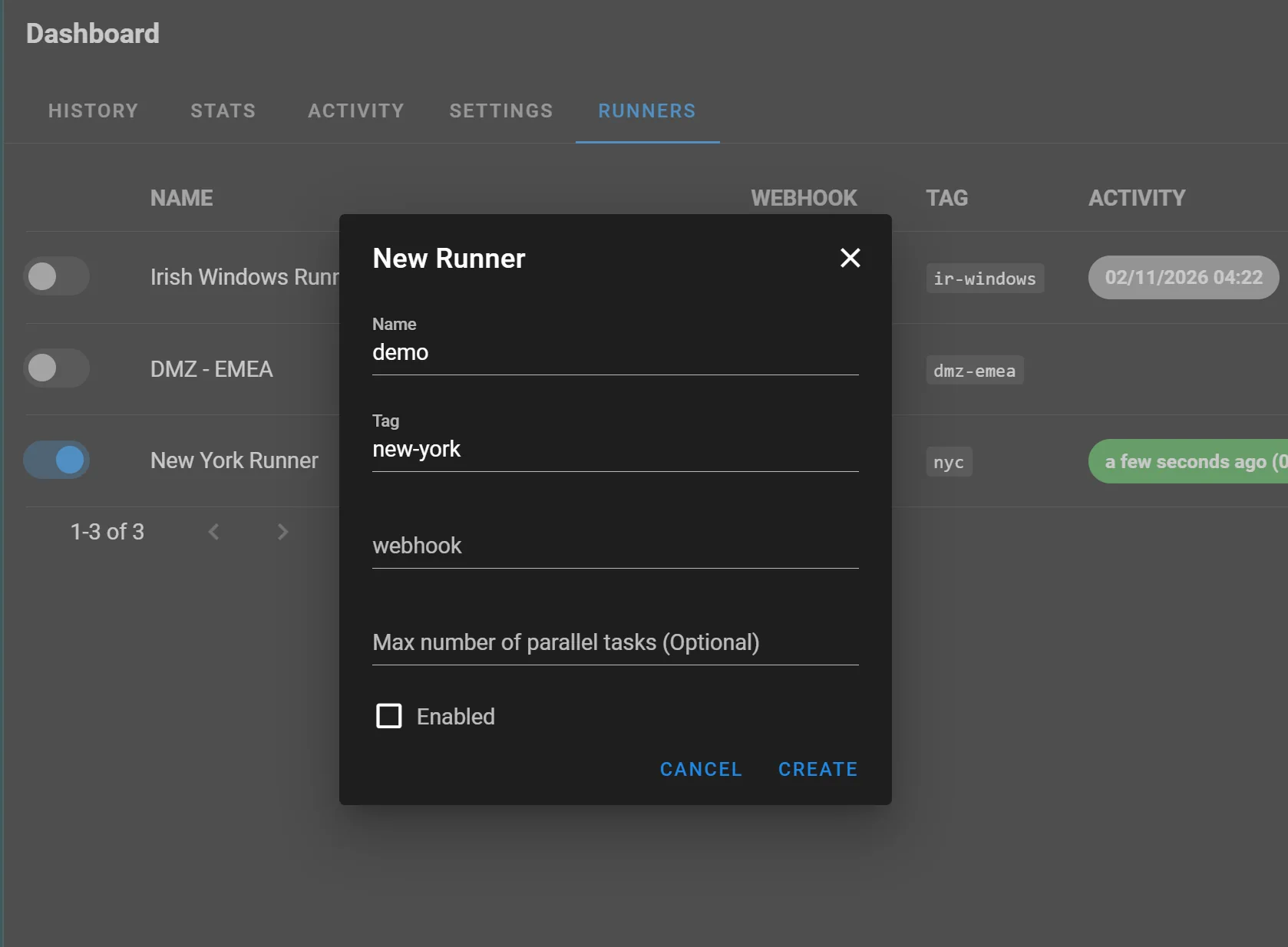
Click New Runner. Give it a name and a tag — for example, new-york.
-
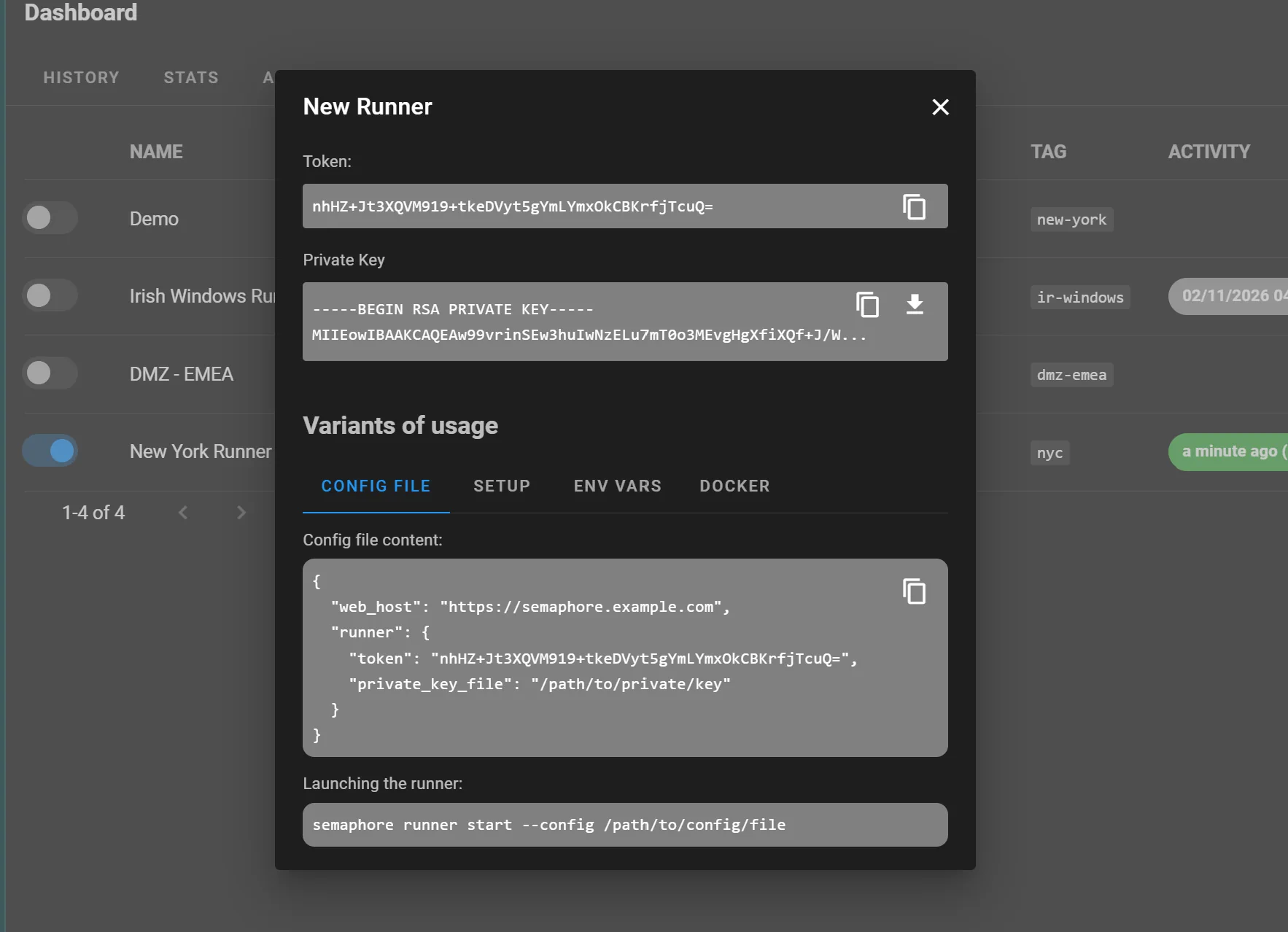
After saving, Semaphore generates two credentials: a token (stored on both sides, used for identification) and a private key (stored only on the runner, used to encrypt data in transit). Download the private key — you’ll need it in the next step.
-
Deploy the runner on your target server. The easiest way is Docker:
docker run \
-e SEMAPHORE_WEB_ROOT=https://semaphore.example.com \
-e SEMAPHORE_RUNNER_TOKEN=/ADwjSWmWV8FZB4pwQaaEOWgqIdOR+oDOeOXe2a3JD0= \
-e SEMAPHORE_RUNNER_PRIVATE_KEY_FILE=/config.runner.key \
-v "/path/to/private/key:/config.runner.key" \
-d semaphoreui/runner:v2.17.28
Alternatively, use the interactive setup command:
semaphore runner setup -
Back in Semaphore, open any Template or Inventory and assign it the runner tag new-york. That task will now always execute on your New York runner.
Tagging inventories, not just templates
There’s a smarter way to route tasks if you have servers grouped by region or network. Instead of tagging each template individually, you can assign a runner tag directly to an inventory.
An inventory in Semaphore is a list of IP addresses that Ansible uses to connect to your servers. If you know that a certain group of servers lives in New York, tag that inventory with new-york. From that point on, any template that uses this inventory will automatically run on the New York runner — no per-template configuration needed.
This is especially useful when you’re onboarding new templates. You pick the right inventory, and the runner routing just works.
One more thing: concurrency limits
If you want to limit concurrency, set a maximum number of parallel tasks per runner. By default it’s unlimited (0). If you set it to 5 and that runner is already busy, Semaphore will route the task to another runner with the same tag.
Ready to try it?
Project runners are available on the Semaphore Pro plan. If your team is hitting any of the scenarios above — growing task queues, multiple teams, distributed infrastructure — it’s worth exploring.


