Get Started
Semaphore UI is a web interface and API for running repeatable automation with Ansible, Terraform/OpenTofu, Bash, PowerShell, and Python. It brings together automation stored in Git, credentials, variables, schedules, workflows, and execution environments, then keeps the status and log for every run.
This guide uses Ansible for the first working example. Use a playbook from your own repository, or follow the reproducible example shown in the screenshots with the public semaphoreui/semaphore-demo repository.
1. Install Semaphore
Choose the installation method that matches where Semaphore will run. The native package is selected by default.
- Native package
- Docker Compose
- Binary archive
- Kubernetes with Helm
For Debian or Ubuntu on amd64:
wget https://github.com/semaphoreui/semaphore/releases/download/v2.19.12/semaphore_2.19.12_linux_amd64.deb
sudo apt install ./semaphore_2.19.12_linux_amd64.deb
For RHEL, Fedora, Rocky Linux, AlmaLinux, or CentOS Stream on amd64:
curl -LO https://github.com/semaphoreui/semaphore/releases/download/v2.19.12/semaphore_2.19.12_linux_amd64.rpm
sudo dnf install ./semaphore_2.19.12_linux_amd64.rpm
Configure the database and first administrator, then start Semaphore with the generated configuration:
semaphore setup --config ./config.json
semaphore server --config ./config.json
For a local evaluation, choose SQLite, accept or set the database and playbook paths, enter the public URL, and create the first administrator when prompted.
Create compose.yaml:
services:
  semaphore:
    image: semaphoreui/semaphore:v2.19.12
    restart: unless-stopped
    ports:
      - "3000:3000"
    volumes:
      - semaphore-data:/var/lib/semaphore
    environment:
      SEMAPHORE_DB_DIALECT: sqlite
      SEMAPHORE_DB_PATH: /var/lib/semaphore
      SEMAPHORE_ADMIN: admin
      SEMAPHORE_ADMIN_NAME: Admin
      SEMAPHORE_ADMIN_EMAIL: admin@localhost
      SEMAPHORE_ADMIN_PASSWORD: ${SEMAPHORE_ADMIN_PASSWORD}
      SEMAPHORE_ACCESS_KEY_ENCRYPTION: ${SEMAPHORE_ACCESS_KEY_ENCRYPTION}

volumes:
  semaphore-data:
Generate an encryption key, then put it and a strong administrator password in a .env file beside compose.yaml:
head -c32 /dev/urandom | base64
SEMAPHORE_ADMIN_PASSWORD=replace-with-a-long-password
SEMAPHORE_ACCESS_KEY_ENCRYPTION=paste-the-generated-key-here
Keep .env out of version control and start the container:
docker compose up -d
docker compose logs -f semaphore
Download the archive for your operating system and CPU architecture from GitHub Releases. Linux amd64 example:
curl -LO https://github.com/semaphoreui/semaphore/releases/download/v2.19.12/semaphore_2.19.12_linux_amd64.tar.gz
tar -xzf semaphore_2.19.12_linux_amd64.tar.gz
./semaphore setup --config ./config.json
./semaphore server --config ./config.json
For a local evaluation, choose SQLite, accept or set the database and playbook paths, enter the public URL, and create the first administrator when prompted.
Choose a darwin archive for macOS or a .zip for Windows. The Ansible walkthrough later in this guide still needs a Linux, macOS, WSL, container, or Linux runner execution environment with Ansible installed.
Add the official chart and inspect its defaults before installing:
helm repo add semaphoreui https://semaphoreui.github.io/charts
helm repo update
helm show chart semaphoreui/semaphore
helm show values semaphoreui/semaphore > values.yaml

helm upgrade --install semaphore semaphoreui/semaphore \
  --namespace semaphore \
  --create-namespace \
  --values values.yaml
The chart's appVersion identifies the Semaphore version. Configure persistent storage, the database, administrator credentials, the access-key encryption key, and ingress/TLS in values.yaml before production use.
For a guided setup, use the official Semaphore Installation page to select the release, build the configuration, and get the matching download or run commands.
Not sure which installation method to choose?
| Installation method | Choose it for | Detailed guide |
|---|---|---|
| Native package | A supported Linux server | Package manager installation |
| Docker Compose | A quick isolated setup or container host | Docker installation |
| Binary archive | macOS, Windows, FreeBSD, or Linux without a suitable package | Binary installation |
| Kubernetes with Helm | An existing Kubernetes cluster | Kubernetes installation |
The detailed guides cover production databases, services, secrets, storage, ingress, and upgrades.
For this Ansible walkthrough, git --version and ansible-playbook --version must work on the Semaphore server or runner. If either command is unavailable there, install Git and Ansible before continuing.
Before using Semaphore in production, review Configuration, Security, Runners, High availability, and Upgrading.
2. Sign in
- Open Semaphore in a browser. A local installation normally uses http://localhost:3000.
- Enter the administrator login and password created by
semaphore setupor the Docker administrator variables. - Select Sign In.
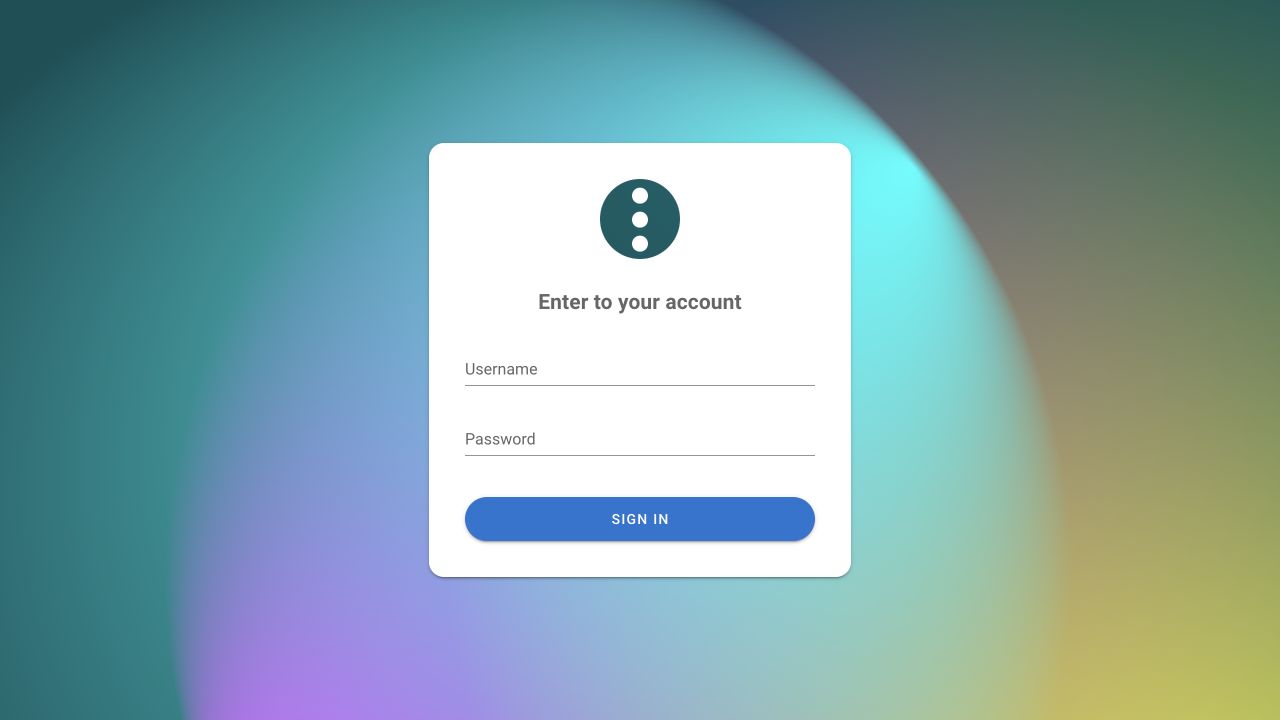
Use the administrator account for the first setup because it can create projects and users. Regular users sign in on the same page after an administrator creates their account and grants project access. See User management.
3. Create a project
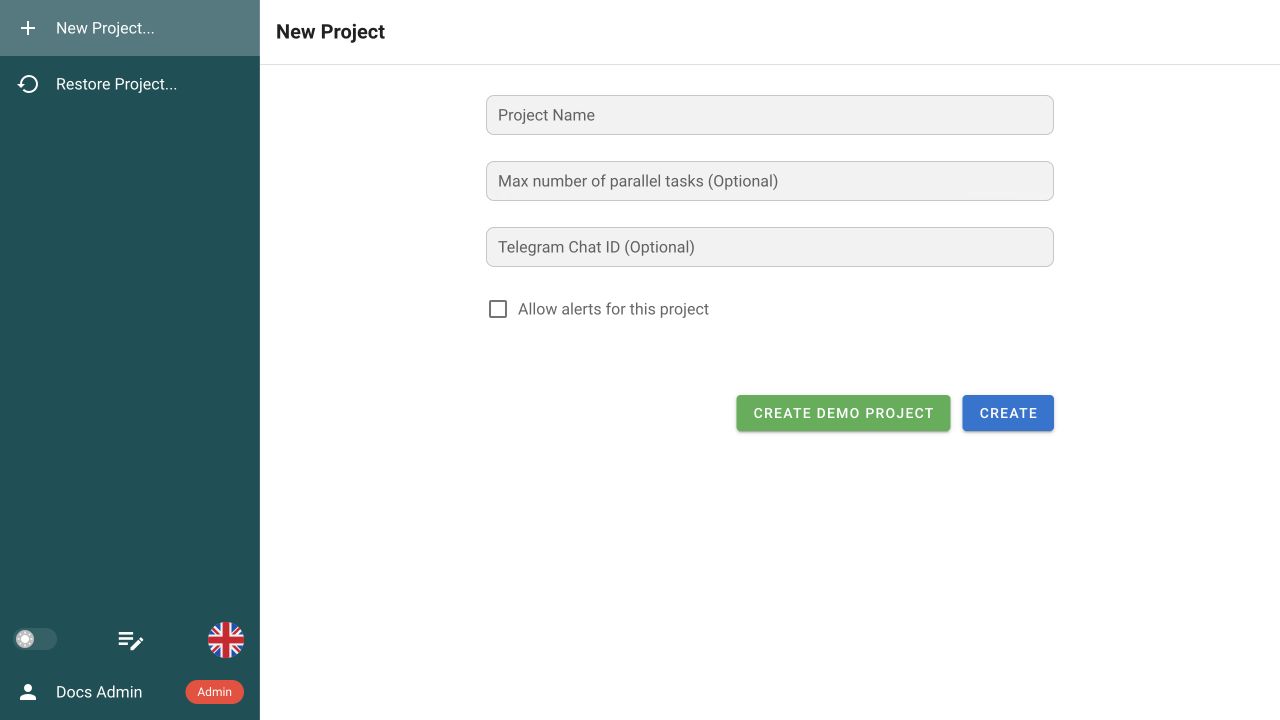
After you sign in to an empty Semaphore instance, the New Project page opens automatically. If projects already exist, open the project selector and select New Project.... Complete the form:
| Field | What to enter |
|---|---|
| Project Name | A recognizable workspace name, for example Production infrastructure or your application name. |
| Max number of parallel tasks | Optional. Limits simultaneous tasks in this project; leave it empty to use the server limit. |
| Telegram Chat ID | Optional. Used when Telegram notifications are configured for the project. |
| Allow alerts for this project | Optional. Enables configured project notifications. |
| Select Create. |
Do not select Create Demo Project: it adds sample resources, while this guide builds a clean project. When you create another project later, the same option appears as a Demo switch in the New Project dialog.
The new project opens with sections for Task Templates, Workflows, Schedule, Inventory, Variable Groups, Key Store, and Repositories. See Projects for project settings, team access, activity, and history.
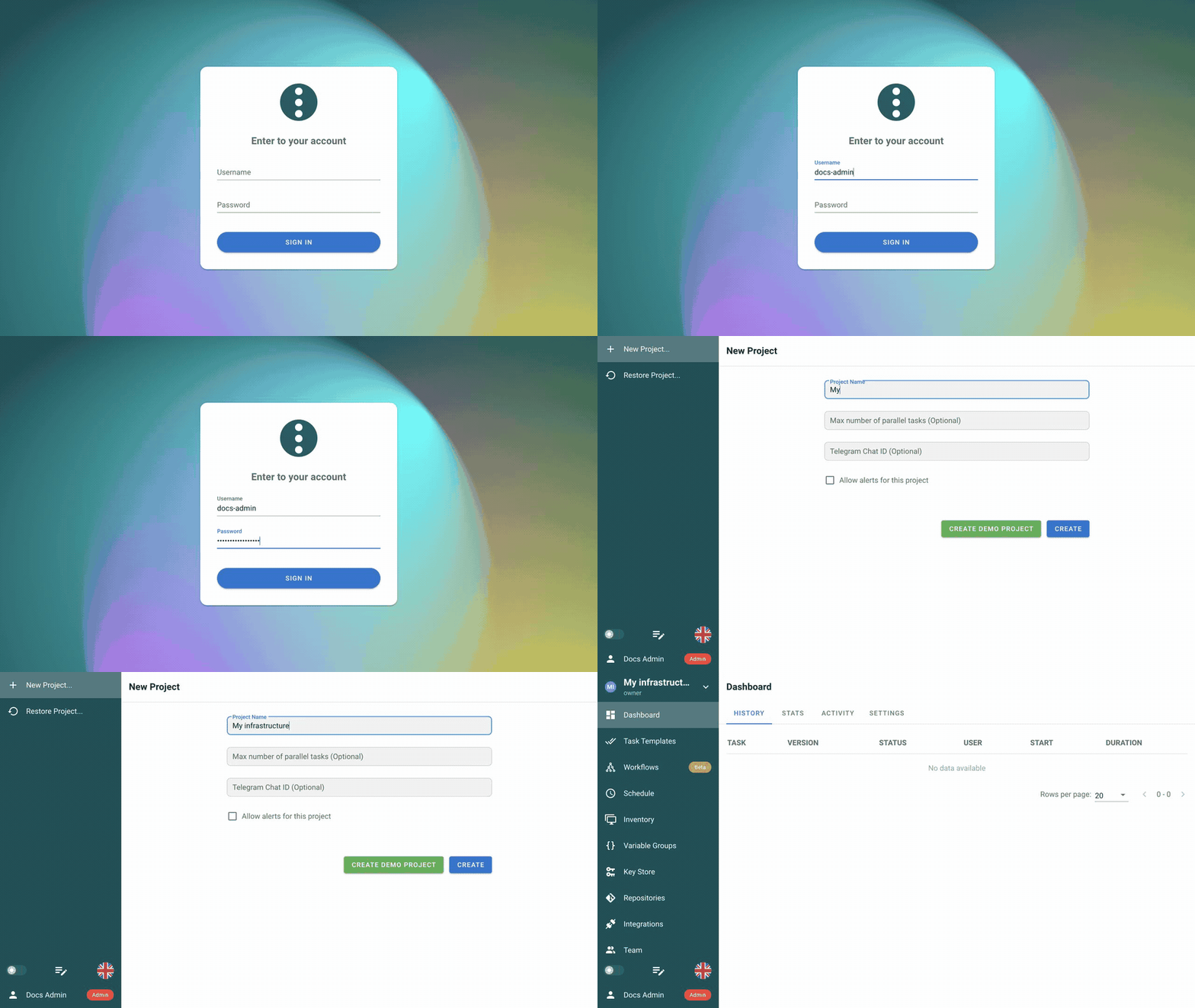
Watch this step
4. Understand the core concepts
The new project opens on an empty Dashboard. The sidebar is the main navigation for this project:
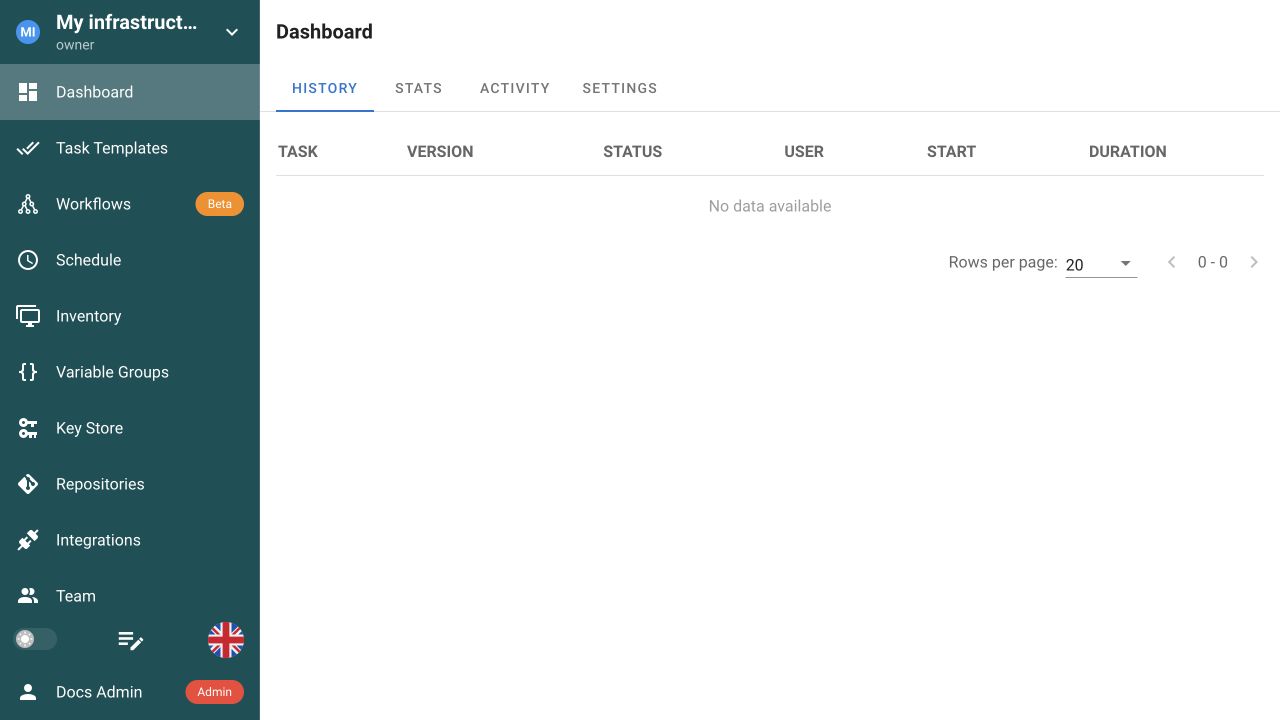
- Dashboard shows run history, statistics, activity, and project settings.
- Task Templates, Workflows, and Schedule define what runs and when.
- Repositories, Inventory, Variable Groups, and Key Store provide code, targets, variables, and credentials.
- Integrations, Team, and Runners connect external systems, users, and execution hosts.
The diagram shows how these resources produce a run:

A UI action, API request, or schedule can start a Task Template directly or start a Workflow that uses task templates. Semaphore creates a task run—shown as a Task in the UI—and sends it to the Semaphore server or an eligible remote runner. For Ansible, that execution host runs ansible-playbook; the Inventory lists the systems Ansible manages.
| Concept | What it does |
|---|---|
| Project | An isolated workspace containing automation resources, permissions, and run history. |
| Repository | Points to the Git branch or tag containing the automation files used by a task. |
| Key Store | Stores reusable SSH keys, login credentials, tokens, and Ansible Vault passwords outside Git and task input. |
| Inventory | Tells Ansible which hosts and groups to manage and which credentials to use. |
| Variable Group | Stores reusable Ansible variables, environment variables, and secrets for one or more templates. |
| Task Template | Saves what to run: automation type, file, repository, inventory, variables, prompts, and execution options. |
| Task (task run) | One execution, with its own inputs, status, timestamps, log, details, and result. |
| Workflow | Connects task templates into a multi-step path with success, failure, approval, and note branches. |
| Schedule | Starts a task template or workflow once or repeatedly from a cron expression. |
| Runner | Runs queued tasks outside the main Semaphore server, for example in another network or security boundary. |
5. Connect the repository
A Repository connects Semaphore to automation stored in Git; Semaphore does not store the playbook itself. Connect your own repository, or use the public demo values below to follow the example exactly. Integrations are a separate feature for starting automation from GitHub, GitLab, or another webhook source.
-
Open Repositories and select New Repository.
-
Enter your repository name, URL, branch, and credential. If you are following the public demo, use:
Field Value Name DemoURL or path https://github.com/semaphoreui/semaphore-demo.gitBranch / Tag mainAccess Key Nonebecause this repository is public -
Select Create.
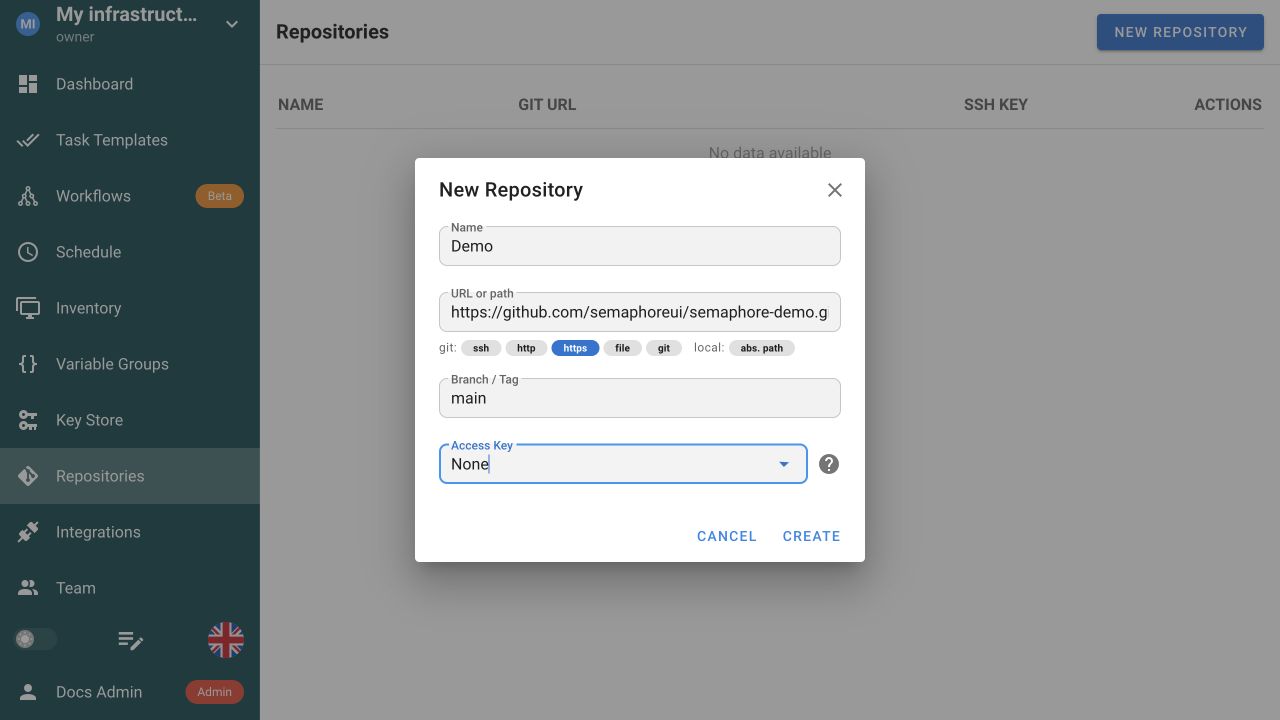
Your repository should now appear in the list. Semaphore clones or updates it on the execution host when a task starts, not when you create the Repository record. The screenshot shows the demo values used in this guide.
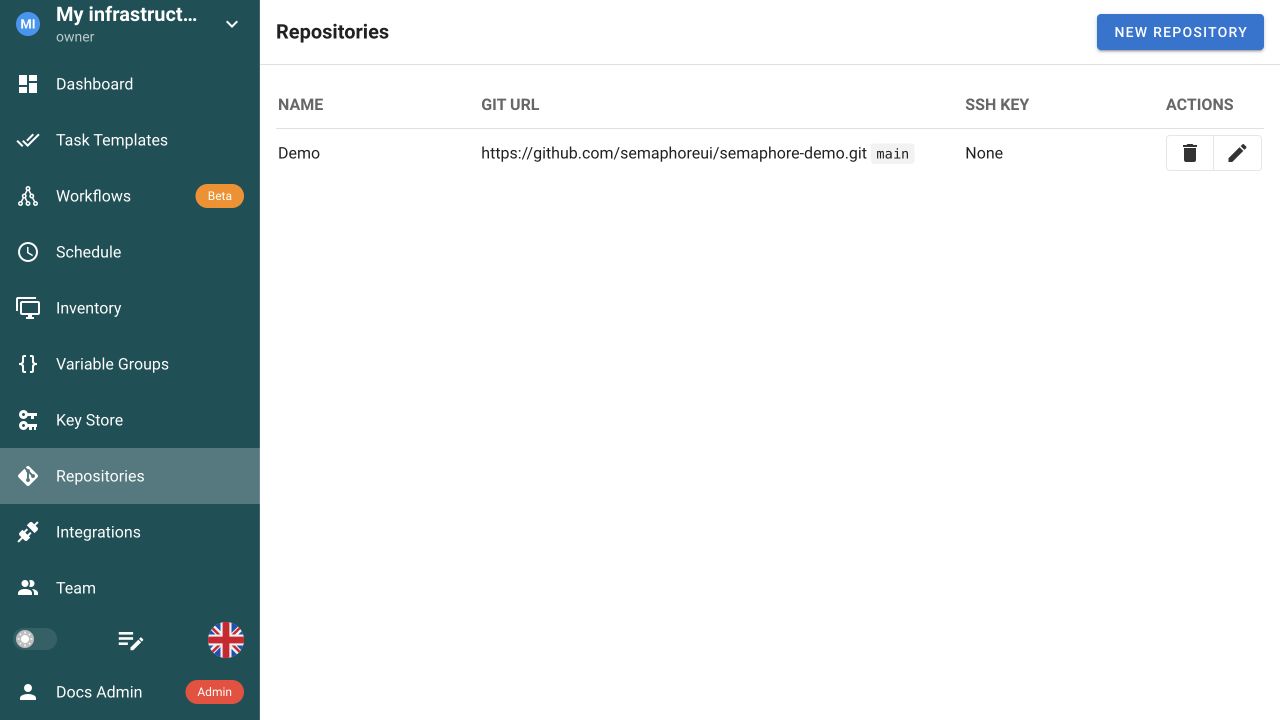
For a private repository, select a suitable Key Store credential instead of None. See Repositories for local paths, HTTPS, SSH, branches, credentials, and requirements files.
6. Add an SSH key for a remote managed host
This SSH credential lets Ansible connect from the Semaphore server or runner to a remote host in the Inventory. If you are following the localhost demo, no SSH key is needed; continue to step 7.
The demo uses localhost with ansible_connection=local, so it does not open an SSH connection. When your own playbook manages a remote host, add its key:
- Add the public half of the key to
~/.ssh/authorized_keyson the managed host. - Open Key Store and select New Key.
- Enter a recognizable name, for example
Production hosts, keep Local selected, and choose SSH Key. - Enter the account Ansible should use on the host, for example
ubuntuorec2-user. - Paste the complete private key, including its
BEGINandENDlines, and add the passphrase when required. - Select Create. In the next step, choose this key under Inventory → User Credentials.
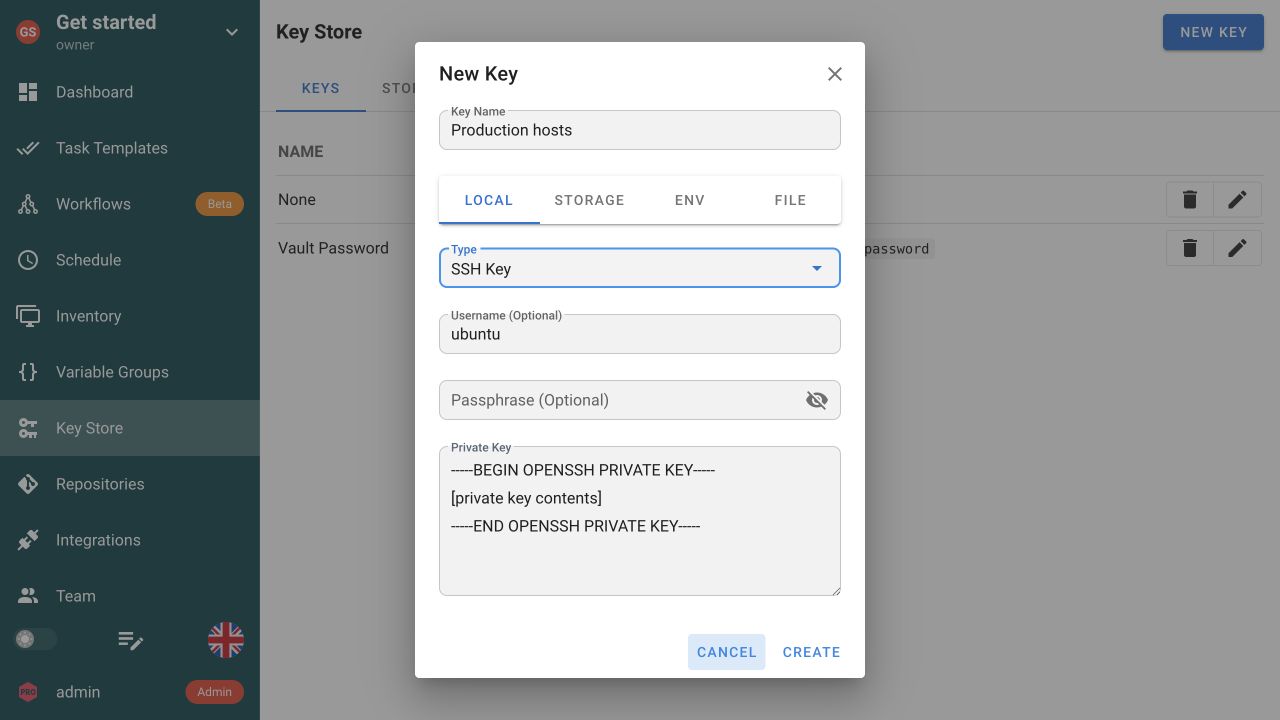
The screenshot contains a placeholder, not a working secret. Never publish a private key in documentation, screenshots, task arguments, or source control.
Semaphore can store secrets locally or use external secret-storage integrations such as HashiCorp Vault and Devolutions Server. See Key Store for all supported credential types and storage options.
7. Create the Ansible inventory
Every Ansible task needs an inventory. For a first local run, add a file such as inventory.ini to your repository:
[local]
localhost ansible_connection=local
Here, localhost means the execution host—the Semaphore server, container, or runner—not necessarily the computer where your browser is open. ansible_connection=local tells Ansible not to use SSH. The demo repository uses the equivalent file invs/prod/hosts with a group named site.
If you created inventory.ini in your own repository, commit and push it to the branch connected to Semaphore before continuing.
-
Open Inventory and select New Inventory → Ansible Inventory.
-
Enter values that match your inventory. For example:
Field Value Name Local(Prodin the demo)User Credentials Noneforlocalhost; use your host SSH credential for a remote inventoryType FilePath to Inventory file inventory.ini(invs/prod/hostsin the demo) -
Leave Runner tag, Sudo Credentials, and Repository empty, then select Create.
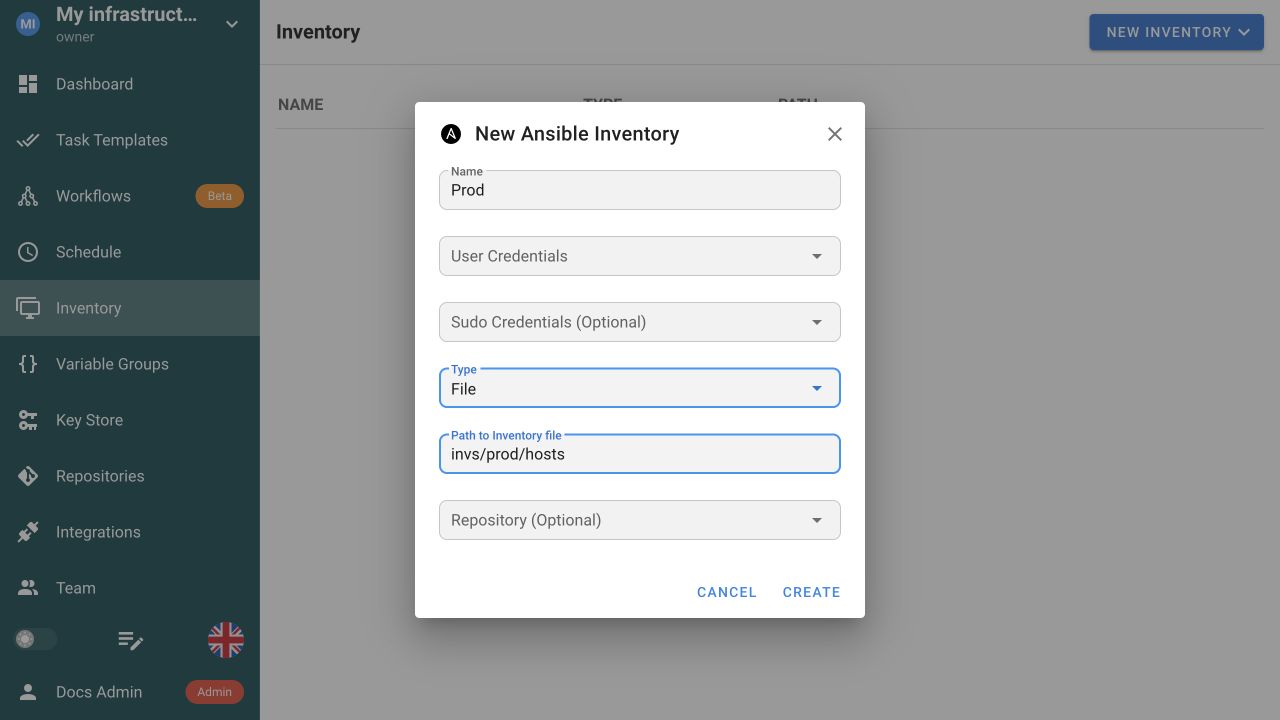
Leaving Repository empty means Semaphore resolves this relative inventory path from the Repository selected in the Task Template. Select a Repository here only when the inventory lives elsewhere. For a remote host, use the SSH key from step 6 as User Credentials.
See Inventory for static, file-based, and dynamic inventories.
8. Add a Variable Group (optional)
A Variable Group is a reusable set of values that you can attach to one or more Task Templates. Use Extra variables for Ansible variables, Environment variables for values exported to the process, and Secrets for sensitive values that should be encrypted and masked. This keeps environment-specific configuration out of the playbook and avoids entering the same values in every template.
The first task works without a Variable Group. As an example, create one that sets ansible_python_interpreter=auto_silent; Ansible will still discover Python automatically but will not print its informational discovery warning.
-
Open Variable Groups and select New Group.
-
Set Group Name to a descriptive name, for example
Ansible defaults. -
Under Variables → Extra variables, keep Table selected and select +.
-
Enter:
Name Type Value ansible_python_interpreterStringauto_silent -
Select Save.
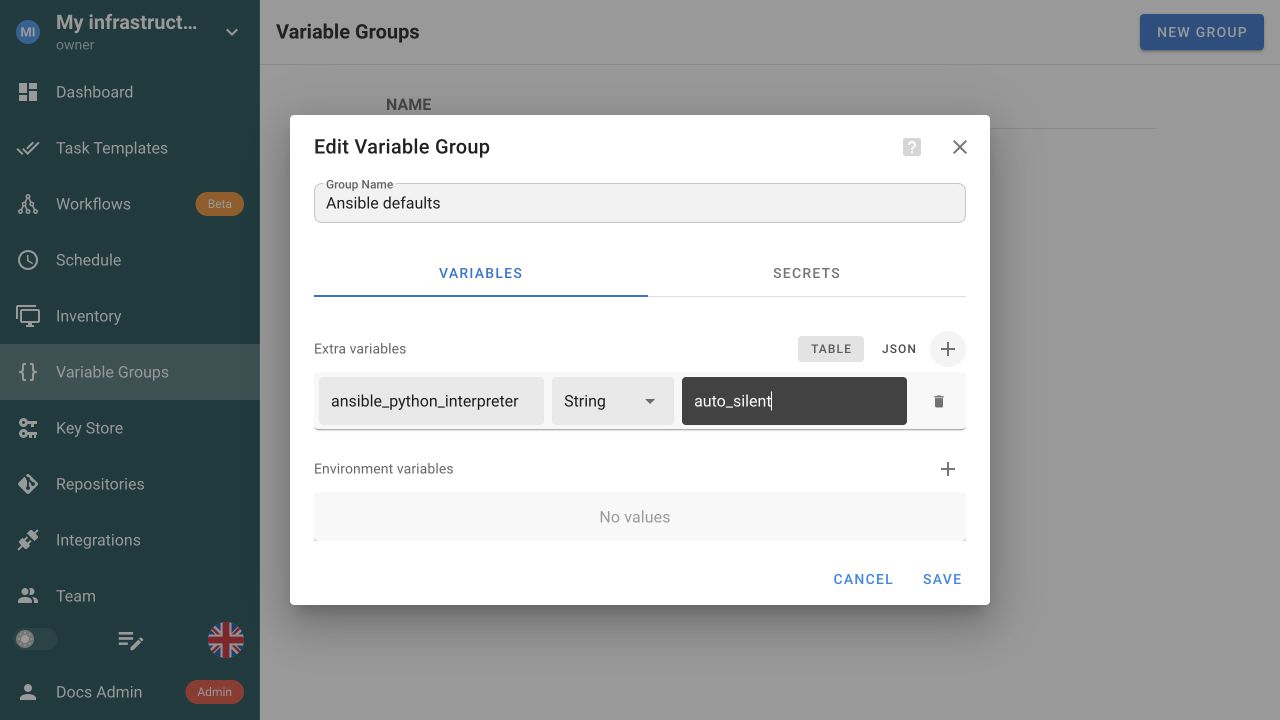
See Variable Groups for precedence rules and secret-storage options.
9. Create the Ansible task template
Review the playbook in Git
If the repository you connected already contains an Ansible playbook, use it. Otherwise, add a small example such as get-started.yml:
- name: Verify Semaphore setup
  hosts: all
  gather_facts: false
  tasks:
    - name: Check the Ansible connection
      ansible.builtin.ping:
If you are following the demo, use its ping.yml instead. It targets the demo inventory's site group and runs the included ping role.
The demo downloads that role from a Git submodule and sends one ICMP request to semaphoreui.com, so the execution host needs GitHub access and outbound ICMP. If ICMP is blocked, use the local get-started.yml example instead.
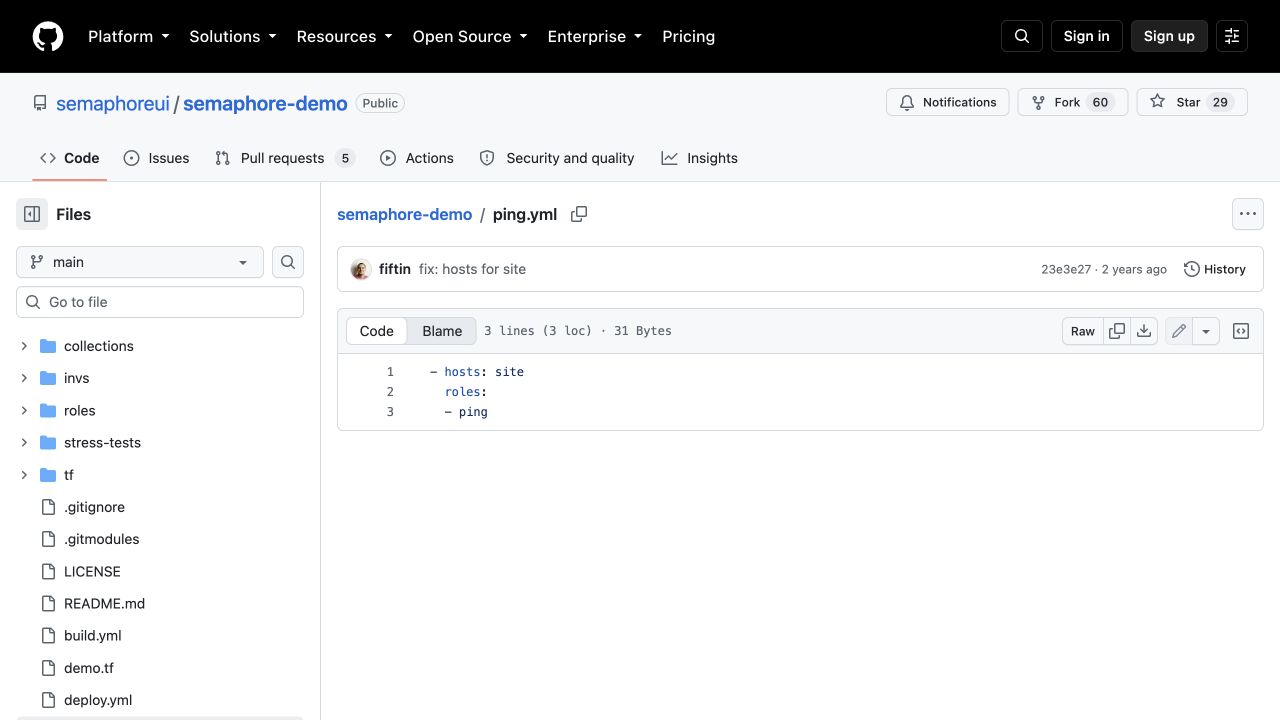
The screenshot shows the playbook in the public demo repository. Keeping automation in Git makes changes reviewable and lets Semaphore record the exact commit used for each run.
If you created get-started.yml in your own repository, commit and push it to the branch connected to Semaphore before continuing.
Configure the template
-
Open Task Templates and select New template → Applications.
-
Enable Ansible Playbook, then return to Task Templates.
-
Select New template → Ansible Playbook.
-
Keep the Task tab selected. Build and Deploy are versioned CI/CD template types and are not needed for this independent run.
-
Configure the template with values that match your files. For example:
Field Value Why it matters Name Run first playbookIdentifies the reusable template and its task history. Repository Your repository ( Demoin the example)Supplies the playbook and related files. Path to playbook file get-started.yml(ping.ymlin the demo)Resolves from the repository root. Inventory Local(Prodin the demo)Supplies the local target for this first run. Variable Groups Ansible defaults, if createdAdds the optional reusable Ansible setting. Runner tag Leave empty Uses local execution or the default runner, depending on server configuration. -
Under Ansible options, enable Skip Galaxy install for the small playbook above or the public demo: neither needs Galaxy dependencies for this task. Leave it off when your own repository requires roles or collections from a
requirements.ymlfile. -
Select Create.
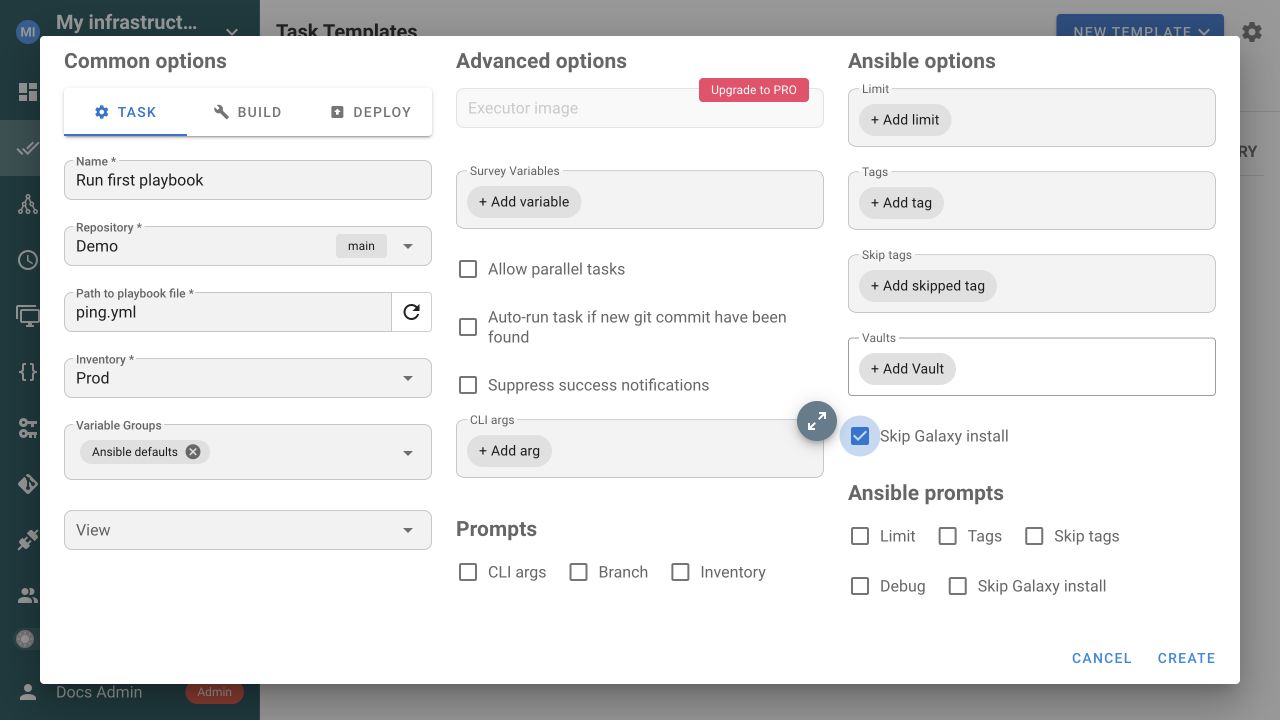
Watch this step
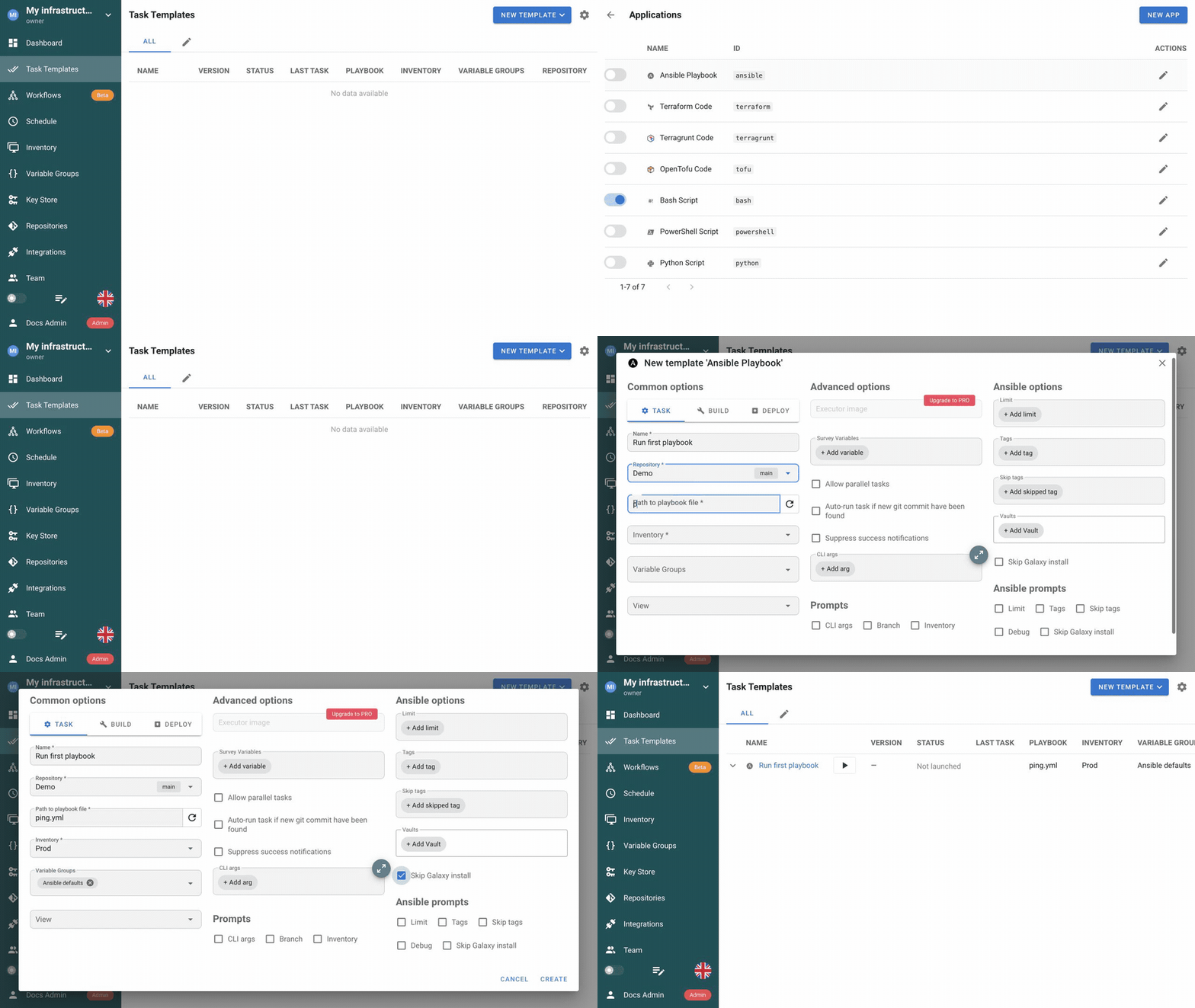
Other useful fields include:
- Vaults selects Key Store passwords for encrypted Ansible content.
- Limit, Tags, and Skip tags narrow what the playbook runs.
- Prompts allow a UI user, schedule, or API request to override enabled values for a specific run.
- Runner tag controls where the task executes; it does not select an Ansible target.
See Ansible templates and Task Templates for all fields and execution options.
10. Run the template and inspect the task
- Open the Task Template you created and select Run.
- Add an optional message such as
First Semaphore run. - Leave Dry Run and Diff off, then select Run.
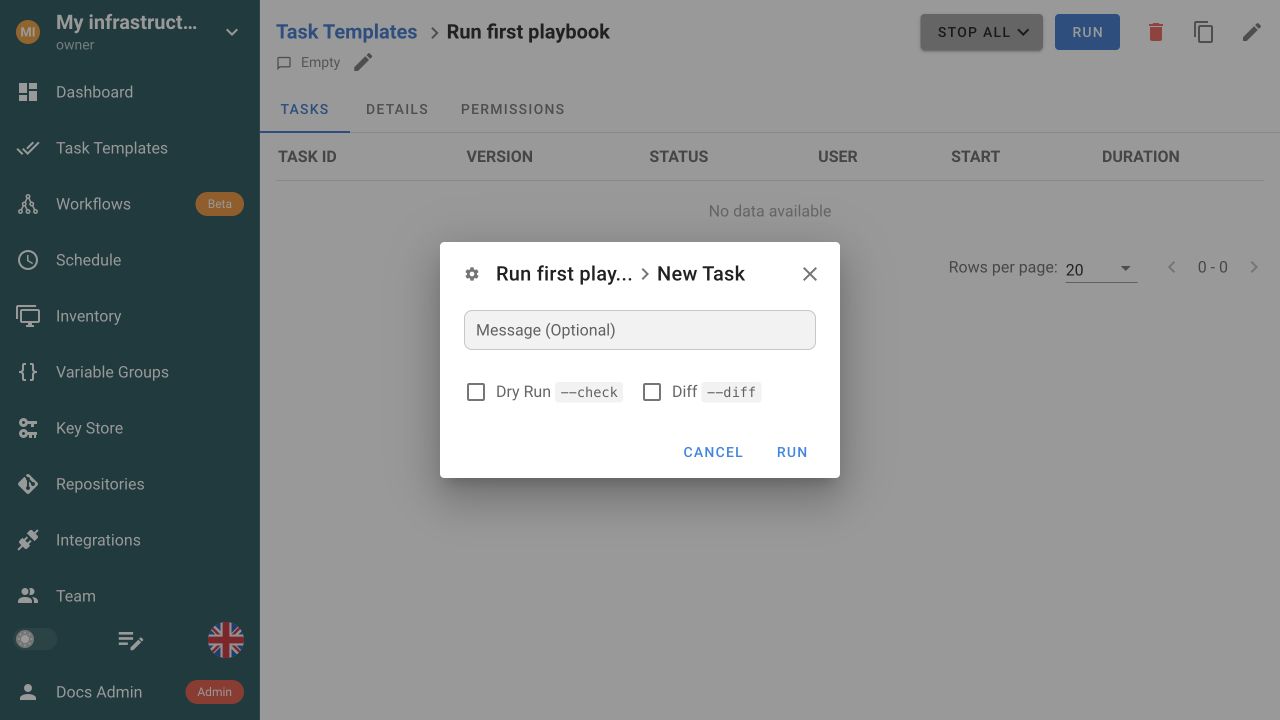
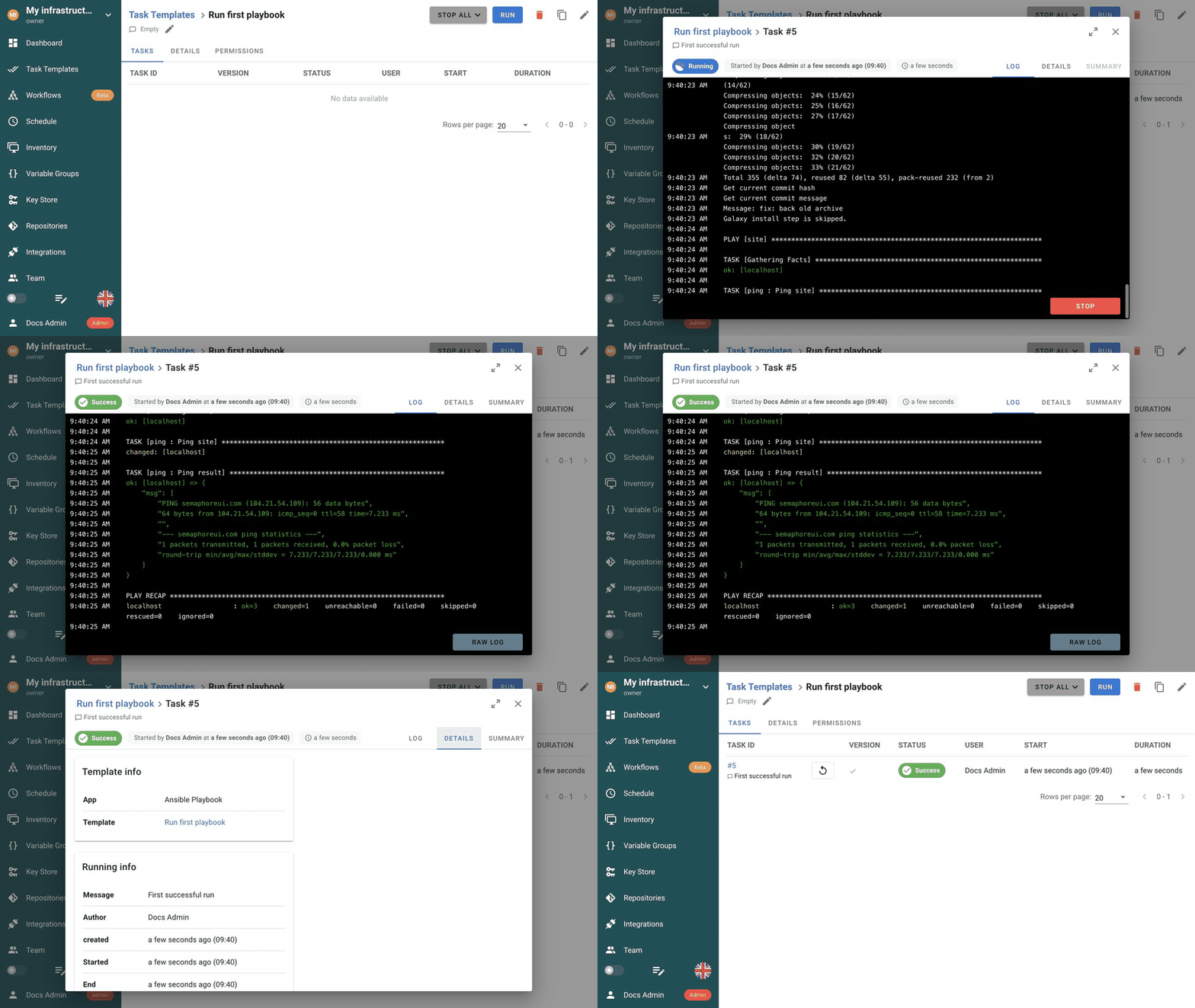
Semaphore queues the task, prepares the repository, applies the inventory and optional Variable Group, and runs the selected playbook. The status moves through Waiting and Running before finishing as Success or Failed.
Log
Log is the source of truth for command output. Read the final PLAY RECAP, not only the green status badge.
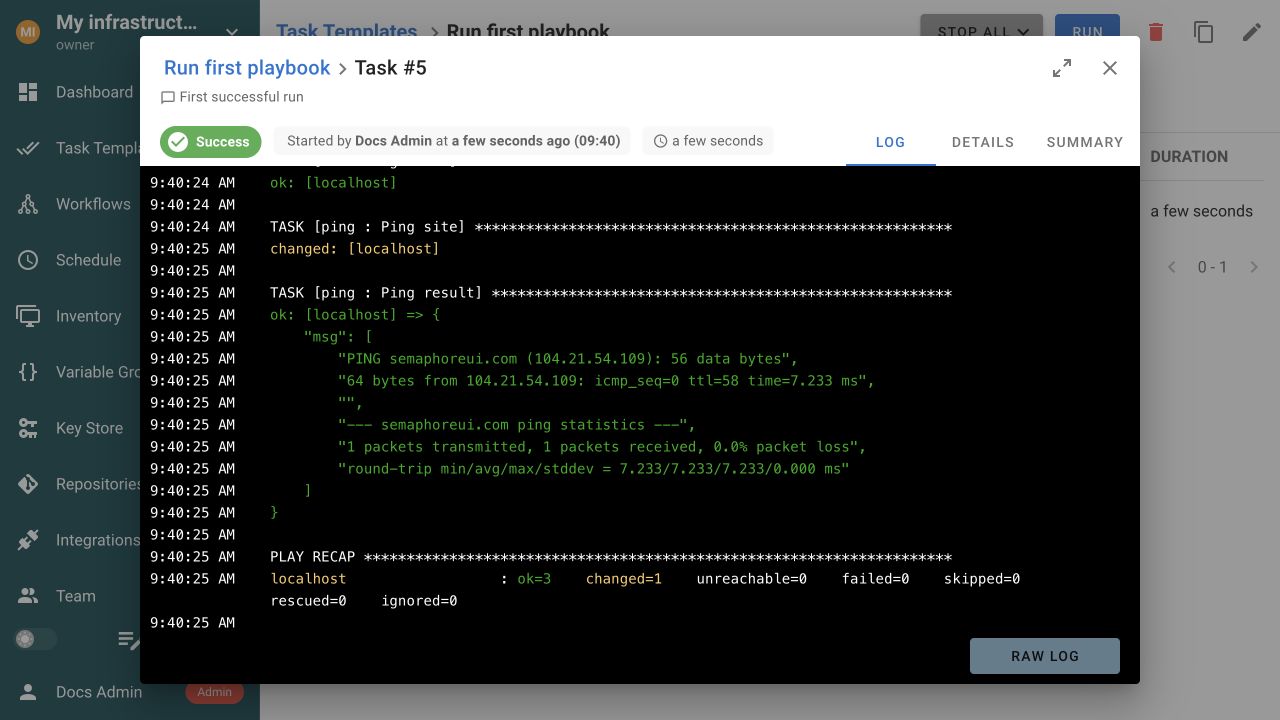
The exact counters depend on your playbook. A successful first run should end with unreachable=0 and failed=0 for localhost. If the demo log shows changed=1, it means its shell-based ping step ran and reported a change; it is not an error.
Details and Summary
| Tab | What to check |
|---|---|
| Log | Live execution phases, module output, errors, and the final PLAY RECAP. |
| Details | Template type, Git commit, run message, author, timestamps, and duration. |
| Summary | Host-level Ansible results and errors after completion, when the task-summary feature is available. |
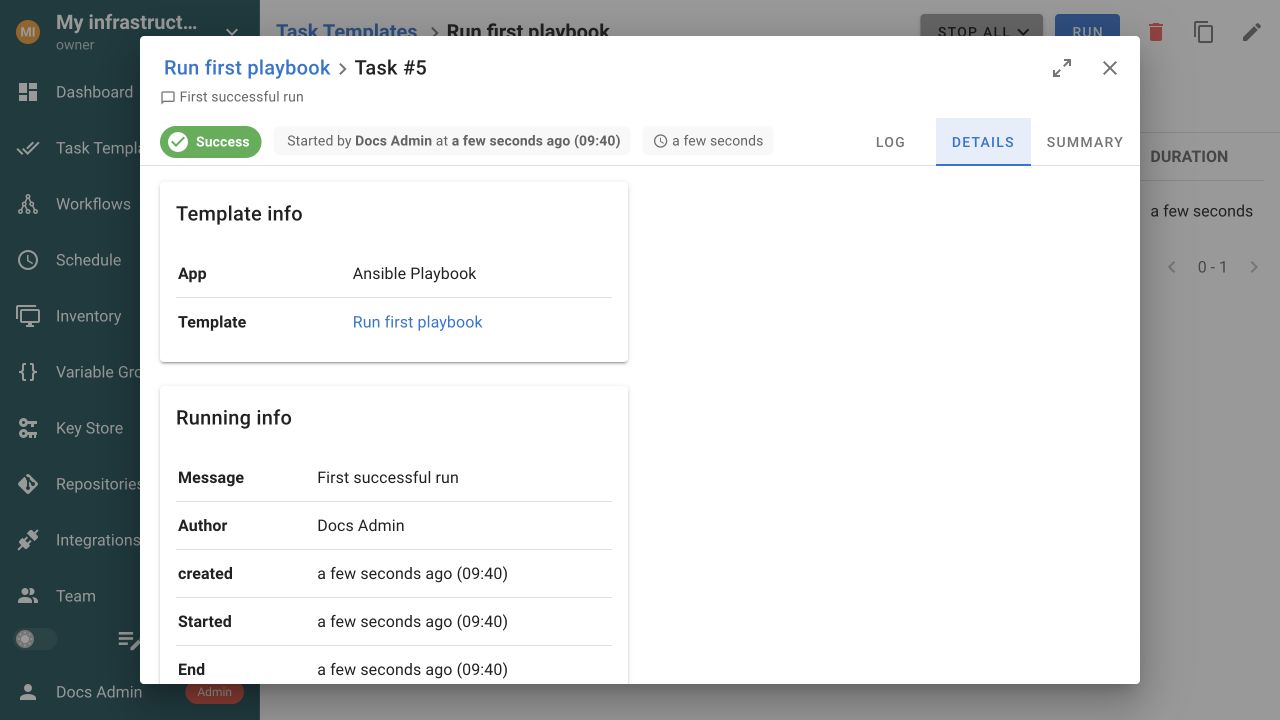
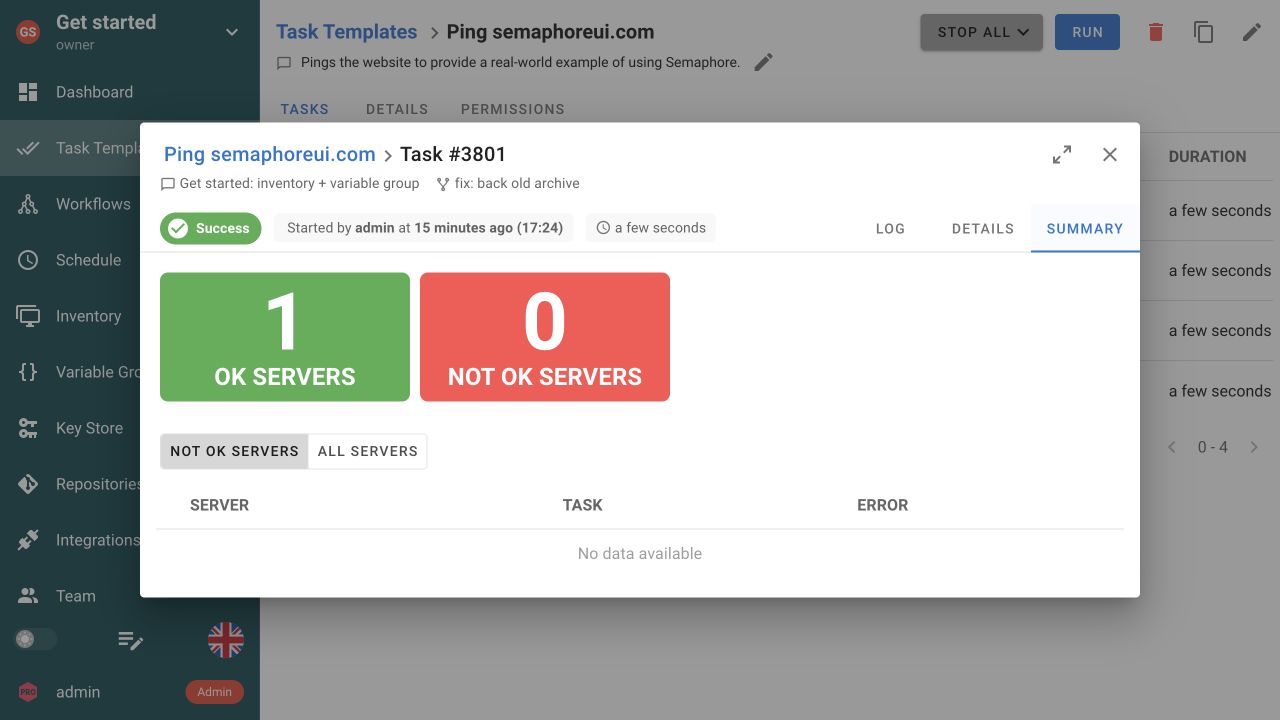
If Summary is unavailable, verify the run in Log; PLAY RECAP remains the authoritative Ansible result.
Watch the run and result
Find previous runs
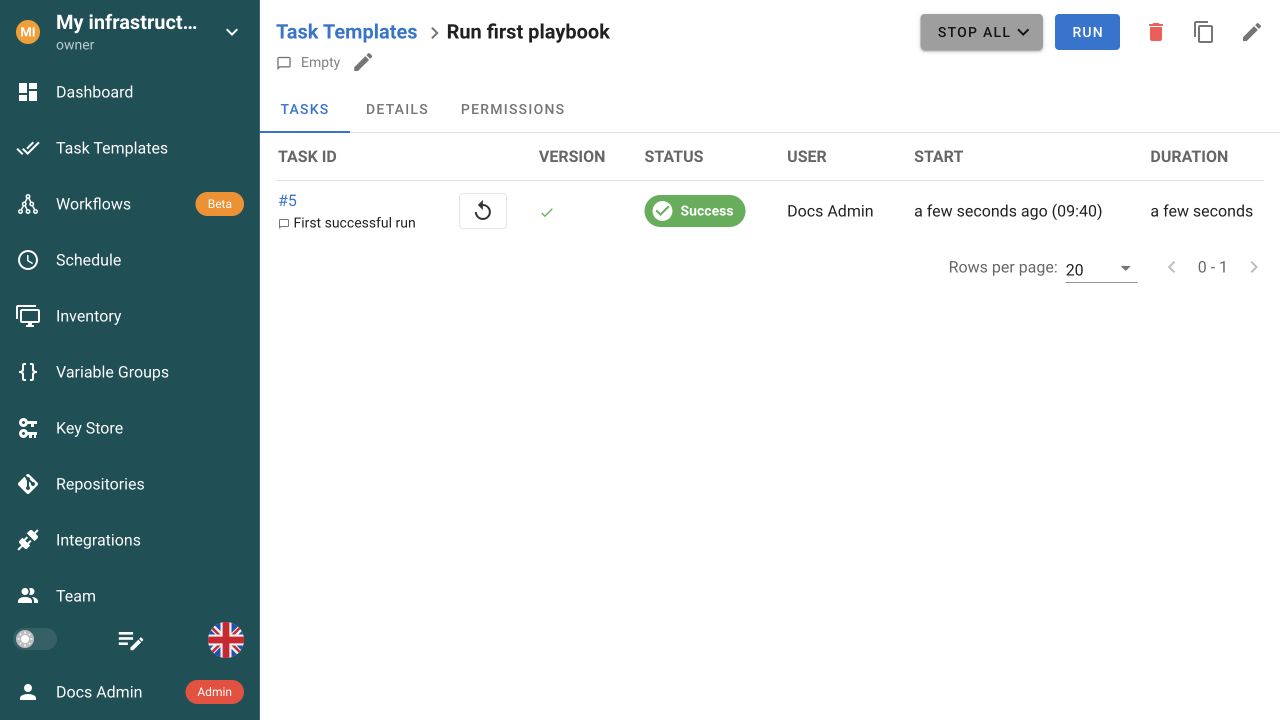
Close the task window to return to the template's Tasks tab. Every run has its own task number, status, user, start time, duration, and preserved log. Dashboard → History shows runs from every template in the project. See Tasks and Project history for more detail.
If the task fails, use the last meaningful Log line to choose the next check:
- A clone error points to the repository URL, branch, Access Key, or network access from the execution host.
ansible-playbook: command not foundmeans Ansible is missing from the Semaphore server or selected runner.UNREACHABLEpoints to inventory addressing, host credentials, SSH reachability, or host-key verification.- A failed Ansible step normally includes its task name, host, and module error immediately above
PLAY RECAP.
11. Run the task on a schedule
After the task succeeds from the UI, you can run it automatically. For example, the cron expression 0 3 * * * starts it every day at 03:00 in the timezone shown by Semaphore.
- Open Schedule and select New Schedule → Cron.
- Enter a descriptive name, for example
Nightly playbook. - Select the Task Template you want to run.
- Keep Show cron format enabled and enter a cron expression, for example
0 3 * * *. - Keep Enabled selected and choose Save.
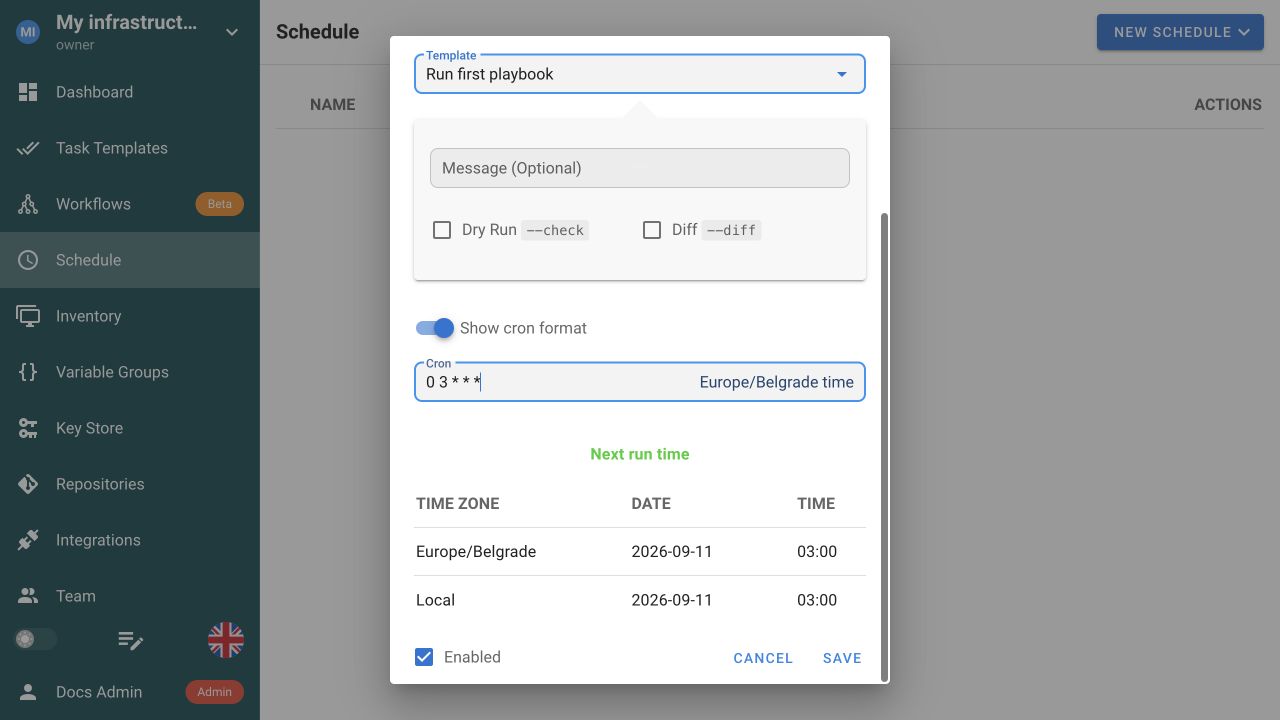
Semaphore shows the configured timezone and calculates the next run before you save. A scheduled run uses the same repository, inventory, Variable Groups, and execution settings as the template. If the template exposes prompts, the schedule can provide values for them. See Schedules for cron syntax, timezone configuration, one-time runs, and scheduled parameters.
After saving, verify that the schedule is Enabled and that Next run shows the expected time. Scheduled tasks appear in the template's Tasks tab and in Dashboard → History.
What to try next
Once the first Ansible task succeeds:
- Add the appropriate private credential in Key Store when your Repository requires authentication.
- Build a Workflow when several templates need ordered success, failure, approval, or note paths.
- Use Integrations for authenticated webhook triggers from GitHub, GitLab, or another system.
- Use the API to manage resources and start templates programmatically.
- Add a remote runner when execution must happen in another network, operating system, or security boundary.
For production, put Semaphore behind HTTPS, back up the database and access-key encryption secret together, configure centralized authentication, and review Security, Logs, and Upgrading.