

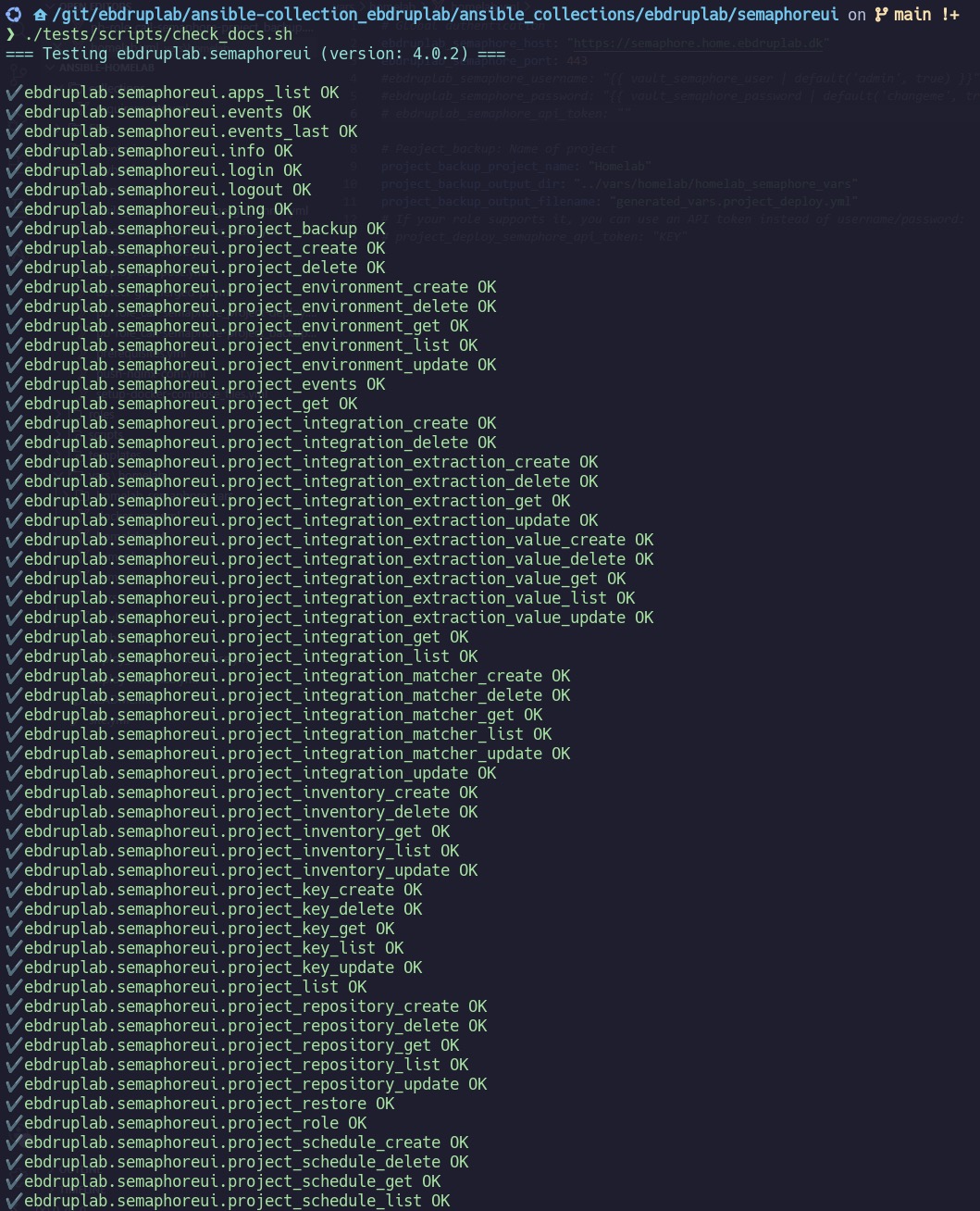
Over seven years of working with Ansible, I went from simple CLI commands to building my own collection of 92 modules for managing Semaphore UI. In this post, I’ll walk you through how a small learning project grew into a full Config as Code toolkit — and why I chose Semaphore over Red Hat AAP.
Terminology
Before diving in, a few terms worth clarifying:
- Ansible Collection — an automation bundle that can include Roles, Modules, and plugins. Most modules are written in Python (for Linux servers and network equipment) or PowerShell (for Windows).
- Ansible Role — a predefined set of tasks, which may include variables, templates, files, and handlers. A Role can be packaged within a Collection or exist as a standalone entity.
- Config as Code (CaC) — the practice of defining and managing configuration through code, enabling automation, reuse, and version control instead of manual configuration.
Introduction
My name is Kristian, and I’m the author of ebdruplab.semaphoreui — an Ansible Collection for managing your Semaphore UI installation through code.
How It Started
The project began as a way to deepen my understanding of Ansible. Up to that point, I had mostly been consuming collections and roles built by others, or stitching together ansible.builtin.cmd, registers, and Jinja2 templates to get things done.
My curiosity was first sparked by a need to automate some obscure network equipment — specifically, validating that database serial numbers were set correctly. After that project, I returned to my usual work in PowerShell, until a new consulting role pulled me back into Ansible. That role involved everything from patch management to helping set up Ansible nodes, advising on best practices, and building content for installing Red Hat Single Sign-On.
I’ve been working with Ansible for seven years — starting with the CLI, moving to Ansible Automation Platform (AAP) v2, and eventually stepping back from it. Why? AAP is a powerful but heavyweight product, built for large enterprises. It’s painful to set up outside of OpenShift, and the licensing cost reflects that.
Why Semaphore UI
Semaphore UI won me over with its simplicity. One package, one server (unless you need enterprise scale) — not six VMs communicating across ten ports in ten different ways.
Yes, AAP’s execution environments are elegant. But maintaining them is another story. Semaphore UI is easy to patch, easy to run, and comes with a responsive, intuitive interface. It does lack some advanced features, but for my use cases it hits the right balance of capability and cost.
I first heard about Semaphore in the homelab community and didn’t think much of it — until I actually tried it. Once I checked Ansible Galaxy and found no collection for it, the decision was easy: this would be my learning project. Did I write all the code myself? No — I leaned on AI assistance throughout. But the project took shape gradually: 30 minutes here, an hour there. Before long, I had translated the entire Semaphore API into Python modules.
What Can You Do With It?
On Ansible Galaxy there are examples on what you can do with ebdruplab.semaphoreui. But just to do some examples:
Create and manage projects — define your Semaphore projects as code and deploy them repeatably
- name: Create project with token and custom settings
  ebdruplab.semaphoreui.project_create:
    host: http://localhost
    port: 3000
    api_token: "{{ semaphore_token }}"
    name: "My Project"
    alert: true
    alert_chat: "#alerts"
    max_parallel_tasks: 5
    demo: false
Configure inventories — manage static and dynamic inventories programmatically
- name: Create static inventory
  ebdruplab.semaphoreui.project_inventory_create:
    host: http://localhost
    port: 3000
    session_cookie: "{{ login_result.session_cookie }}"
    project_id: 1
    inventory:
      name: "Local Static Inventory"
      type: "static"
      inventory: "localhost ansible_connection=local"
      ssh_key_id: 42
      become_key_id: 7
Set up job templates — create and update templates without touching the UI
- name: Create template with UI-style override flags
  ebdruplab.semaphoreui.project_template_create:
    host: http://localhost
    port: 3000
    api_token: "{{ semaphore_token }}"
    project_id: 1
    template:
      name: "ff"
      playbook: "f"
      repository_id: 1
      inventory_id: 1
      environment_id: 1
      type: ""
      arguments: "[]"
      task_params:
        allow_override_tags: true
        allow_override_limit: true
        tags: ["t"]
        limit: ["t"]
Manage users — automate the creation of users, and assign them to a project
- name: Create a new user
  ebdruplab.semaphoreui.user_create:
    host: http://localhost
    port: 3000
    session_cookie: "{{ login_result.session_cookie }}"
    name: "Jane Smith"
    username: "jsmith"
    email: "[email protected]"
    password: "supersecure123"
    admin: true
    alert: true
Back up existing projects — export any live project to YAML for version control
- hosts: localhost
  gather_facts: false
  roles:
    - role: ebdruplab.semaphoreui.project_backup
      vars:
        project_backup_semaphore_host: "https://semaphore.example.com"
        project_backup_semaphore_api_token: "{{ lookup('env', 'SEMAPHORE_TOKEN') }}"
        project_backup_project_name: "My Project"
Restore or migrate — redeploy a full project setup from a YAML definition in second.
- hosts: localhost
  gather_facts: false
  vars_files:
    - vars/project.yml
  roles:
    - role: ebdruplab.semaphoreui.project_deploy
Config as Code — ebdruplab.project_deploy
One module became two. Two became ten. Eventually, the collection reached 92 modules, covering projects, templates, inventories, and much more.
At some point, a user asked for a Role that could serve as the glue between all these modules. That Role — ebdruplab.project_deploy — lets you define exactly how a Semaphore UI project should look, then create it declaratively through Ansible.
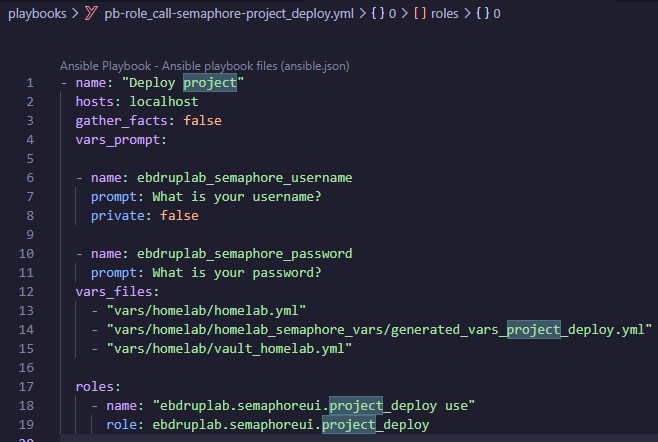
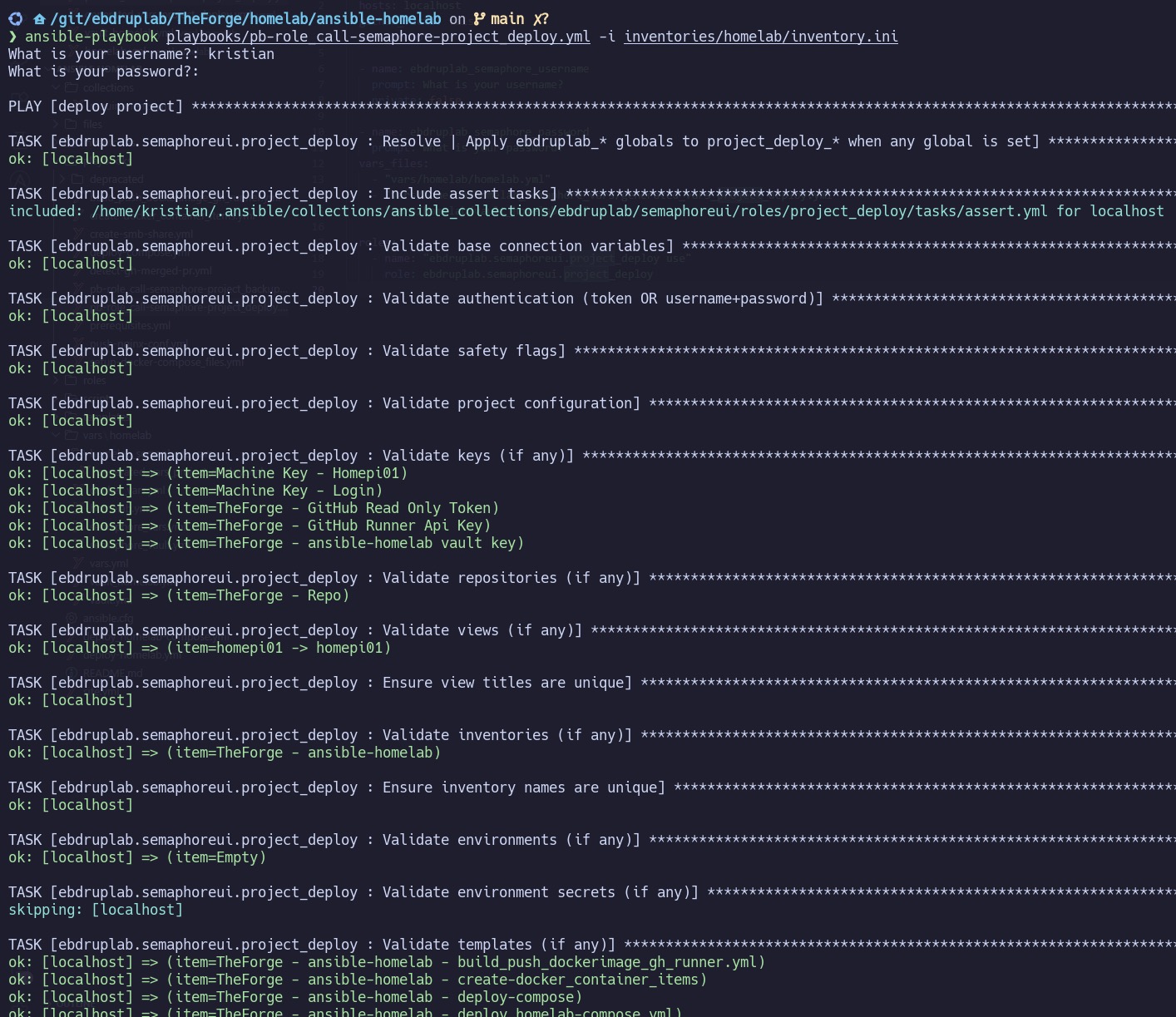
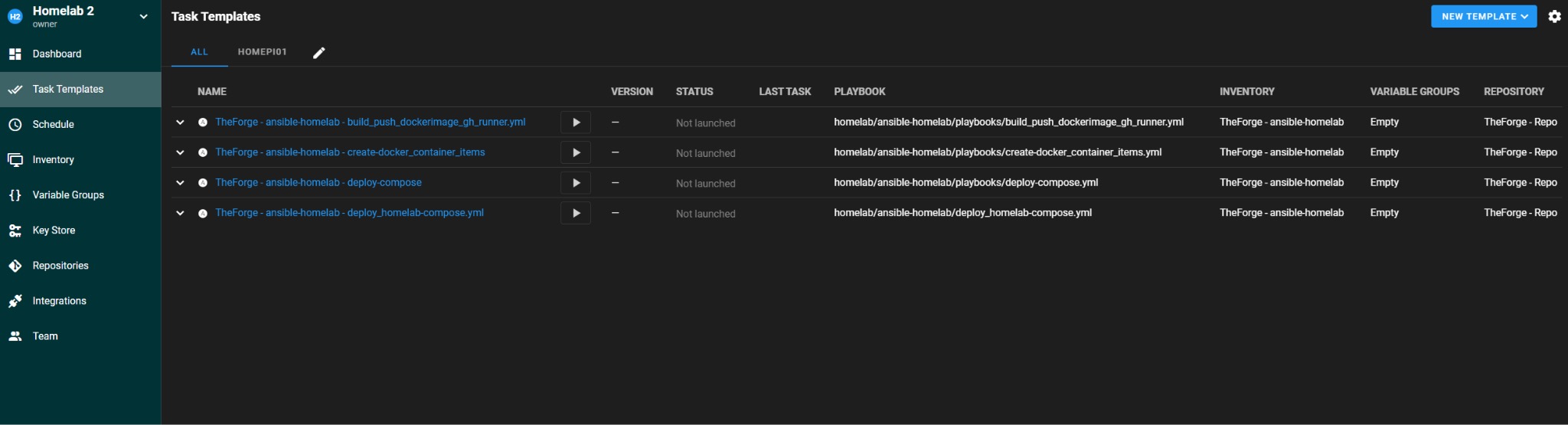
Here’s what a minimal project definition looks like:
project_deploy_config:
  project:
    name: "My Project"
    alert: false
    alert_chat: ""
    max_parallel_tasks: 0
    demo: false

  users_access:
    - username: "admin"
      role: "Owner"

  keys:
    repo_login:
      name: "Git Login"
      type: login_password
      login_password:
        login: "git-user"
        password: "{{ vault_git_password }}"

  repositories:
    - name: "Example Repo"
      git_url: "https://github.com/example/repo.git"
      git_branch: "main"
      key_name: "Git Login"

  views:
    main:
      title: "Main"
      position: 0

  inventories:
    local_inventory:
      name: "Local Inventory"
      type: "static"
      inventory: "localhost ansible_connection=local"

  environments:
    default_env:
      name: "Default Environment"
      env:
        APP_ENV: "prod"

  templates:
    deploy_job:
      name: "Deploy"
      type: "job"
      repository_name: "Example Repo"
      inventory_name: "Local Inventory"
      environment_name: "Default Environment"
      view_title: "Main"
      playbook: "playbooks/site.yml"

  schedules: {}
  integrations: {}
Documentation is available on Ansible Galaxy, and the GitHub repository includes examples/ and test/ folders inside both project_deploy and project_backup to help you get started.
Config as Code Converter — ebdruplab.project_backup
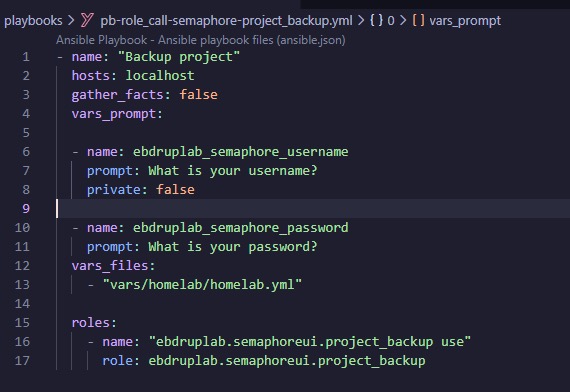
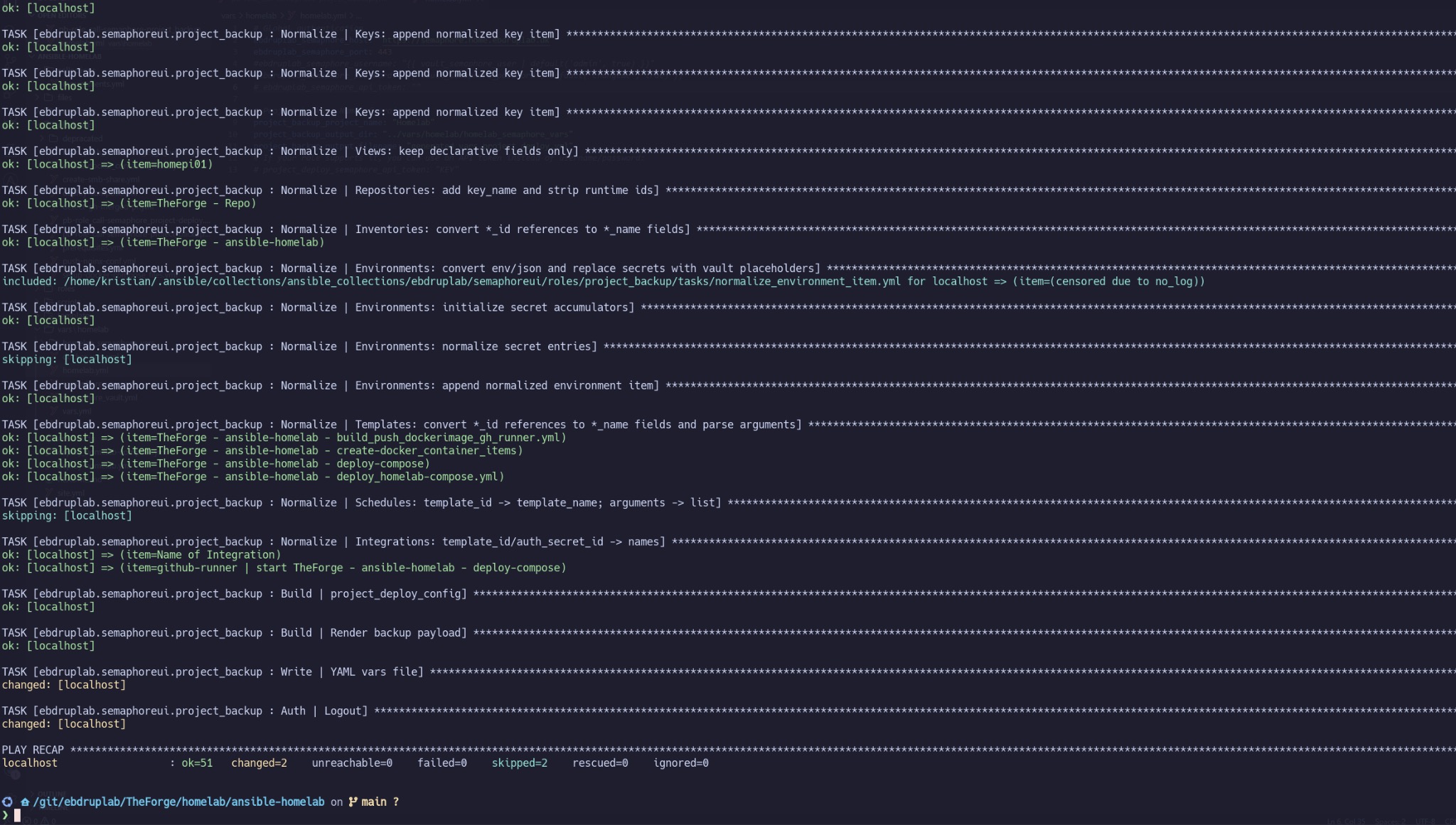
After building project_deploy, I had another idea: what about existing Semaphore projects that weren’t created through code? I built ebdruplab.project_backup to solve exactly that — it takes an existing project and exports it as a YAML variable file compatible with project_deploy.
This closes the loop: whether you’re starting from scratch or migrating an existing setup, you can bring everything under version control.
Get Started
Install the collection with a single command:
ansible-galaxy collection install ebdruplab.semaphoreui
Then head to the full documentation on Ansible Galaxy or explore the examples on GitHub.
If you find any errors, or have an idea. Please do not hesitate to create a issue/feature/questions - https://github.com/Ebdruplab/ansible-collection_ebdruplab/issues, else i be lingering around in Semaphore UI discord servers - TrimmerWolf7.
Hope you find the collection useful.


